






Pixel Twelve
The Sims 4 Cook Together Guide: Make a Shared Meal

How To

The Sims 4 Cook Together Guide: Make a Shared Meal

Set up a usable kitchen, find Cook Together With, choose another Sim and read the recipe list before starting a shared meal.

By Nova RainesGame: The Sims 4Verified Oct 4, 2026
Add to list

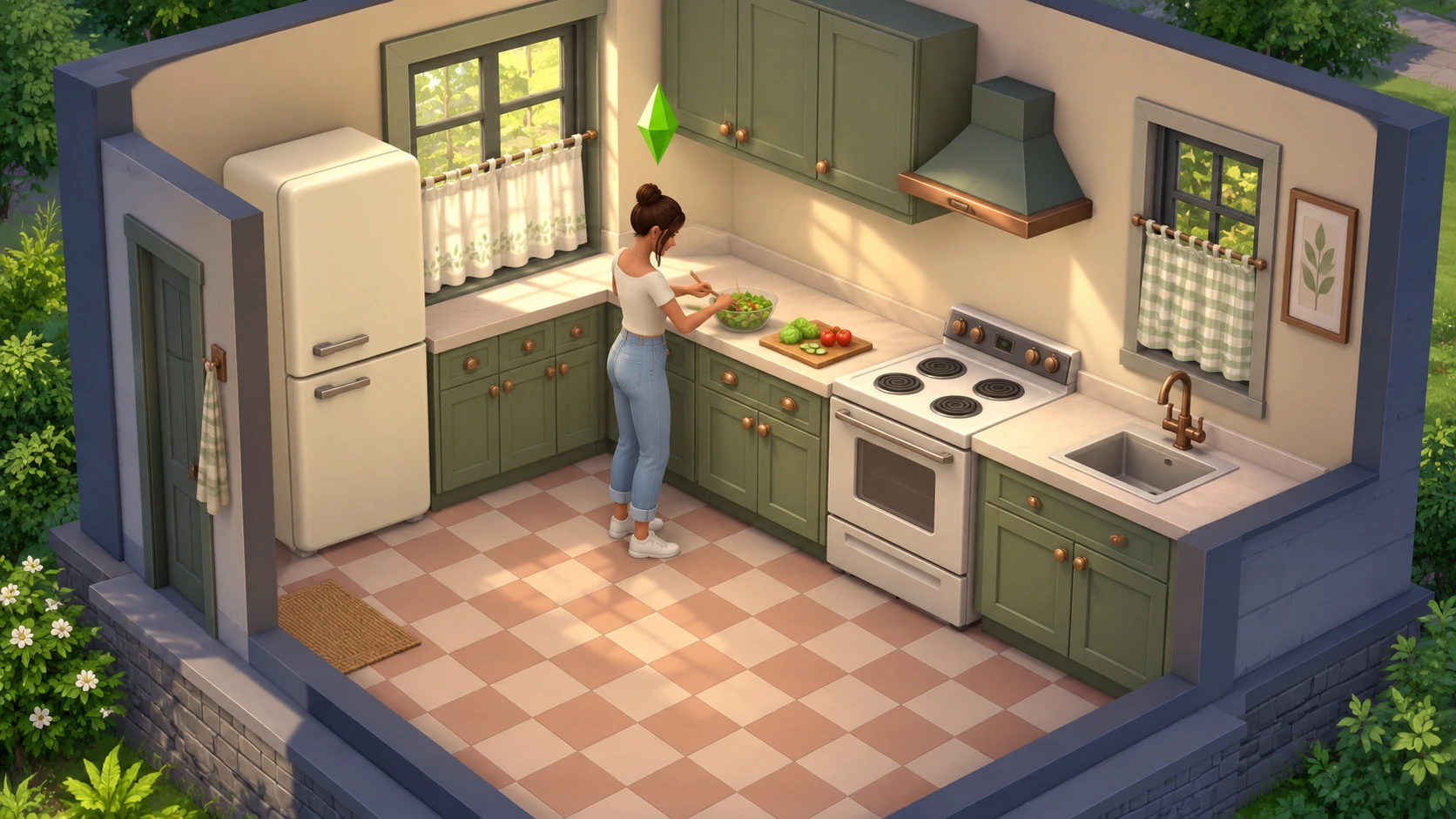
A cozy kitchen with room to work

Cook Together is a base-game way to make food with another Sim. For a first attempt, have an adult or teen cook and another Sim on the lot. You do not need Cottage Living to start the interaction. Its kitchen appears in our official footage because that video demonstrates the feature alongside the pack.

Our cream-and-sage kitchen art is an original illustration, not a screenshot. The menu examples are official 2021 gameplay: furniture, available dishes and some surrounding buttons may look different in your updated game.
1. Make space in front of the appliances

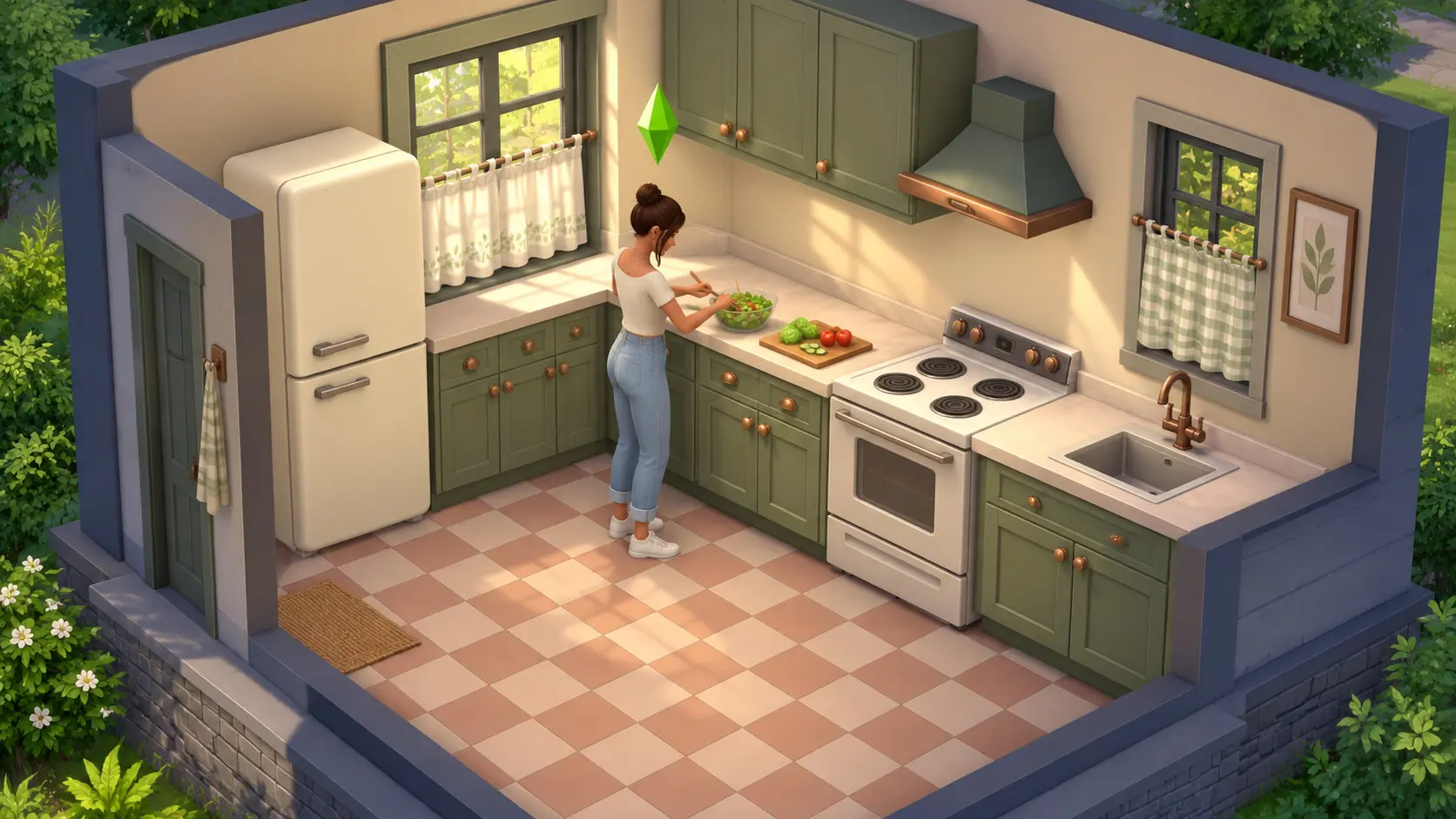
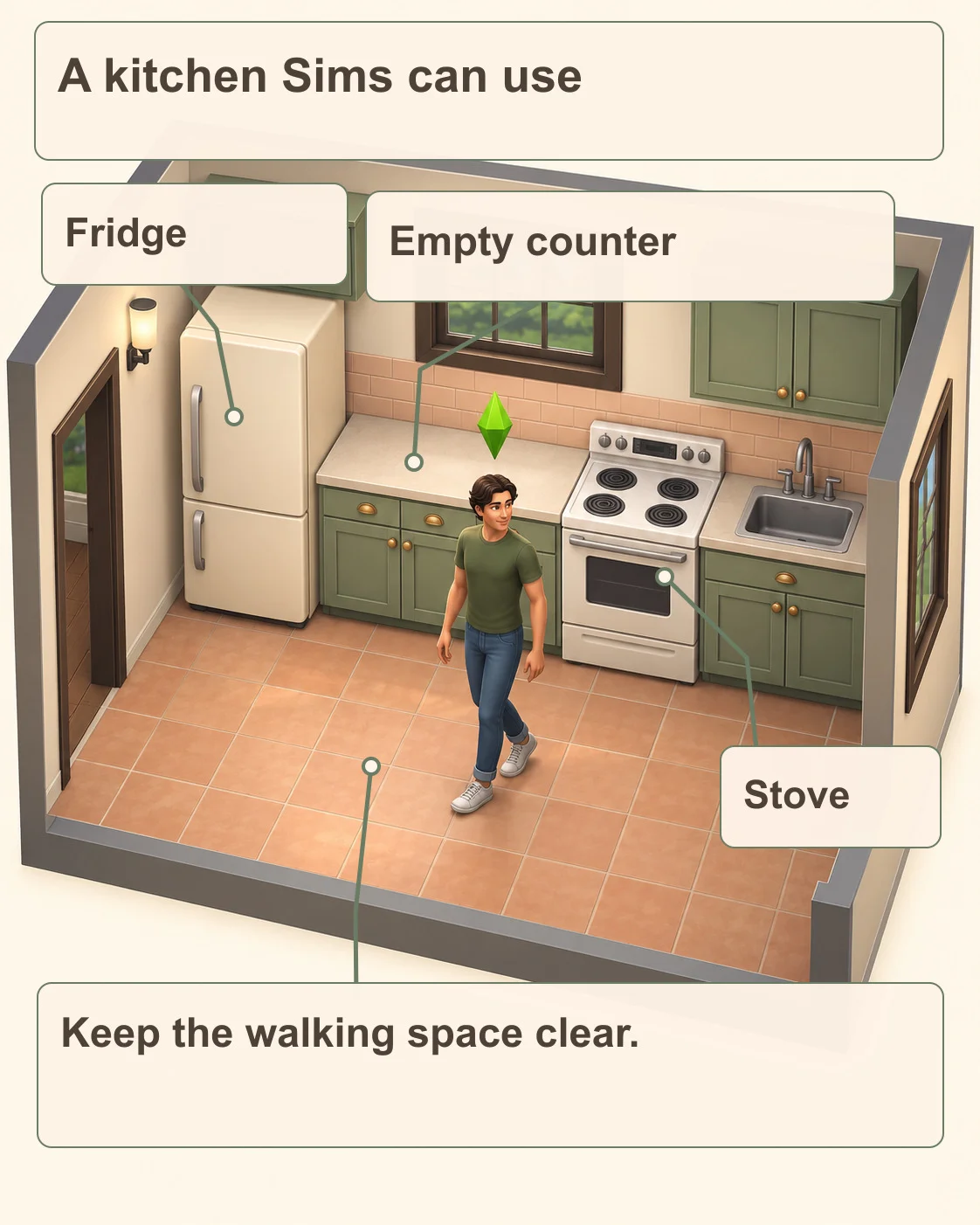
Find a refrigerator, an ordinary empty counter and a stove. The fridge is the tall cabinet with food-storage doors; the counter is the flat work surface; the stove has burners on top. In the illustration, the empty counter sits between the fridge and stove. A sink or a decorative plant occupying that surface is not spare prep space.

Original diagram labels a fridge, clear prep counter, stove and open walking space in a Sims-inspired dollhouse kitchen.
Pixel Twelve kitchen-layout diagram, not a screenshot or required floor plan. The counter surface and the walking lane are the important parts; the sink is not an extra requirement.
CreditsOriginal Pixel Twelve illustration.

Look at the floor in front of those objects. Move any chair, island or clutter that cuts off access. If you need to place missing kitchen furniture or move it, our first-home Build Mode guide shows how to use the catalog and check the room.

2. Select the fridge, then Cook Together With

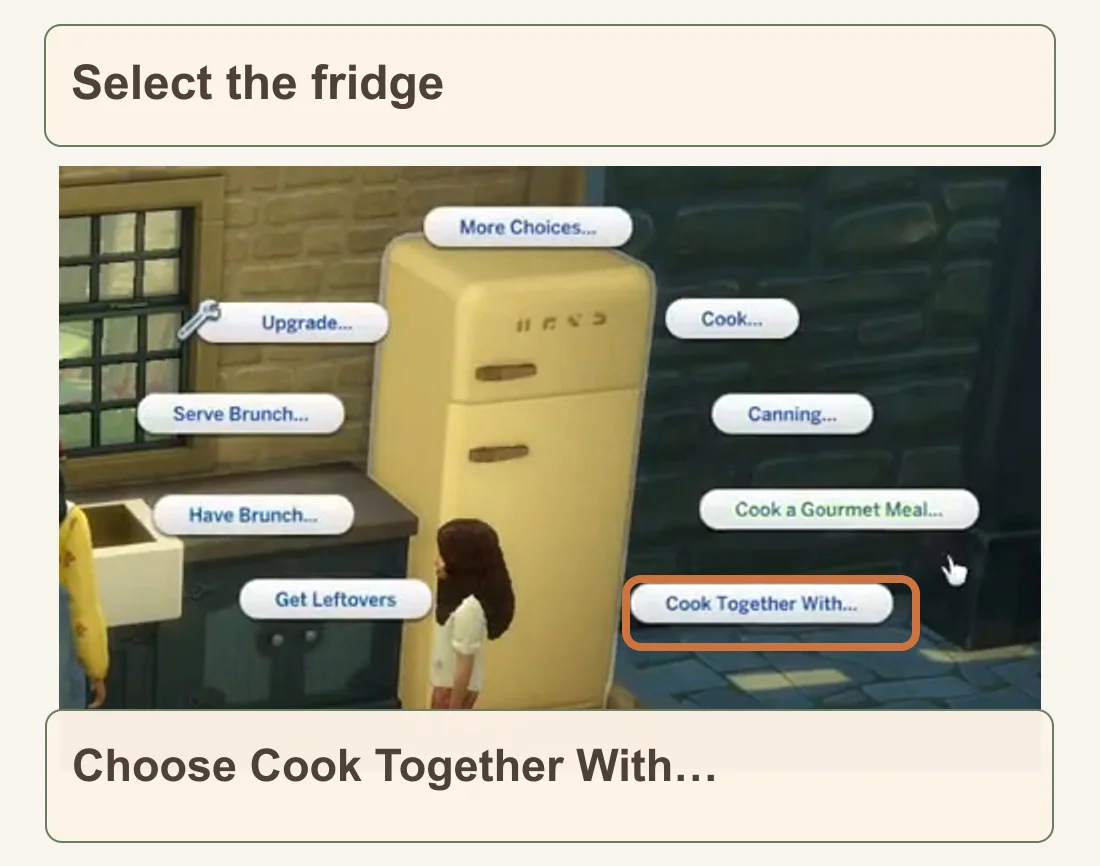
In Live Mode, select the portrait of the Sim who will lead the cooking. Select the refrigerator itself to open its choices. Find Cook Together With… and select it. In the official example it is the lower-right bubble beside the cream fridge. Cook… higher up is the separate solo-cooking option, not the same command.

Official Sims gameplay crop shows a fridge with separate Cook and Cook Together With menu bubbles; Cook Together With is outlined.
Official 2021 menu example: choose the outlined Cook Together With… bubble, not Cook… above it. The menu’s position can shift with the camera or extra interactions.
CreditsElectronic Arts

If the bubble is not on the first set of choices, check More Choices on the same interaction menu. The feature can also start from a stove or an empty counter, but the fridge is the clearest entry point shown here.

3. Select a helper and confirm the portrait

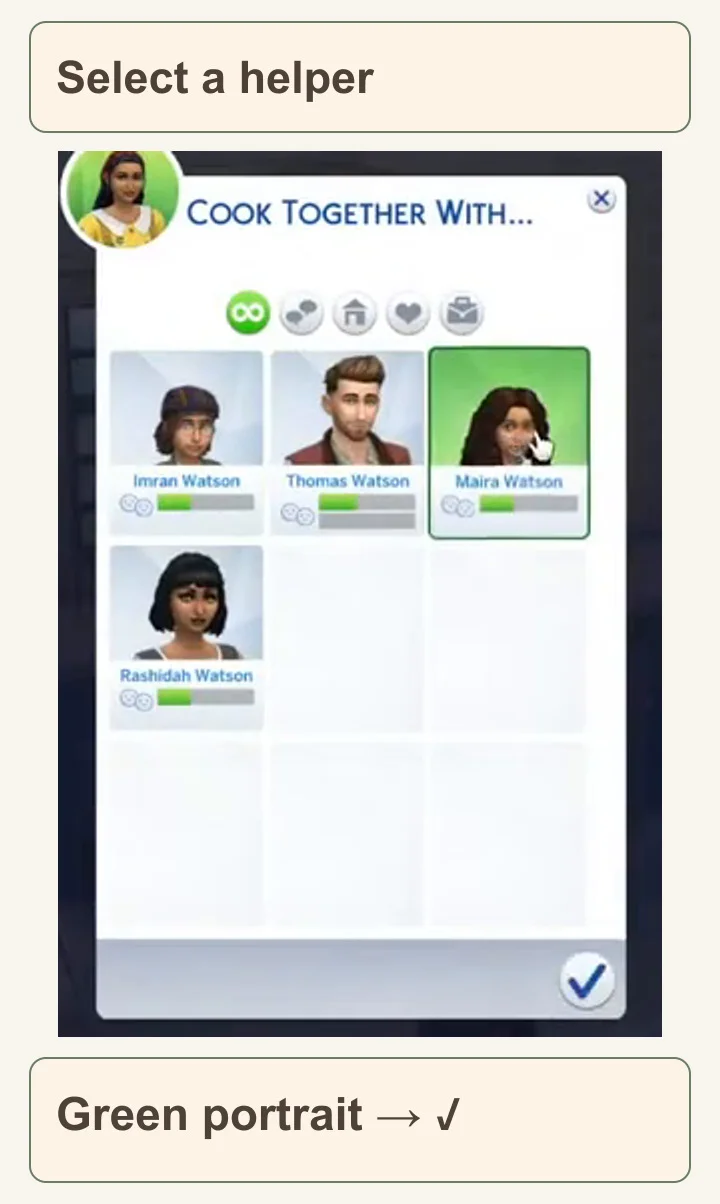
A Cook Together With… window opens with Sims’ portraits and names. Choose the portrait of the person you want to help. A green selection marks the choice; in the example, Maira Watson is the selected helper. Confirm with the checkmark at the bottom right of that window.

Official Cook Together With participant window shows a green Maira Watson portrait and the confirm checkmark at bottom right.
Official 2021 participant chooser. Your names and faces will differ. Look for a green selected portrait, then the bottom-right checkmark.
CreditsElectronic Arts

If the person you want is not listed, make sure they are actually on the lot and available for the activity. An empty chooser is not a recipe problem: choose a nearby helper before moving on. Start with one helper so it is easy to see whether both Sims join the action.

4. Read the recipe list before choosing a dish

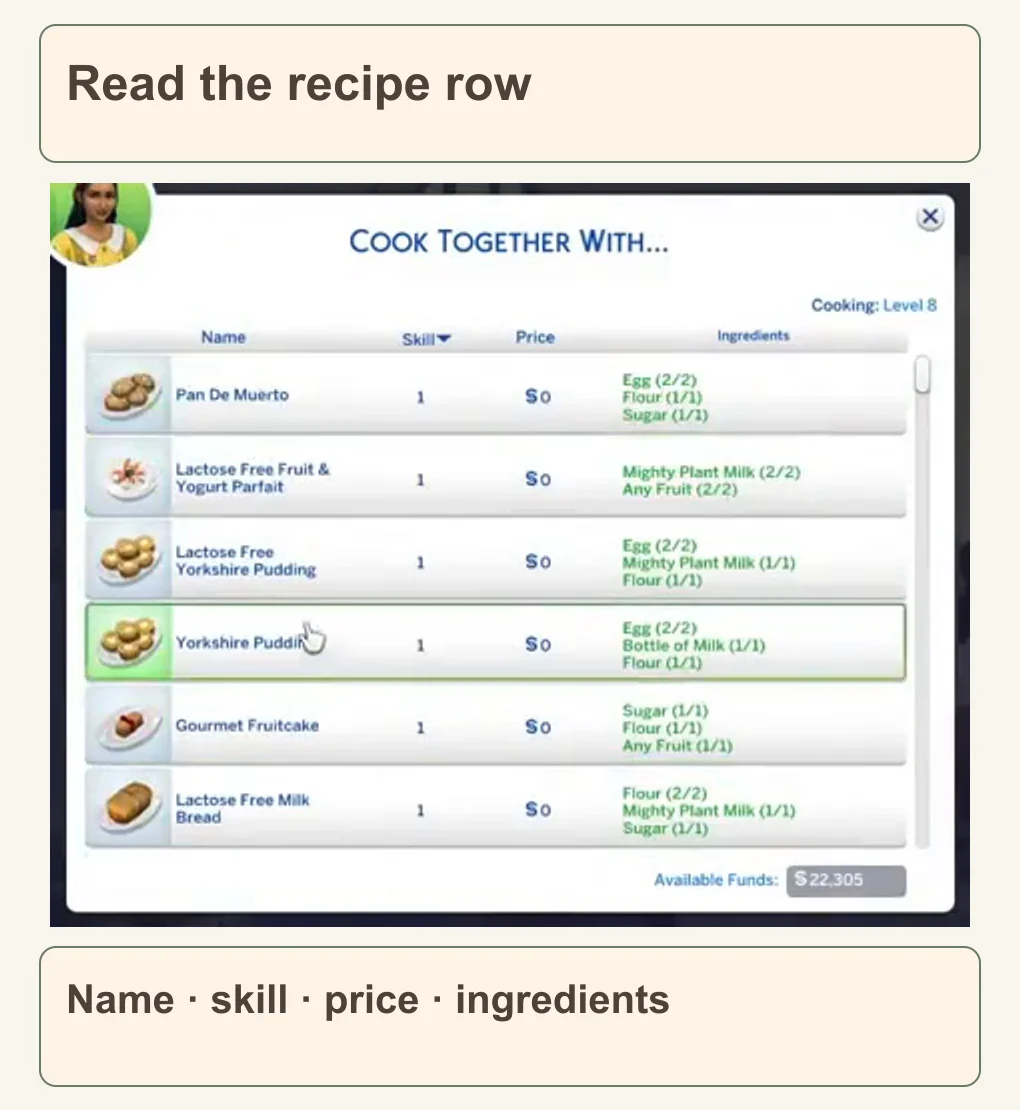
The next window is a recipe table. Read the dish under Name, then check its Skill requirement, Price and Ingredients. Choose an available recipe your selected cook can make. If a row is unavailable, read the row or its tooltip before assuming the game is broken.

Official Cook Together With recipe window shows Name, Skill, Price and Ingredients columns, with one row outlined green.
Official 2021 group recipe list. The cook’s level, dishes, ingredients and $0 prices belong to this demonstration; they are not a promise for your household. Choose an available row in your own game.
CreditsElectronic Arts
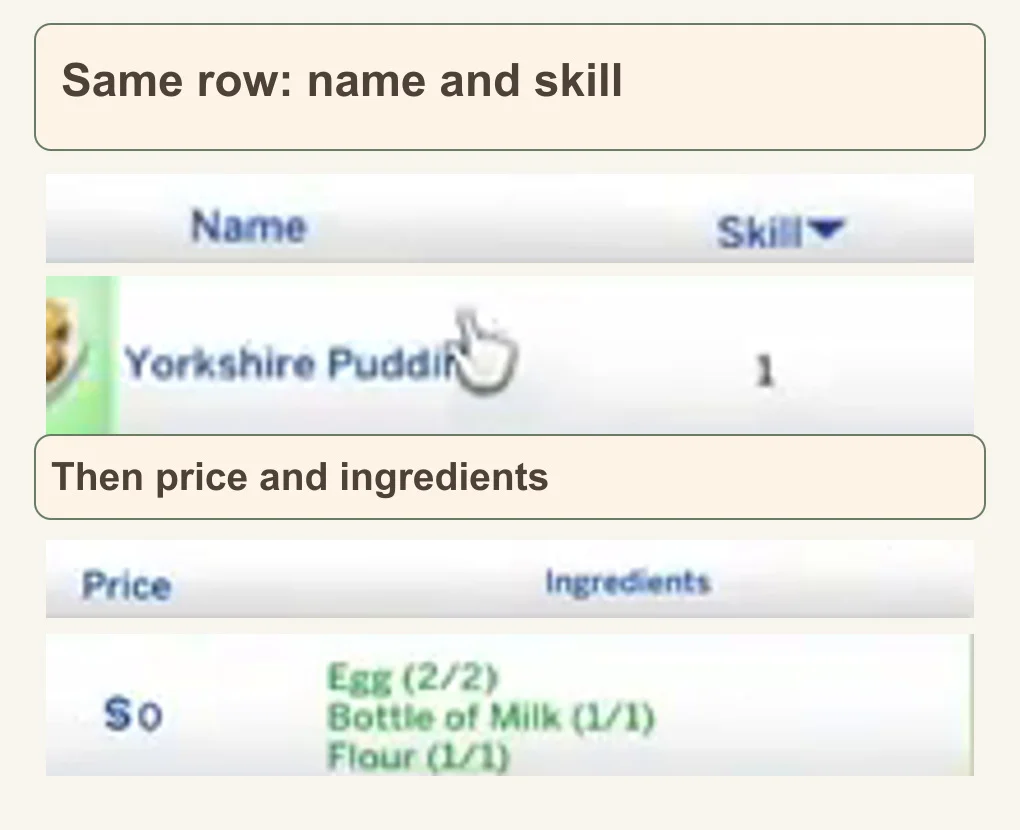
Two enlarged official crops show the same recipe’s Name and Skill, then its Price and Ingredients under their native column headers.
Close details from the same official 2021 row, arranged in two views for reading. This is an example of the columns, not a required dish or universal ingredient list.
CreditsElectronic Arts

The demonstration uses Cottage Living dishes and the Simple Living lot challenge. That challenge requires ingredients, rather than merely making a dish cheaper. If your lot uses it, use the Ingredients column to check what is missing. You do not need to buy that pack or copy the pictured Yorkshire Pudding to cook together.

5. Let the shared cooking action finish

After selecting the recipe, let time run in Live Mode. Watch the counter and stove: the lead Sim prepares the food while the helper joins the activity. Avoid replacing their queued cooking with another command halfway through. The result you are waiting for is a completed meal, not just two Sims standing in the kitchen.

If they stop or wave because they cannot reach something, compare your room with the layout diagram: check the counter surface, appliance fronts and walking lane. If hunger, tiredness or another need keeps interrupting the activity, the Needs guide shows which bar to check and what object helps.

Build the rest of the household’s routine

Add a small herb garden with the first-seeds guide, or use the Sims 4 guide hub for building, careers and household basics. The illustrations suggest a cozy style; matching the exact colors or buying extra décor is not needed for the cooking interaction.

This website is not endorsed by or affiliated with EA or its licensors.

Get Pixel Twelve's biggest stories first.

Add as a preferred source on Google