



The Sims 4 is a life-simulation game. You choose a Sim, tell them what to do in a home or neighborhood, and watch how their day goes. A Sim can be hungry, tired, lonely or dirty even when the house looks fine. The six Needs bars are the quickest way to see what is wrong. You do not need a paid pack or a cheat to use them; this guide works with the base game. The screenshots show an EA manual and examples from the game, but a few surrounding icons can change with updates or packs.
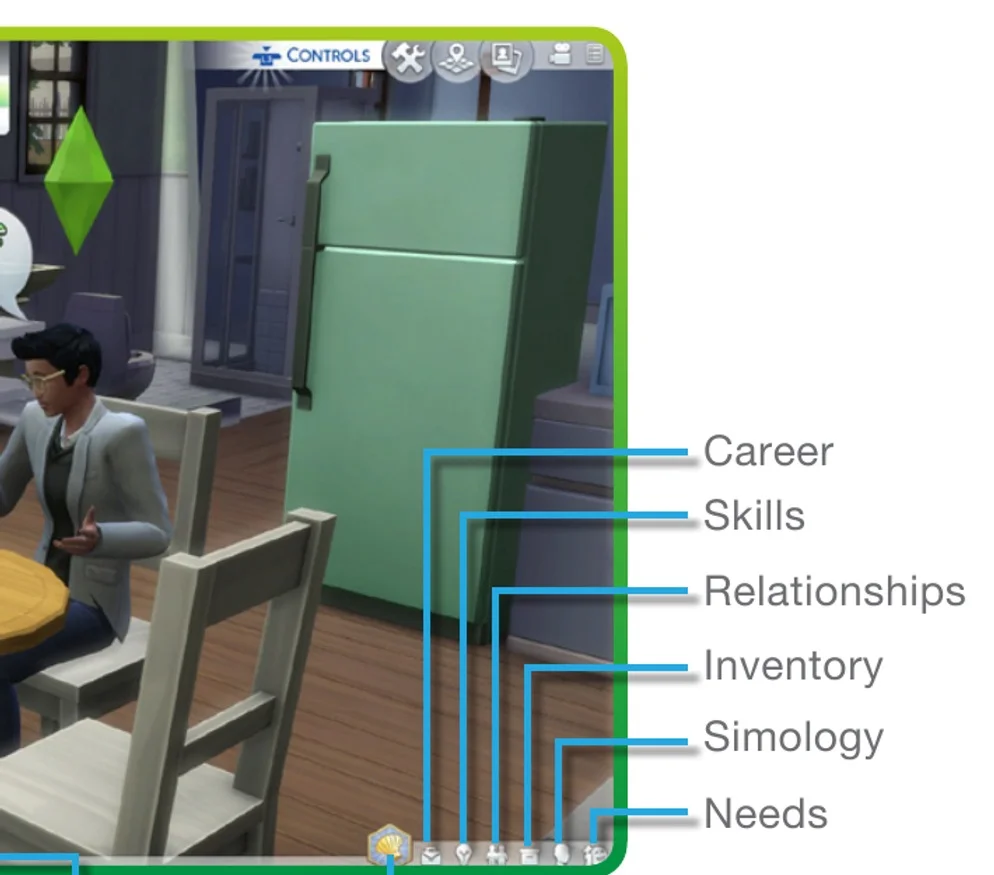
- Load a household and wait until you can see a Sim moving around the lot. That is Live Mode. If you are still choosing a home, creating a Sim or placing furniture, enter Live Mode first; the Needs bars will not be where the guide shows them in those other screens.
- Look at the row of small tabs along the bottom-right edge. The EA manual image points to Needs at the far right. On PC or Mac, move your cursor over the icons until you find Needs, then click it. On a console, move focus to that row with your controller and open Needs. The exact button prompt depends on your platform and control settings, so follow the label shown on your screen.
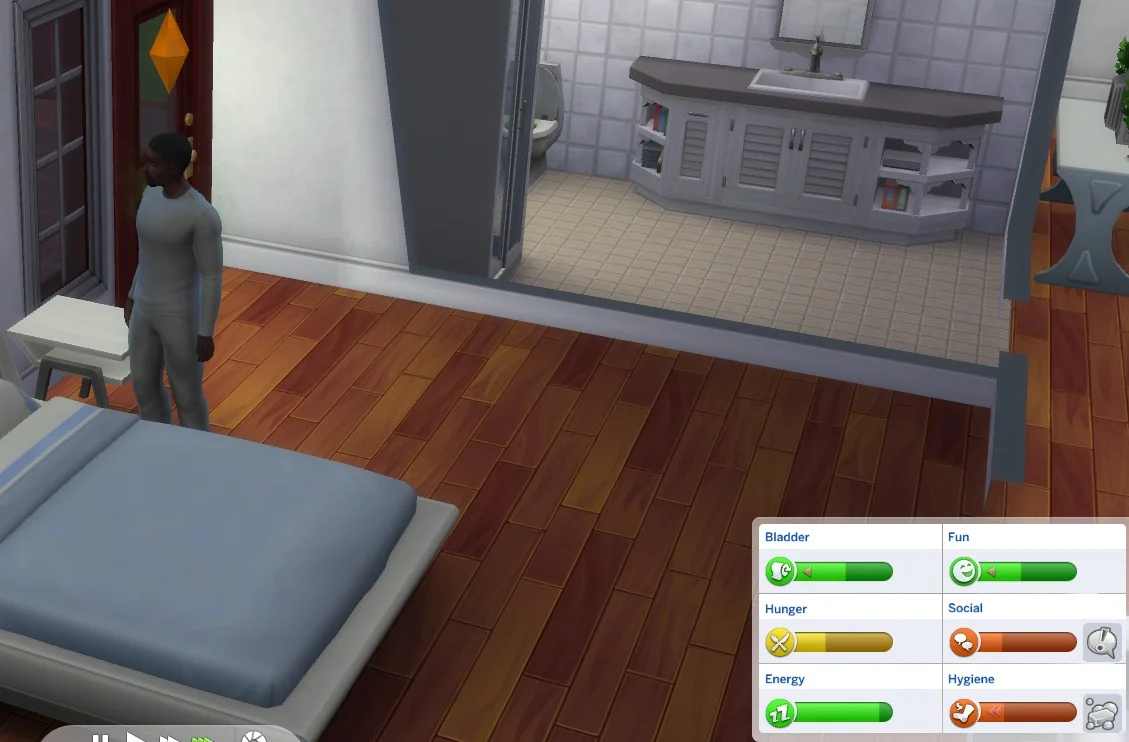
- Check which Sim is selected before you read the bars. The selected Sim has a portrait in the household row and a green diamond, called a plumbob, over their head. If you have several Sims, select the portrait of the one who looks upset or has a warning, then reopen Needs. Bars belong to that Sim, not automatically to everyone in the home.
If the tab opens and you see a different set of bars, confirm the selected Sim first. Some supernatural Sims and packs can add or change a need. The six ordinary base-game needs below are the starting point for a regular Sim.
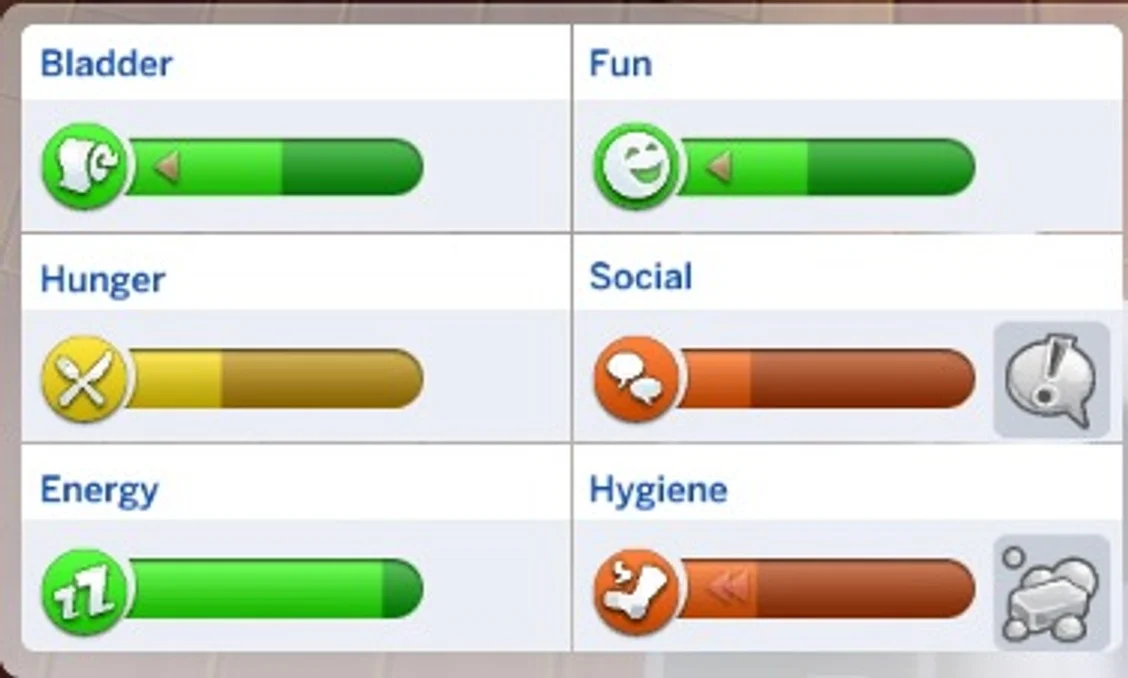
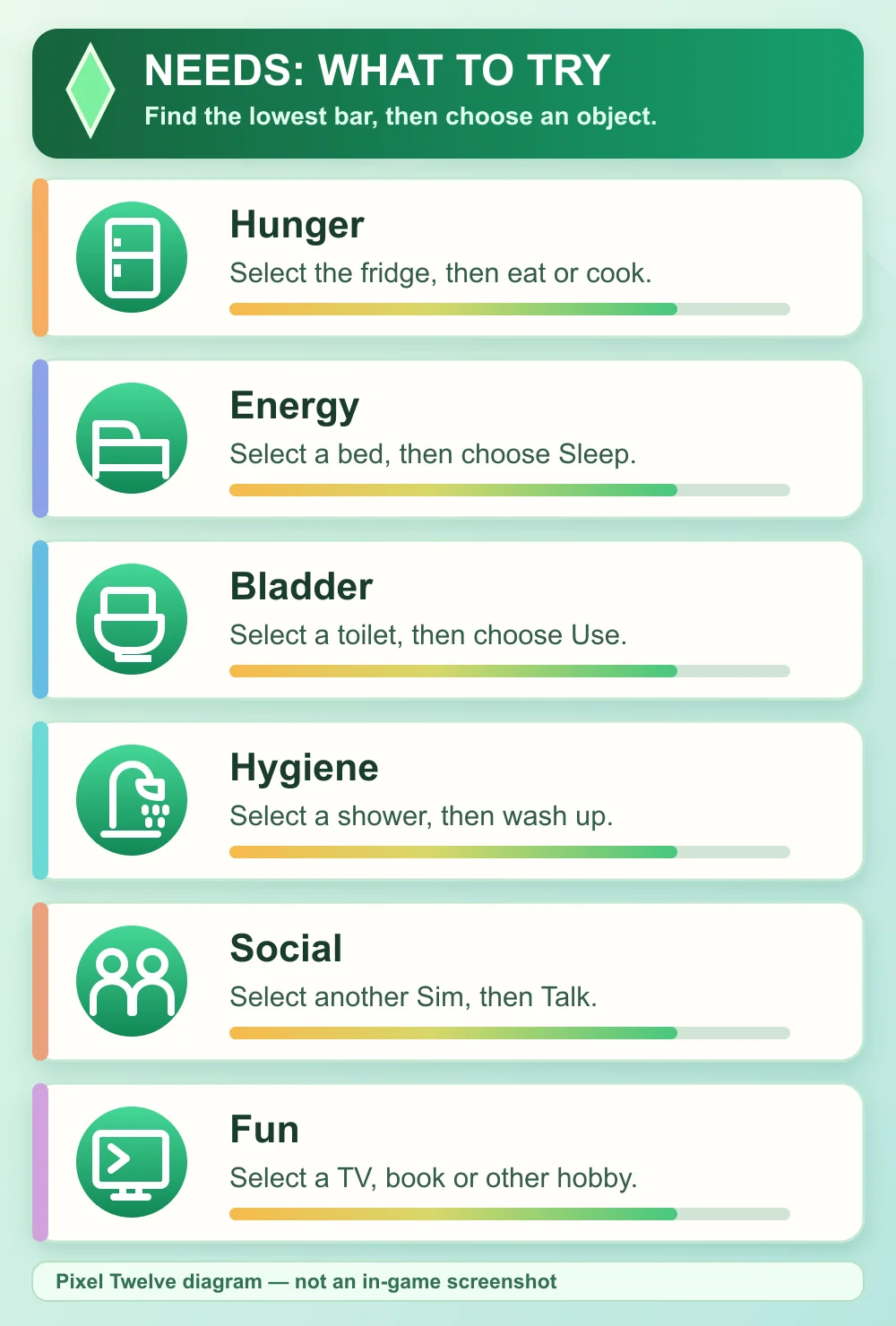


Social and Fun are different — here is what to select
Social and Fun can sometimes rise during the same activity, but do not count on that every time. The reliable test is the matching bar. If it does not move, try another available interaction rather than repeatedly selecting the same one.