



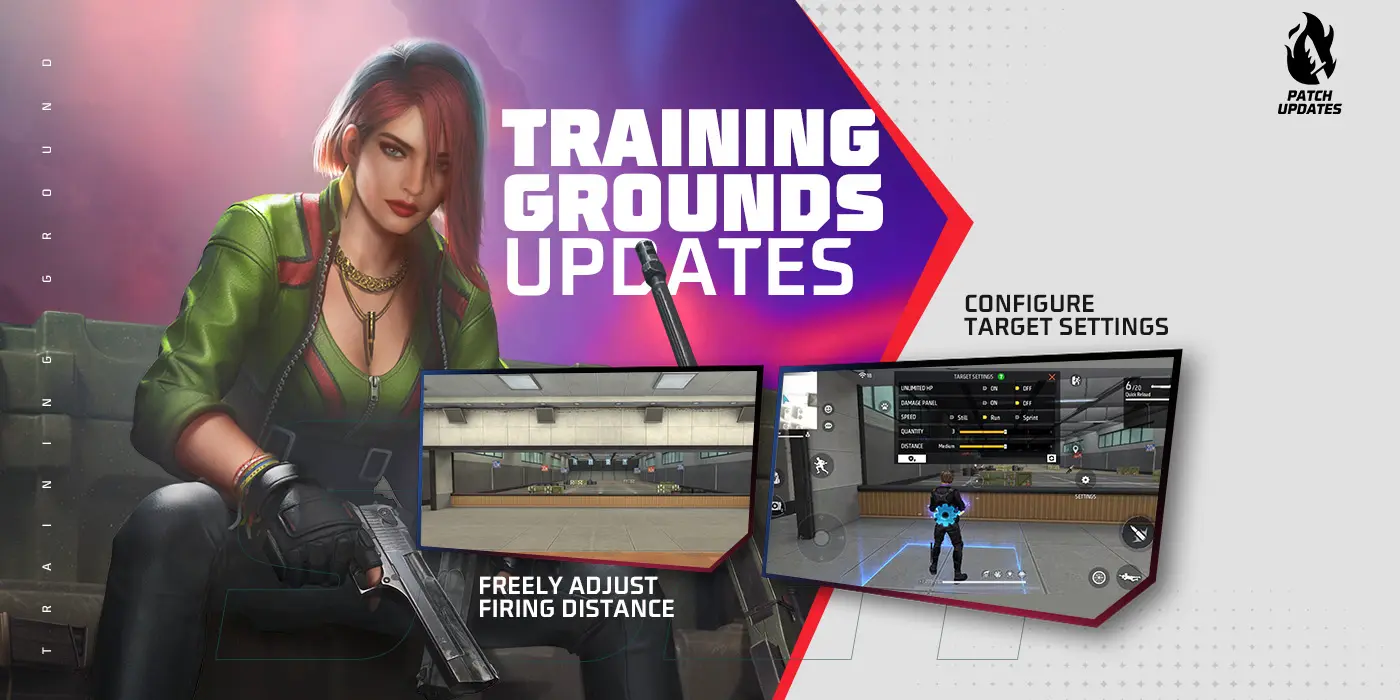




Free Fire MAX sensitivity guides go bad for one simple reason: too many of them pretend there is one perfect number that turns every player into a laser. That is not how the game works. Your phone, your frame rate, your screen size, your thumb movement, and the way you like to take fights all change what feels stable. A good setup is not the most aggressive one in a viral screenshot. It is the one that lets you control recoil, track targets, and stay calm when a fight gets messy.
That is especially important in Free Fire MAX because the game moves fast. Close-range fights can flip in a second, and bad camera drag or wild aim acceleration makes those moments feel worse than they should. If you are struggling, the goal is not to copy someone else's exact numbers first. The goal is to understand what each setting is trying to fix so you can tune with a purpose.
Think about this guide as a calibration pass, not a magic build. You are going to pick a baseline, make small adjustments, and test those adjustments in the same kinds of fights until the setup feels natural. That process is slower than copying a chart, but it is also the reason the setup actually sticks.
Start With Stability, Not Speed
Most new players over-tune their sensitivity because high numbers feel exciting in warm-up moments. Big swipes look fast. Flicks feel dramatic. The problem shows up when the target is moving and your crosshair starts skating past shoulders, chests, and heads. If your screen movement feels nervous, you do not need more aggression. You need a calmer baseline.
The easiest first check is simple: can you drag onto a nearby target without overcorrecting three times? If the answer is no, lower the setting you rely on most in close fights and test again. Free Fire MAX rewards players who can stay controlled through follow-up shots, not just players who can snap once and hope the rest lands.
This is why small changes matter more than full resets. If a setting feels a little too fast, trim it. If it feels sticky and slow, nudge it up. Giant jumps make it harder to understand what improved and what got worse.
Separate Close-Range Comfort From Long-Range Control
A lot of shaky setups come from using one mental rule for every fight. Close-range tracking and longer-range precision do not ask the same thing from your hands. Up close, you need speed without panic. At range, you need drag control and enough patience to let the reticle settle before you keep spraying.
That means your best setup usually feels balanced, not extreme. If every sensitivity category is pushed high, long-range fights become messy. If everything is too low, you feel late in shotgun or SMG fights. The sweet spot is where you can turn quickly enough to react but still hold an angle without the camera floating away from you.
When you test, do it by fight type. Take a few close engagements and pay attention to whether you keep overshooting the enemy during side movement. Then take medium-range fights and check whether recoil control still feels readable. Do not judge the whole setup off one lucky elimination.
Build A HUD That Reduces Hand Travel
Sensitivity is only part of the story. Your HUD layout decides how much work your fingers are doing before the shot even happens. If your fire button, aim controls, jump, crouch, and utility buttons are spread in awkward places, you are forcing your hands to work harder every time a fight speeds up.
A beginner HUD should feel boring in the best way. Put the most-used combat controls where your thumbs already want to rest. Leave enough space around them that you do not fat-finger the wrong input while looting or strafing. If you keep jumping when you meant to crouch or opening the wrong utility in a panic, that is not a skill issue. That is layout friction.
This also applies to scope and drag comfort. If your finger has to travel too far from movement to firing or from firing to camera correction, your whole aim routine becomes slower than it needs to be. A cleaner HUD makes your sensitivity settings easier to trust because the rest of the interaction is not fighting you.
Advertisement

ADS Discipline Beats Wild Spraying
One reason players keep searching for miracle sensitivity numbers is that they want settings to solve bad habits. They will not. If you are taking every fight at full panic spray, no slider is going to hide that for long. Controls help most when they support a smarter firing rhythm.
Free Fire MAX feels much better when you respect the first half-second of a fight. Get the aim onto the body cleanly, keep the drag controlled, and let the recoil pattern tell you what the weapon wants. Rushing every spray makes any setup feel sloppy because your own tempo is the real problem.
That is why practice should focus on repeatable routines. Track a moving target. Stop over-flicking. Reset between bursts when you have room. A stable settings page matters, but it becomes powerful only when your aim routine stops changing every match.
Frame Rate And Performance Settings Matter Too
A lot of players blame sensitivity for issues that really start with performance. If your frame rate dips, the game can feel heavier, late, or strangely slippery even when your numbers are fine. That is why controls and performance should be tuned together. If the phone is struggling, lower the visual load before you start tearing your setup apart.
The best-looking version of Free Fire MAX is not always the best-playing version for your device. Smooth input matters more than expensive visual ambition if you are trying to win fights. A cleaner frame rate helps recoil control, target tracking, and confidence during late circles far more than a prettier effect you barely notice once the shots start.
If your device runs hot or performance drops during longer sessions, that is also part of your control setup. Sensitivity that felt perfect in the first three matches may feel awful once the phone starts throttling. Test across a real session, not just one clean opening match.
How To Tune Without Ruining Your Muscle Memory
The worst way to tune Free Fire MAX is to reinvent the whole setup after every rough game. That feels productive because you are changing something, but it destroys any chance of building real muscle memory. Pick a baseline, identify one problem, and adjust only the setting most likely to affect that problem.
If you keep overshooting up close, lower the relevant drag speed slightly. If the aim feels too heavy when targets strafe, raise it slightly. If your layout keeps causing bad button presses, move the button that is creating the mistake and leave everything else alone. The cleaner your testing process is, the faster you reach a setup you actually trust.
Give each meaningful adjustment a few matches before you judge it. One bad fight after a change does not automatically mean the new setting is wrong. Look for a pattern. Did tracking improve? Did recoil feel calmer? Are you making fewer frantic corrections? Those are the signs that the settings are helping.
What A Bad Setup Usually Feels Like
Sometimes the easiest way to tune settings is to name the symptom honestly. If the camera keeps flying past enemies, the setup is too loose somewhere. If dragging onto targets feels heavy and late, the setup is too slow somewhere. If your thumb starts accurate and then the recoil gets away from you, the problem may be less about base sensitivity and more about panic spraying or a phone that is not holding performance steadily.
Try to match the feeling to the change instead of treating every bad fight like proof the whole setup is broken. Players waste a lot of time rebuilding from zero when the real issue was one small category or one button that kept causing rushed inputs.
A Practical Starter Routine
Start with visuals and performance. Make sure the game is running smoothly enough to judge your inputs honestly. Then set your HUD so your main combat buttons are comfortable. After that, tune close-range control first because that is where most beginner fights go wrong. Only once that feels stable should you start worrying about cleaner medium-range recoil work.
If you need a simple weekly routine, do this. Warm up with the current settings for a few matches. Write down the one thing that still feels wrong. Change one control element, not five. Test again in the same kinds of fights. Keep the change only if the problem is actually smaller. That is how settings become dependable instead of random.
Once the controls feel better, circle back to the Free Fire MAX beginner guide so the mechanical comfort turns into smarter match decisions. Keep the recurring codes page bookmarked separately for the daily reward checks.
A good Free Fire MAX setup should make the game feel quieter in your hands. You should spend less time fighting the screen and more time reading the actual match. That is the real goal. Not a copied number sheet, not a fake universal sensitivity, just a setup that lets you move, aim, and recover cleanly when the fight starts speeding up.