









Pixel Twelve
Fisch Appraiser Guide: Find the NPC and Check the Cost

How To

Fisch Appraiser Guide: Find the NPC and Check the Cost

Find Moosewood’s normal Appraiser, hold the right fish, check the changing C$ fee and learn what can happen to its weight and mutations.

By Nova RainesGame: FischVerified Oct 3, 2026
Add to list
Guide Type
How To
Last Verified
Oct 3, 2026

Guide details

Overview

Find Moosewood’s normal Appraiser, hold the right fish, check the changing C$ fee and learn what can happen to its weight and mutations.

Before you pay: choose a fish you can afford to change

Appraisal changes a fish you already own; it does not catch a new one or promise a higher sale price. This PC guide covers the normal Moosewood Appraiser, not the separate Treasure Island minigame.

Keep a quest fish or a mutation you want to save out of this experiment. On PC, press G to open the dark fish-inventory grid, then right-click a fish tile to add its star. The star keeps that fish out of bulk selling, but it does not protect a fish you deliberately hand to the Appraiser.
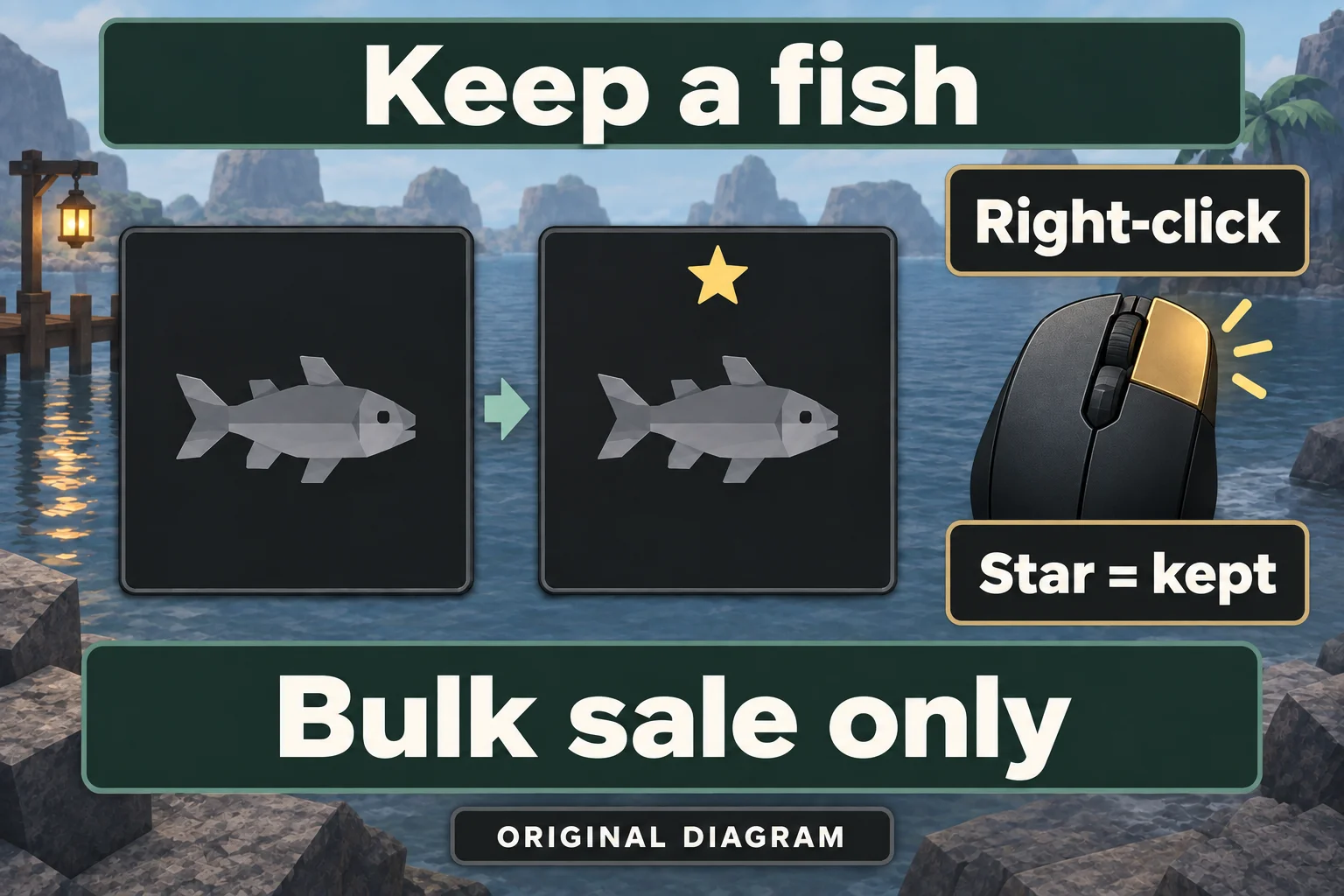
Original Pixel Twelve diagram highlighting the right mouse button and a star added at the top of a fish item tile.
Diagram: on PC, right-click the fish tile and check its star. The star keeps that item out of bulk selling, not a deliberately selected single sale.

1. Find the green fish sign beside the Merchant

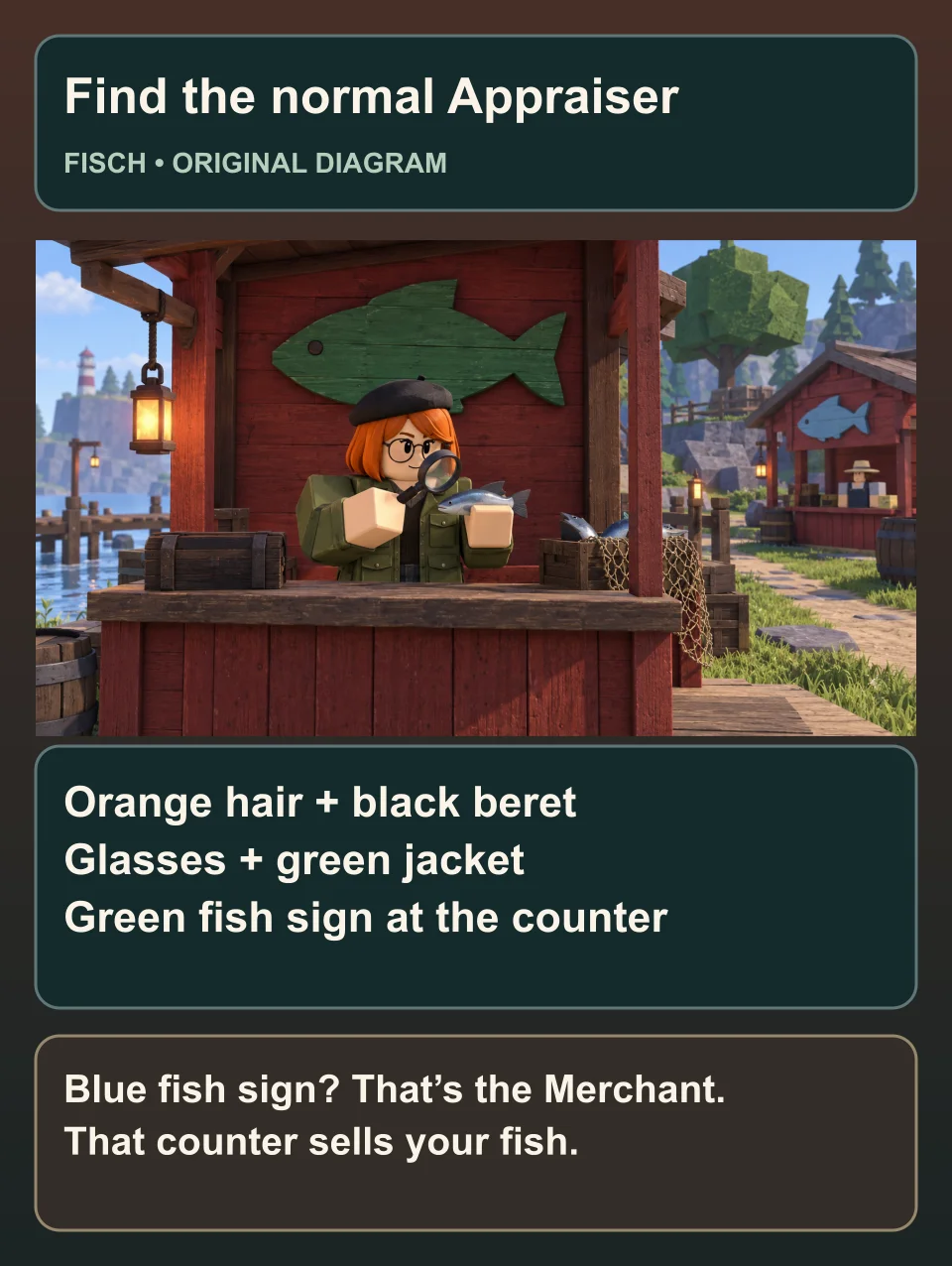
At Moosewood, walk up the main path from the docks into the village. Look for the red Merchant hut with a light-blue fish sign above its selling counter. The normal Appraiser has a separate counter beside it, with a green fish-shaped sign.

Original diagram identifying Fisch’s normal Appraiser by orange hair, black beret, glasses, green jacket and a green fish sign; the Merchant has a blue sign.
Original Pixel Twelve diagram: recognize the normal Appraiser, not the nearby seller. The illustrated village is simplified, not a map or screenshot.

Check the person behind that counter: orange hair, a black beret, round glasses, a green jacket and a magnifying glass. Look for the name Appraiser, then move close enough for the interaction prompt to appear. Use the key shown in that prompt to open the conversation. A nearby seller or another type of Appraiser is not this service.

2. Hold the exact fish you want to appraise

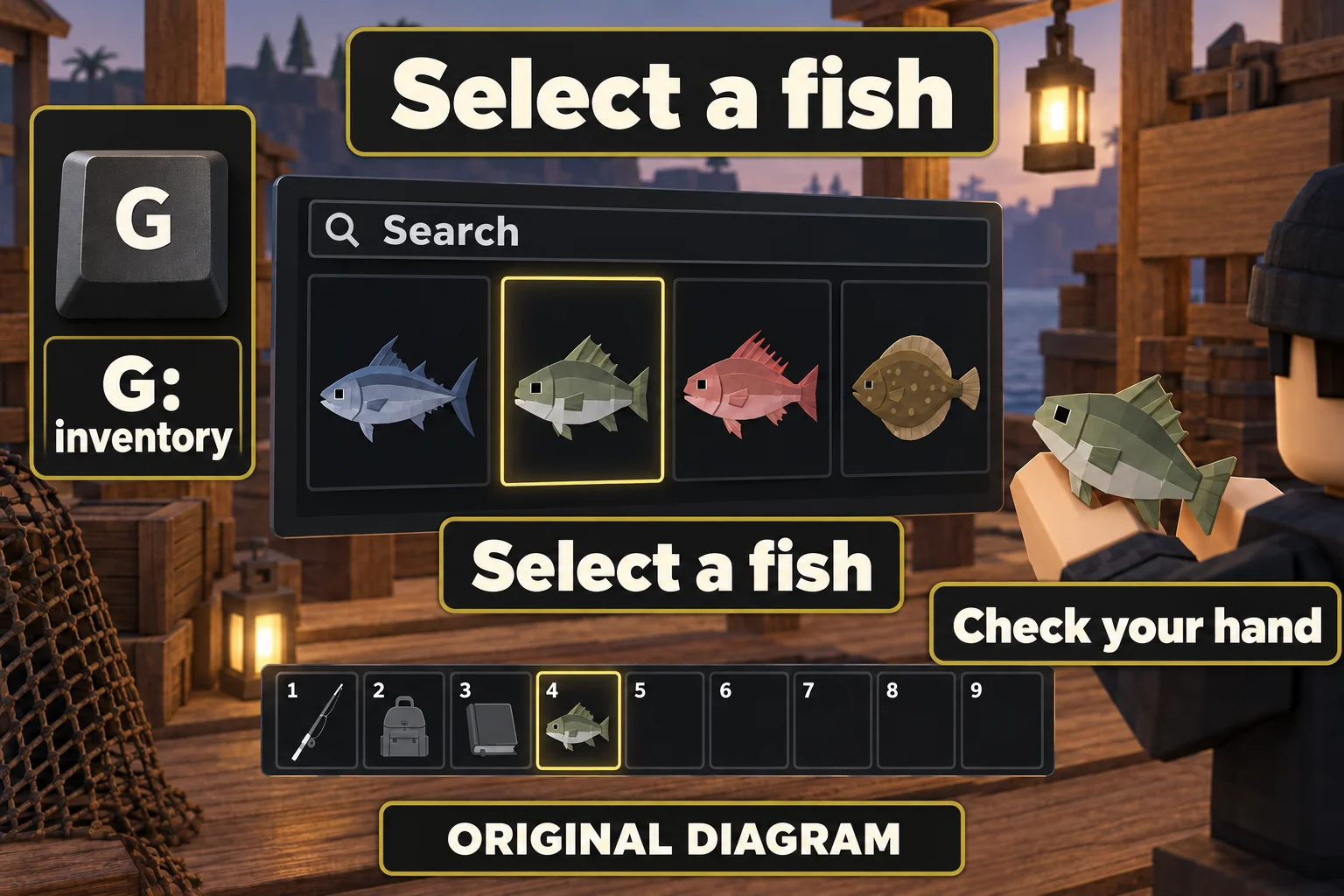
Press G for the fish inventory, not the Equipment Bag. Use Search at the top if you have many catches. Select the fish tile or its numbered slot along the bottom of the screen, then check your character’s hand: you should see the fish, not a fishing rod.

Original Pixel Twelve diagram showing G for the dark fish inventory, a selected fish tile, the bottom item bar and the same fish held by a player.
Diagram: use G for the fish inventory and select a catch. Check that the fish is in your hand. The grid and hotbar are simplified examples, not a real account.

Read the selected catch’s name and weight, and note any mutation name before continuing. You will compare those details with the result. If you see a fish you need for a quest or a bonus you want to keep, select a different catch before talking to the Appraiser.

3. Read the charge on the paid dialogue line

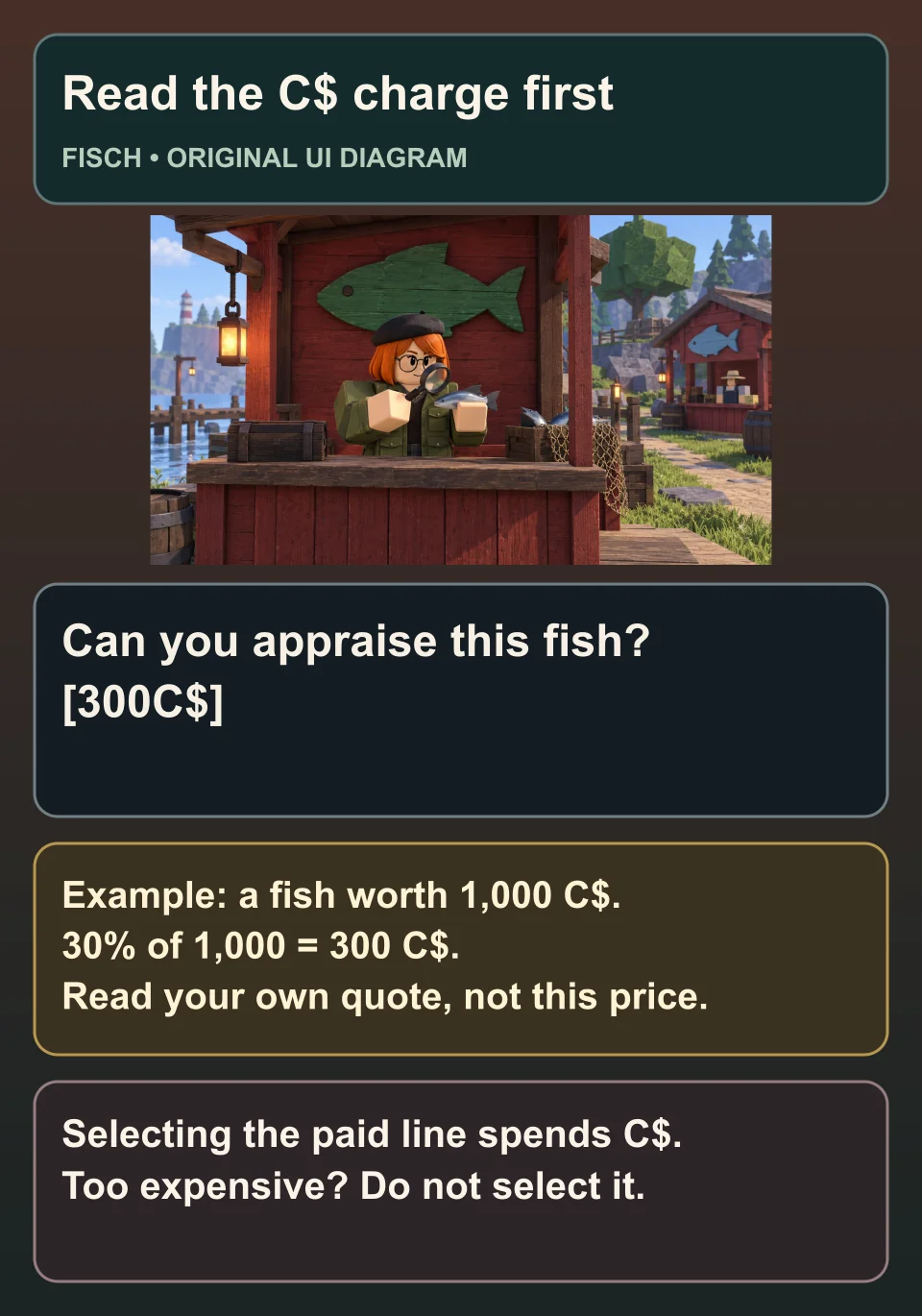
With the fish in hand, open the Appraiser conversation. Look for Can you appraise this fish? and the C$ charge shown with that choice. Read the full line before selecting it: this is a paid action, not a free price check.

Original Fisch dialogue diagram highlighting Can you appraise this fish and an illustrative 300 C$ charge for a fish worth 1,000 C$.
Original Pixel Twelve UI diagram: the wording identifies the paid choice. The 300 C$ charge is a worked example, not a quote from your fish or a screenshot.

The normal fee is 30% of the fish’s value, so it changes between catches and can change after an appraisal. For a fish worth 1,000 C$, that is 300 C$. The old flat 450 C$ advice is no longer the normal rule. Use the quote in your own game, including any account discount, rather than treating the diagram’s number as your price.

If that charge fits your budget and you accept the risk, select the paid line for one appraisal. Otherwise, do not select it. Decide your spending limit before the first try; repeated attempts spend more C$ without guaranteeing the result you want.

4. Read the result before paying again

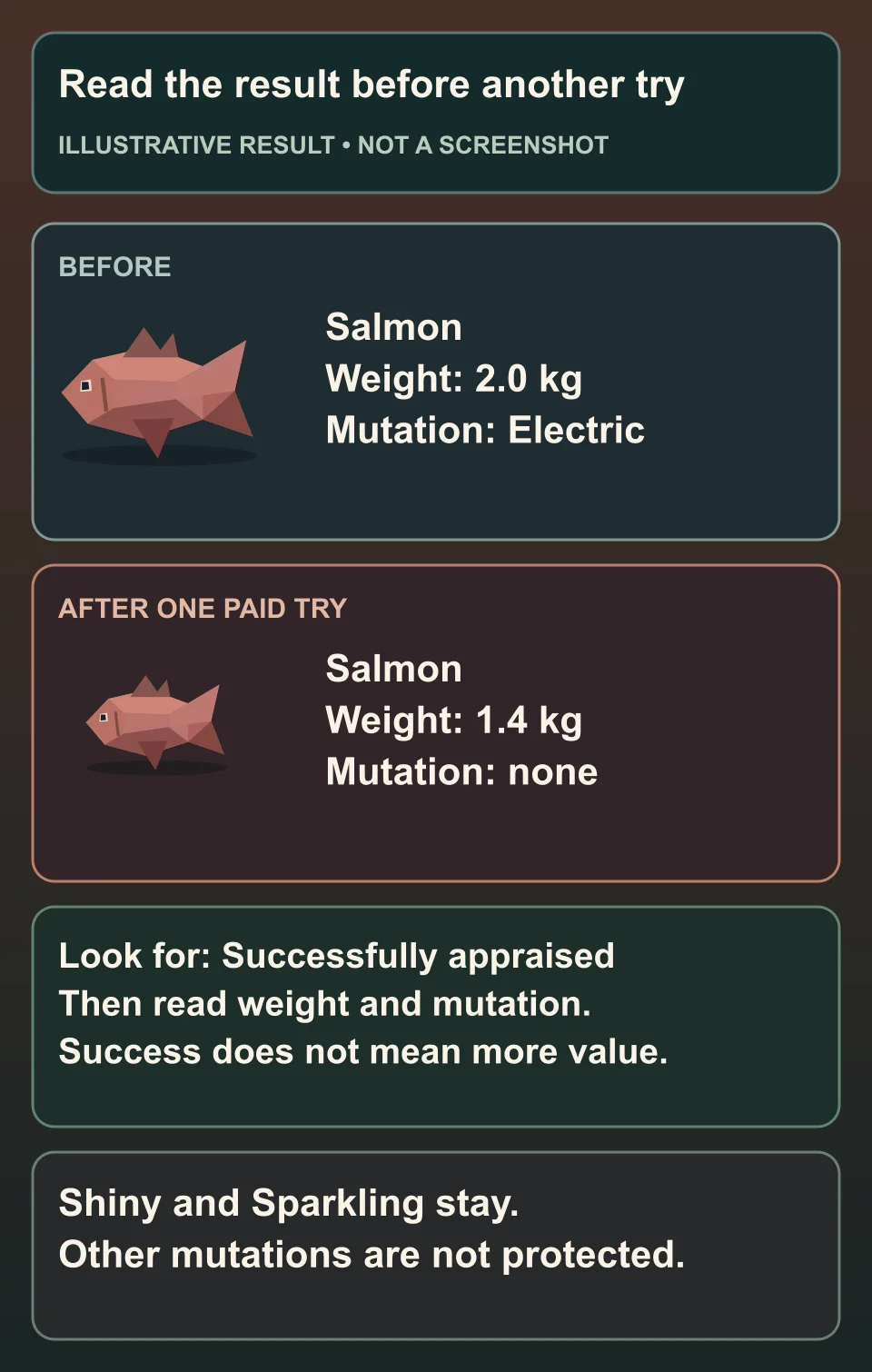
After the action, look just above the item bar, near the lower middle of the screen, for the Successfully appraised message and the lines about the fish’s weight or mutation. A successful appraisal means the action happened; it does not mean the fish became better. The weight can fall and an old mutation can disappear.

Original diagram comparing the same illustrative Salmon before and after a paid appraisal: lower weight and the loss of Electric, with Shiny and Sparkling explained separately.
Original Pixel Twelve diagram with made-up fish weights to explain the risk. It is not a real appraisal result, a screenshot or a guaranteed outcome.

Shiny and Sparkling stay through normal appraisal; other mutations are not protected. A mutation is a named change that can affect a fish’s look or sale value. Do not hand over a valuable mutated fish just because it has a star in your inventory.

Open G again and find the same catch. Compare its name, weight and mutation with your notes. If it is no longer in your hand, select it again as in step 2. Check the C$ charge again before another paid attempt, and stop when you reach the limit you chose.

If the Appraiser asks for a fish, or you want to sell instead

If the conversation says you need a fish, close it and check your hand after selecting the catch in G. Holding a rod or only opening the Equipment Bag is not enough. If the paid line is missing, recheck the person’s name and the green fish sign; the Merchant uses selling choices instead.

To turn regular catches into money, use the Merchant and favourites walkthrough rather than paying for another random change.

For earning and saving C$, read the Fisch money guide.

For other beginner routes, return to the Fisch hub.

This route uses PC controls. The original Pixel Twelve diagrams explain the steps with example weights and prices; they are not screenshots. Check the person’s name, selected fish and displayed charge before paying.

Get Pixel Twelve's biggest stories first.

Add as a preferred source on Google