
Pixel Twelve
Fisch GPS Guide: Where to Buy It and How to Read Coordinates

How To

Fisch GPS Guide: Where to Buy It and How to Read Coordinates

Find the 100 C$ GPS beside Moosewood’s pond, equip it from your inventory, and learn what the three position numbers mean.

By Nova RainesGame: FischVerified Oct 2, 2026
Add to list
Guide Type
How To
Last Verified
Oct 2, 2026

Guide details

Overview

Find the 100 C$ GPS beside Moosewood’s pond, equip it from your inventory, and learn what the three position numbers mean.

Find the chair beside Moosewood’s pond

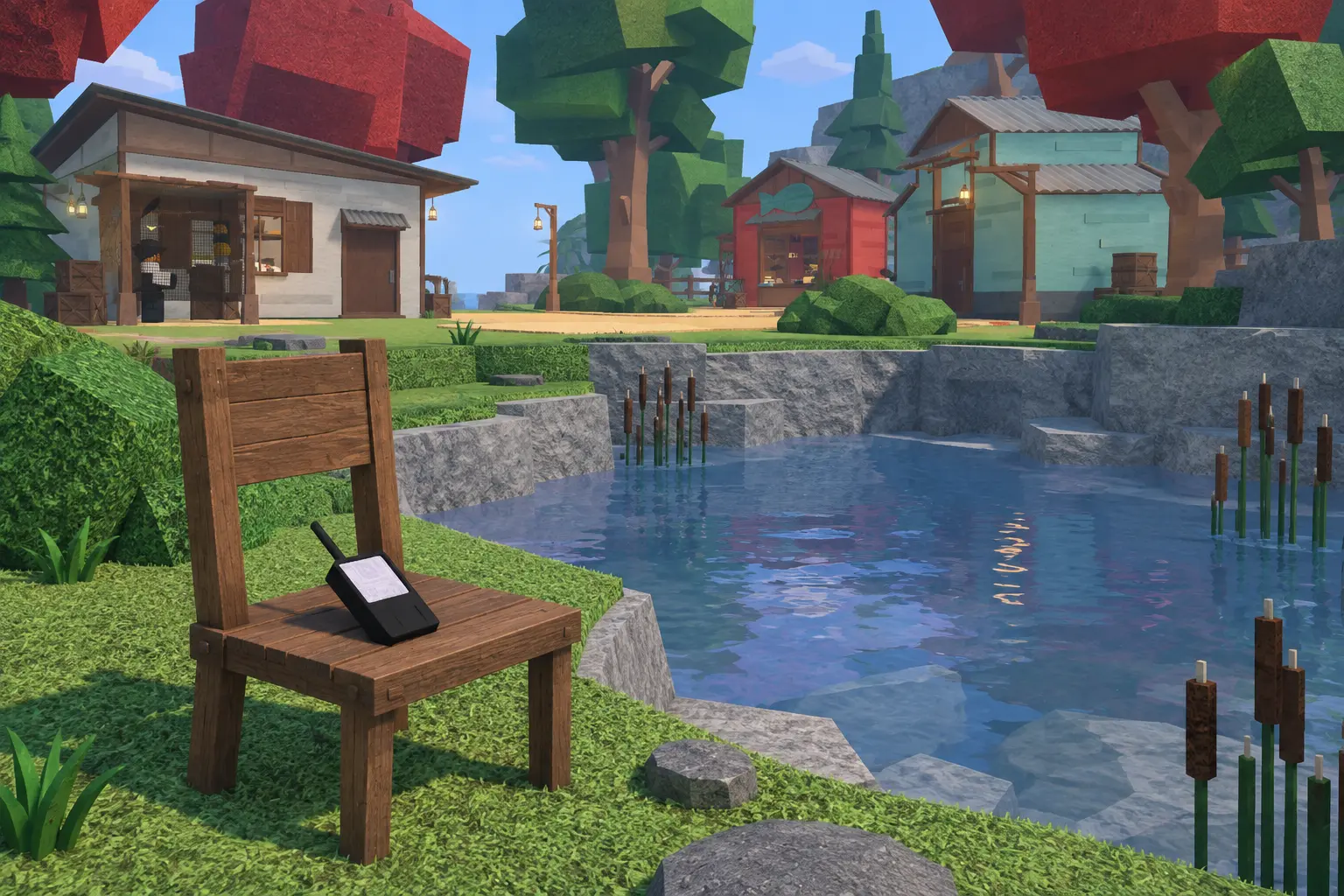
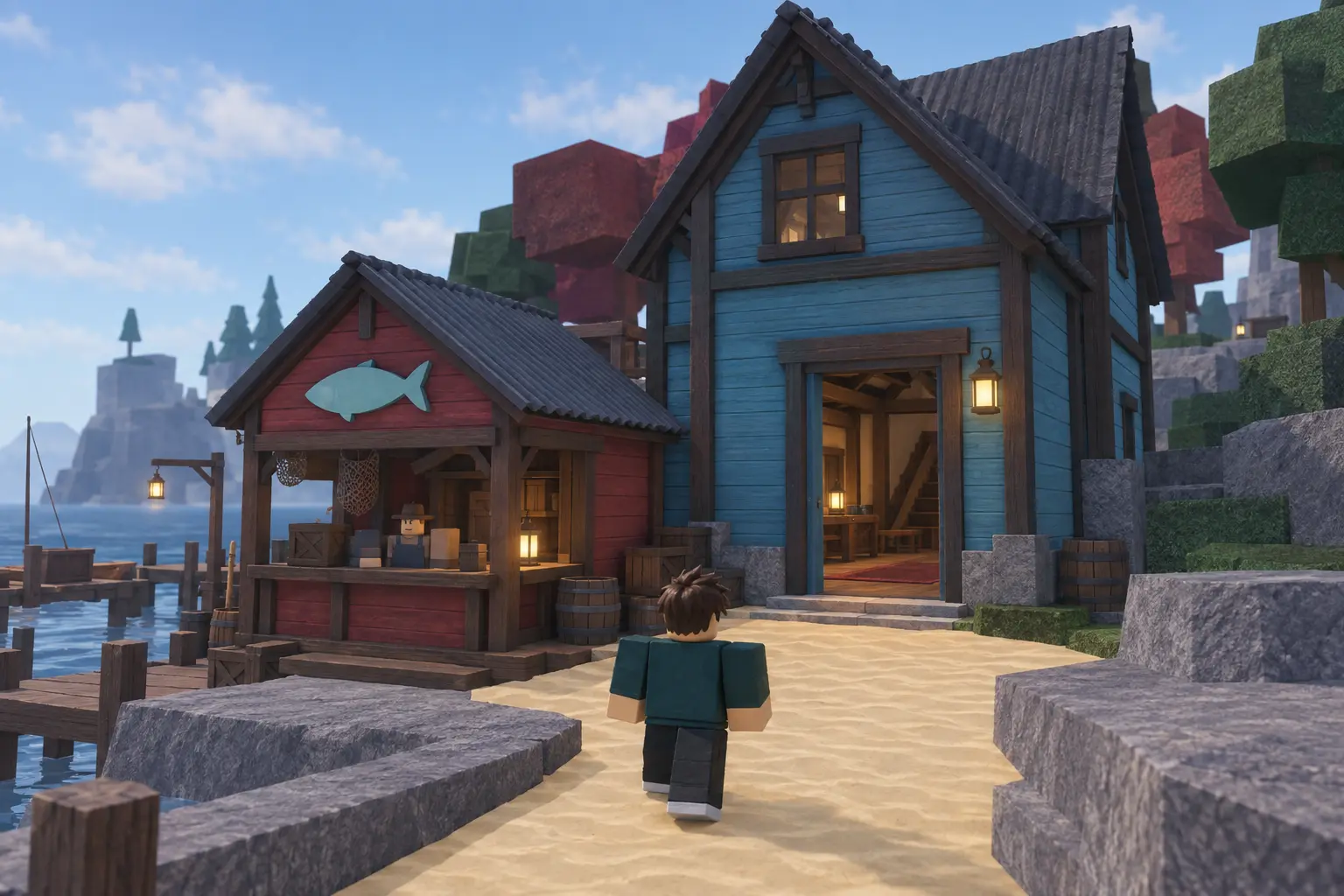
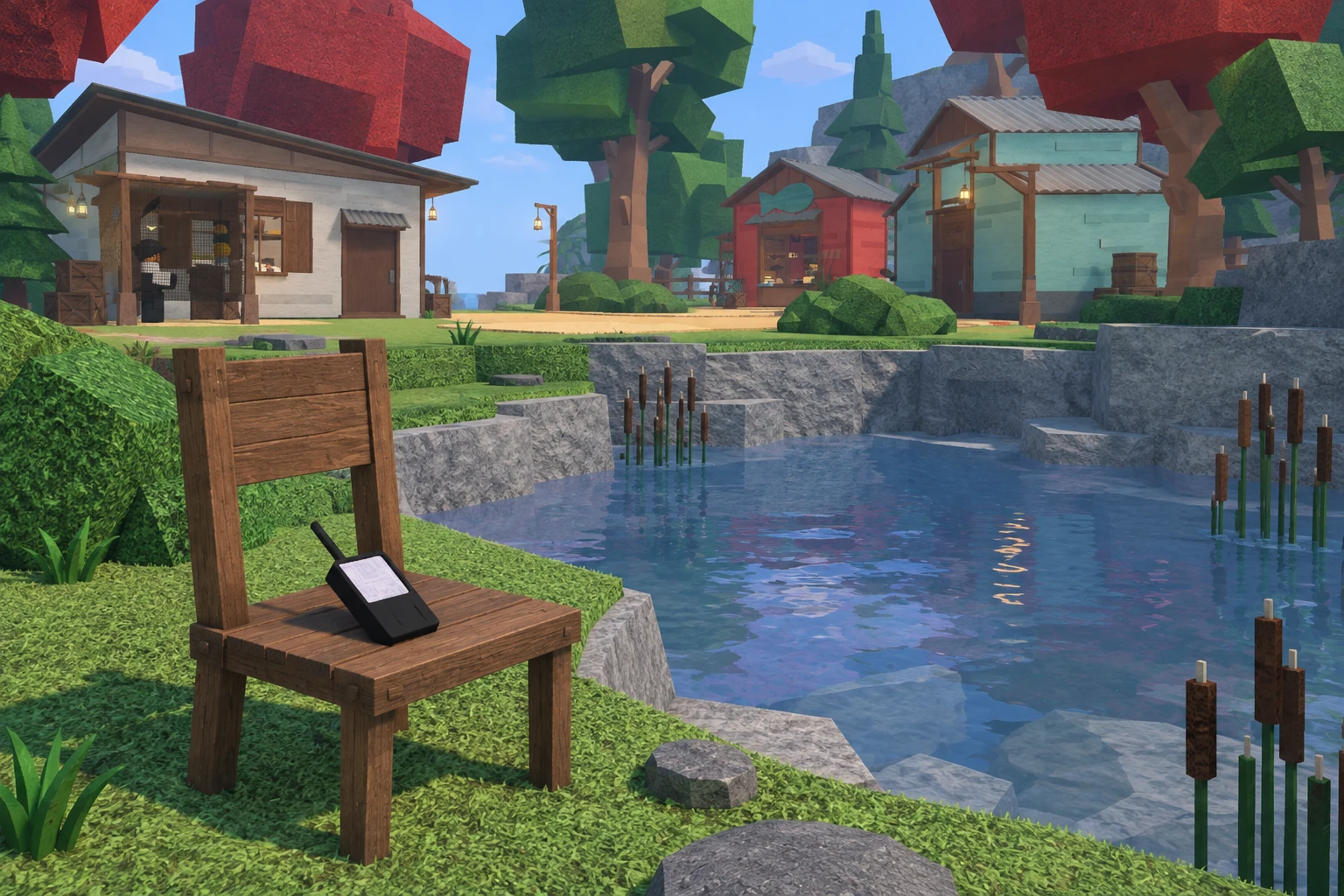
Bring 100 C$, the money you earn in Fisch. This is not a Robux purchase. On Moosewood, start at the wooden docks on the beach. Walk up the sloping path into the village, then continue past the shops toward the small freshwater pond behind them. Look for a pool with a grey rock edge and tall reeds, rather than the open sea.

Search the grass along that pond for a wooden chair with a small black device on its seat. The device has a long antenna and a pale screen, and its world label says GPS. Buy this item, not a fishing rod or a room at the nearby inn. The drawing below shows what to recognize at the pond; it is not a screenshot or a complete island map.
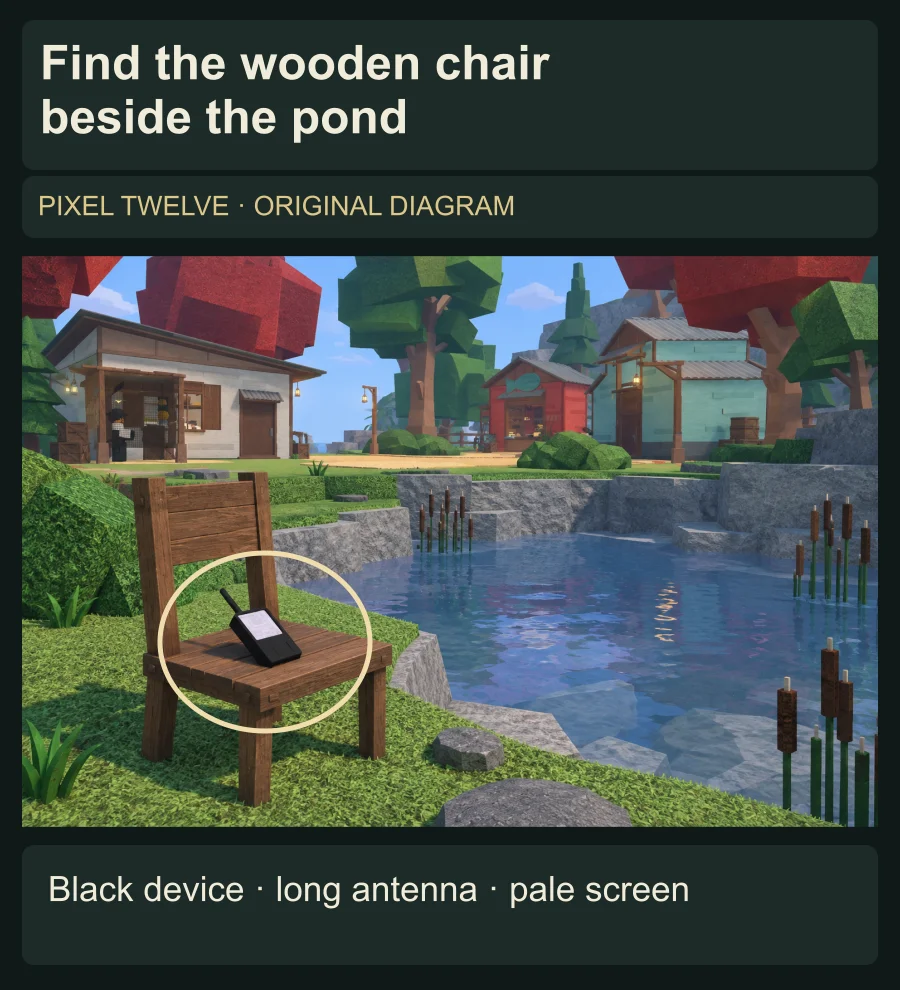
Original illustration of the black GPS on a wooden chair at the rock-lined Moosewood pond, with the device outlined.
Diagram: use the small pond, wooden chair and black antenna-equipped device to recognize the GPS. The scene is an original illustration, not an exact island map.

If you need the money first, use our fish-selling guide to find the Merchant and protect fish you want to keep.
Buy the GPS for 100 C$

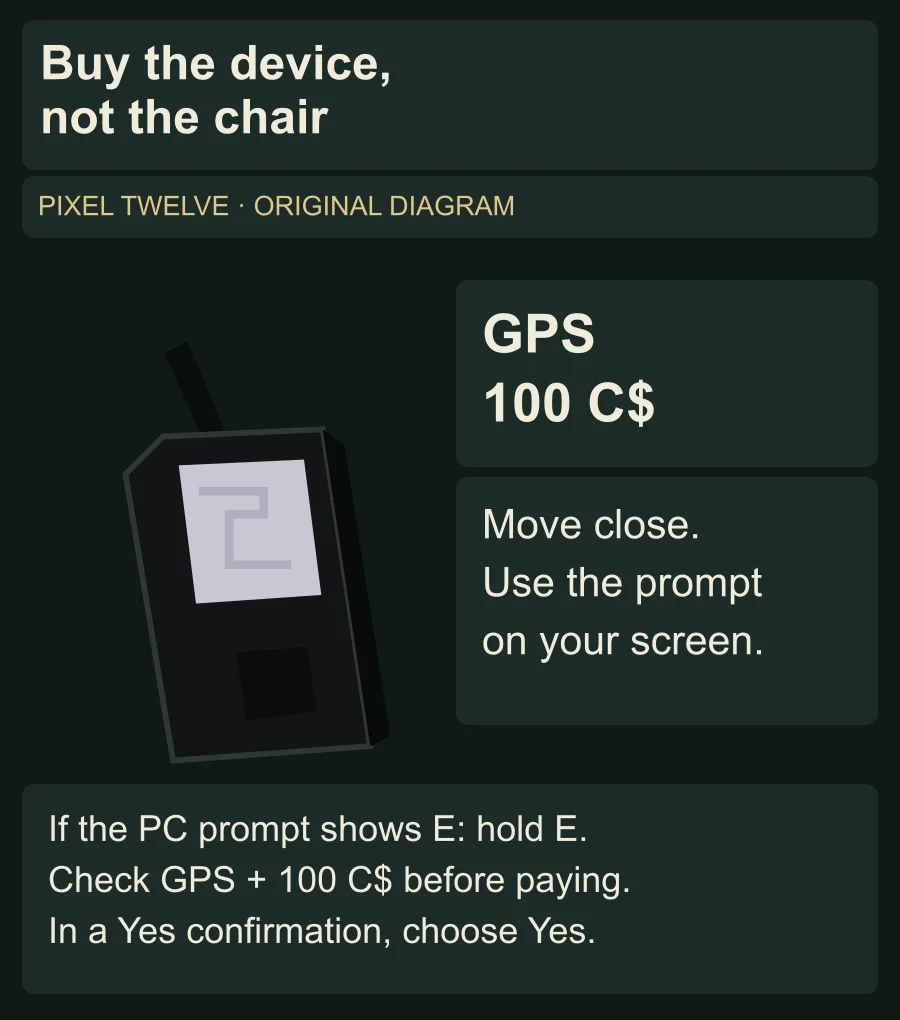
Walk right up to the device on the chair until its interaction prompt appears. Use the key or touch control shown beside the GPS. If the prompt shows E on your PC, hold E until the interaction finishes. If nothing appears, move closer to the chair and close any open menu before trying again.

Check that the purchase is for GPS and that the price is 100 C$. If the confirmation offers Yes, select Yes to pay; do not select the option that cancels. Then look for GPS in your carried items, as explained in the next step. You only need one: the GPS is reusable, so reading your position does not use it up.

Original GPS recognition and purchase diagram showing the black antenna-equipped tool, the 100 C$ price and conditional on-screen prompt instructions.
Diagram: recognize the device, approach it, and use the prompt your device shows. These panels explain the action; they do not reproduce a live purchase window.

Open the inventory and hold the GPS

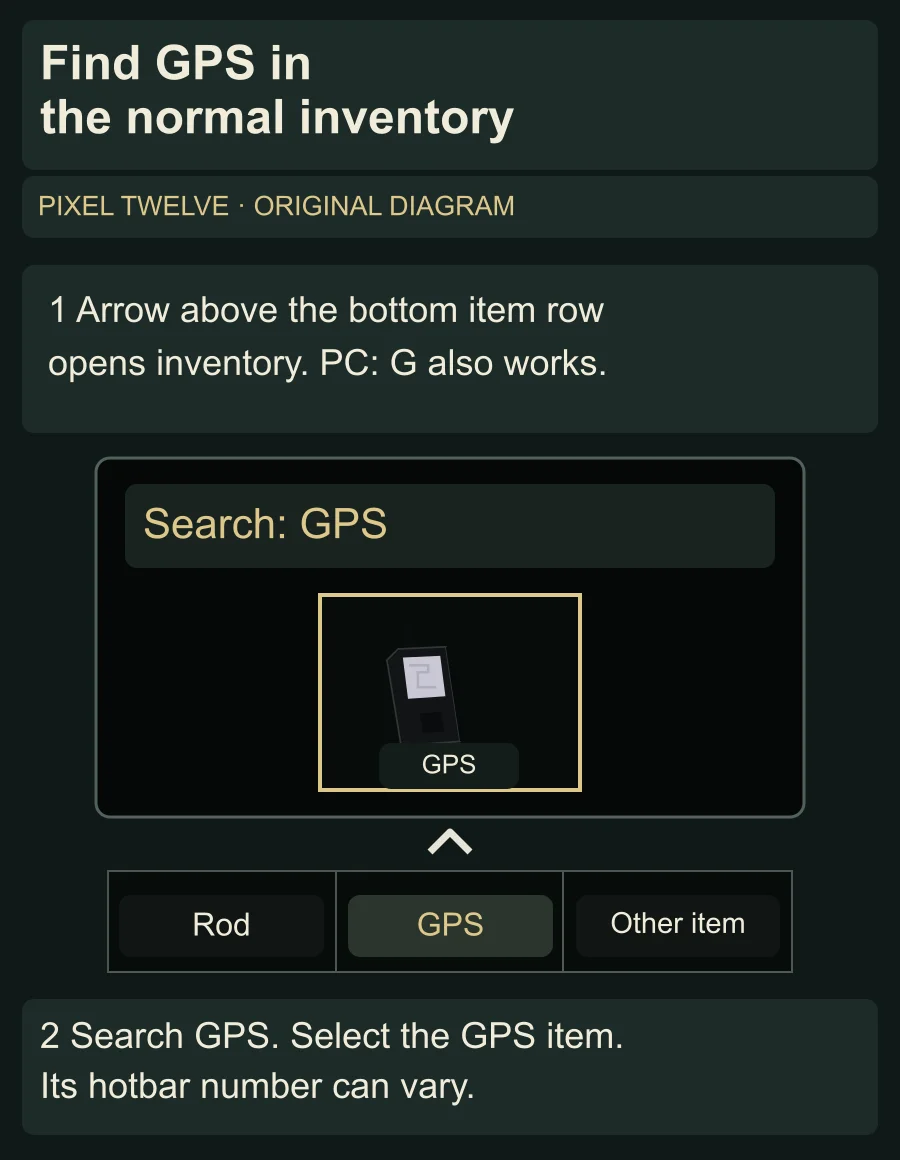
Look along the row of item slots at the bottom of the screen. This row is the hotbar. If GPS is already in a slot, click or tap that slot. On a keyboard, you can also press the number printed on that particular slot; GPS does not have one fixed slot number.

If it is not in the row, open the inventory with the small arrow above the hotbar. On PC, G also opens this menu. Find the Search box at the top of the item grid, type GPS, and select the GPS item that appears. This is the normal inventory, not Equipment Bag, which is mainly for rods and other fishing gear.

Original simplified inventory diagram with the arrow above the bottom item row, Search GPS and the GPS inventory item highlighted.
Diagram: the normal inventory arrow sits above the hotbar. Search GPS and select its item. Other slots are simplified; GPS does not have one fixed slot number.

Your character should now hold the black GPS. Look just above the hotbar for a line beginning XYZ. If you have only opened a menu but cannot see that line, select the GPS itself rather than the rod or Equipment Bag. Close the inventory so you can see the position readout clearly.

Read X, Y and Z in the right order

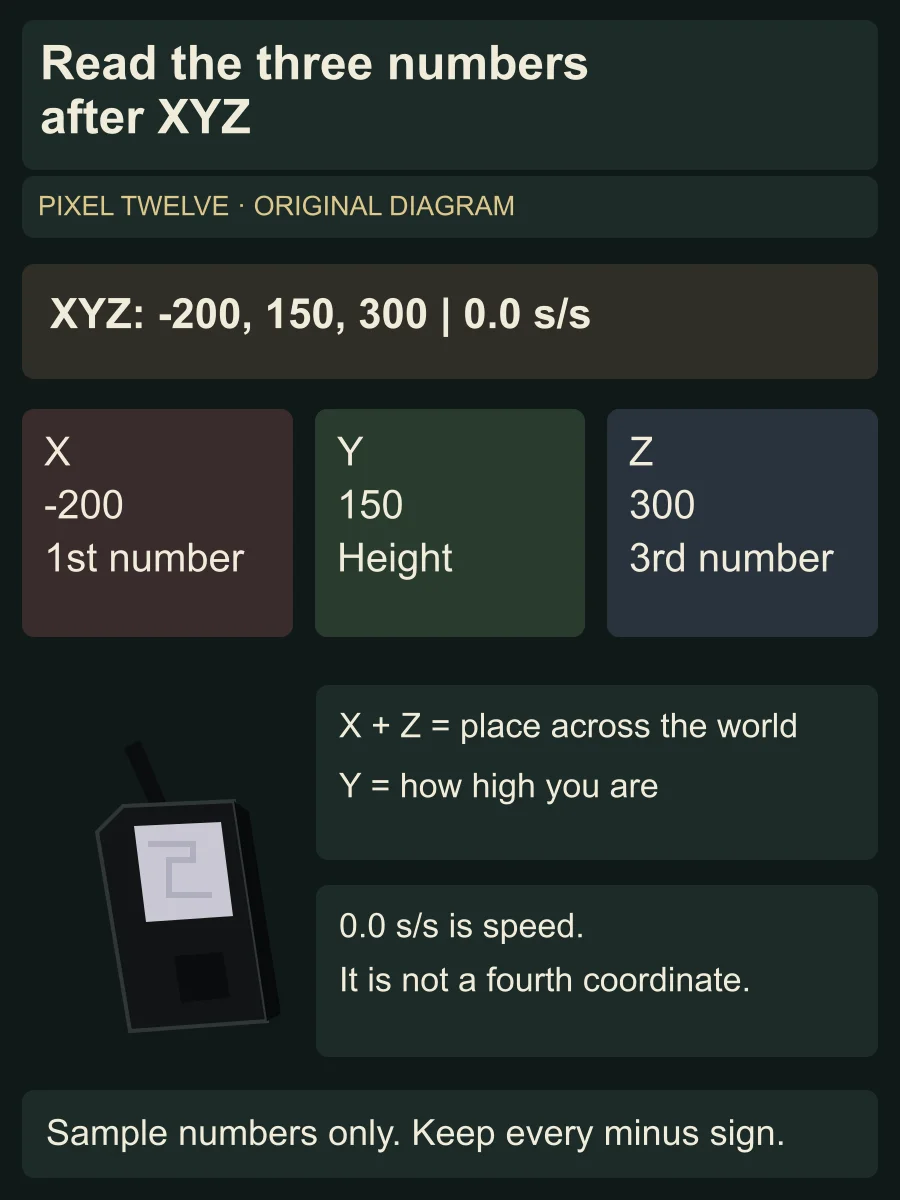
The three numbers after XYZ are your current position, read left to right: X first, Y second and Z third. X and Z tell you your place across the island or sea. Y is your height: it rises when you climb and falls when you go down. The number after the vertical divider, followed by s/s, is speed. It is not a fourth coordinate.

Keep minus signs when you copy a location. A position of -200 is not the same as 200. Decimal places are normal too. The sample below uses made-up numbers to explain the readout; it is not a location you need to visit.

Original diagram separating the sample XYZ values -200,150,300 into X position, Y height and Z position, and explaining that 0.0 s/s is speed.
Diagram: read X, Y and Z left to right. Preserve negative signs. The sample numbers are for practice, not a destination; s/s shows speed.

To approach a location from another guide, compare its X and Z with yours. Walk a short distance and watch the first and third numbers. If a number is moving away from the target, turn back and test a different direction. Keep checking both: moving toward one target number can move you away from the other. Near the right X and Z, check Y too; a cave, ledge or upper floor can be at a different height. Do not try to cross the sea on foot.

For travel between islands, our first-boat guide shows where to buy and spawn a boat.

What the GPS does not do

The GPS tells you where you are; it does not teleport you or show a turn-by-turn route. Keep holding it while you compare a target with the XYZ readout. If the readout disappears, check that you have not switched to another item.

Buying a GPS also does not change where you return after dying or rejoining. That is a separate Inn Keeper purchase. You do not need to buy a boat or change your spawn just to get the Moosewood GPS.

To return to a different island after rejoining, follow the Inn Keeper spawn-point guide.

For rods, quests and more beginner help, open the Fisch game hub.

Get Pixel Twelve's biggest stories first.

Add as a preferred source on Google