

Pixel Twelve
Fisch Fish Radar Guide: Where to Buy It and How to Use It

How To

Fisch Fish Radar Guide: Where to Buy It and How to Use It

Find Fish Radar beside Moosewood’s boat dock, buy it for 8,000 C$, turn it on and understand the named areas on the water.

By Nova RainesGame: FischVerified Oct 2, 2026
Add to list
Guide Type
How To
Last Verified
Oct 2, 2026

Guide details

Overview

Find Fish Radar beside Moosewood’s boat dock, buy it for 8,000 C$, turn it on and understand the named areas on the water.

1. Find the green-screen device at Moosewood’s docks

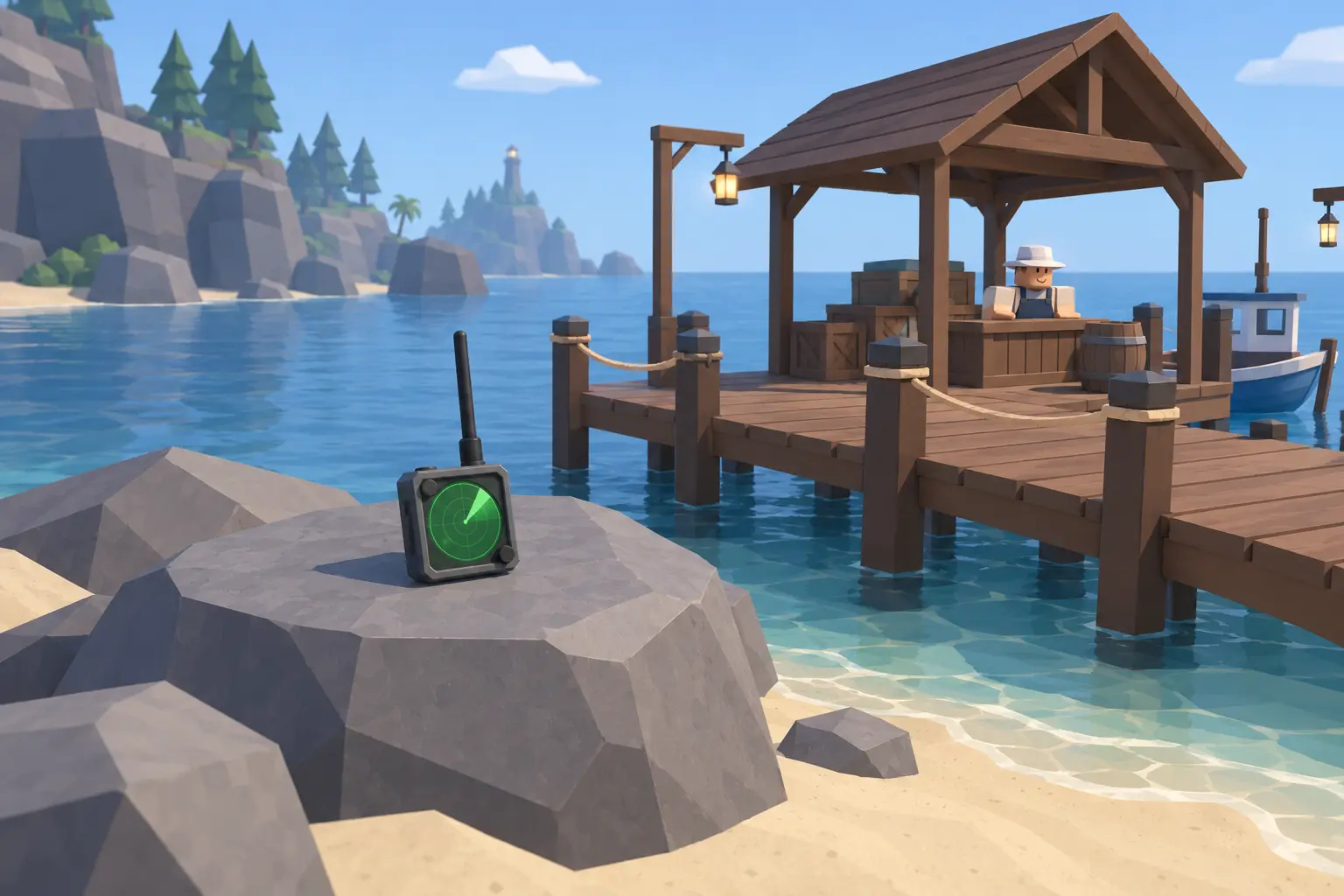
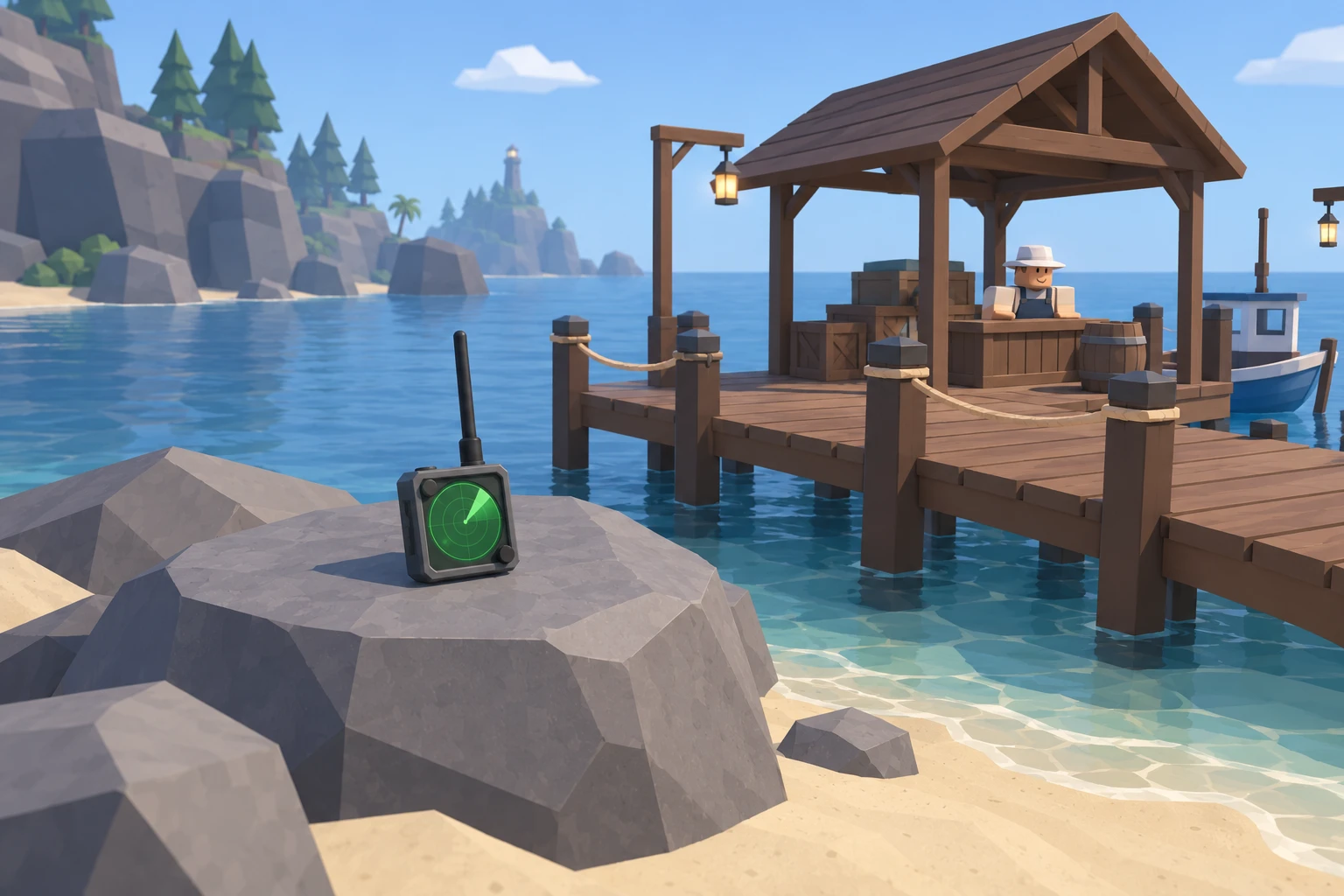
This route starts at Moosewood, the town with houses beside the wooden boat docks. Walk along the waterfront and look for the dock with a wooden roof over the boat seller. The seller is the Shipwright; you do not need to buy a boat from him to get the radar.

Check the large gray rock beside that dock. Fish Radar is the small dark device resting on the rock. Recognize its square green screen and long black antenna. It is not the pale handheld GPS sold elsewhere in town. Walk close to the device so its interaction prompt appears.
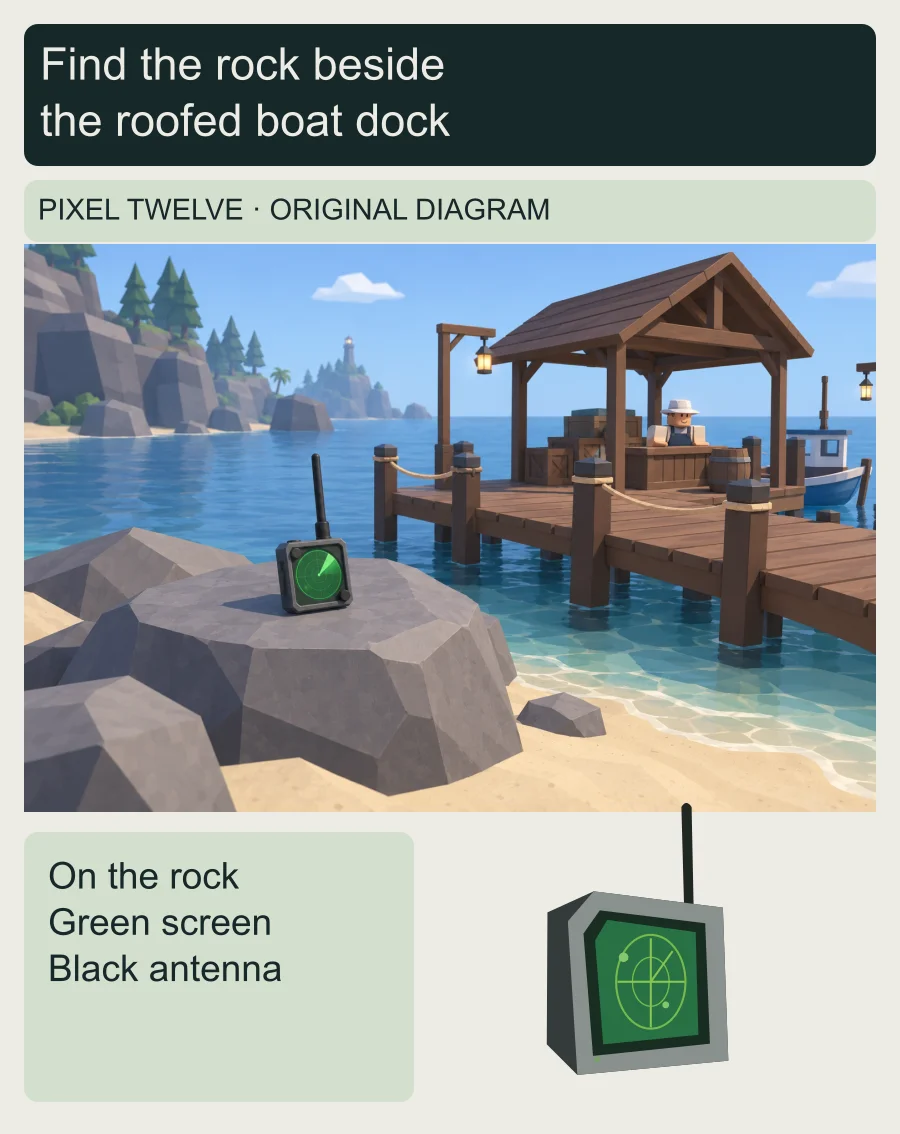
Original diagram showing the green-screen Fish Radar on the gray shore rock beside the roofed Shipwright dock, with a larger object detail.
Diagram: recognize the roofed dock, nearby gray rock and green-screen device. The original illustration simplifies the shore; it is not an exact map or a gameplay screenshot.

Need help with the other device? Our Fisch GPS guide explains where it is sold and how to read its three coordinates. You do not need a GPS for the dock route above.
2. Buy Fish Radar for 8,000 C$ and select it

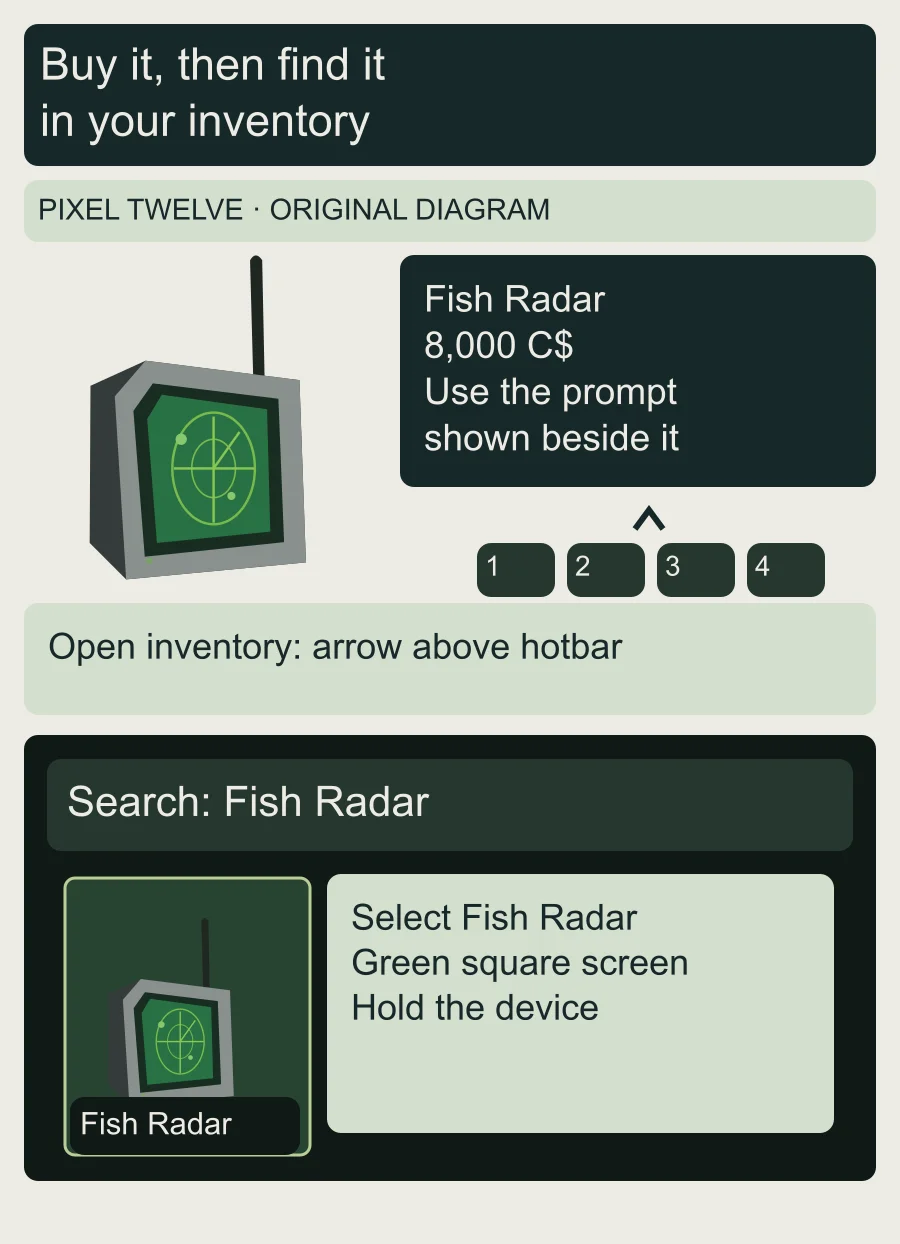
Fish Radar costs 8,000 C$, the money earned inside Fisch. Beside the rock, read the prompt attached to the device and check the item name and price. Use the interaction key or touch button shown there. If a purchase confirmation appears, check that it still says Fish Radar and 8,000 C$ before accepting. This is a reusable item, not something you buy again for every fish.

After buying it, look at the row of item slots along the bottom of the screen: that is your hotbar. If Fish Radar is already there, select its slot. The slot number depends on your inventory, so do not assume it is always in the same position.

If you cannot see it in that row, use the small upward arrow above the hotbar to open your inventory. On PC, G also opens it. In the Search field at the top of the inventory, type Fish Radar. Select the matching green-screen item, then check that your character is holding the device. Use the normal inventory, not the Equipment Bag menu for rods and bait.

Original diagram pairs Fish Radar and 8,000 C$ with the current inventory arrow, Search field and the matching green-screen item.
Diagram: check the item name and price in the purchase prompt. Then use the inventory arrow and Search to find Fish Radar. The inventory detail is simplified, not a copied menu screenshot.

Still saving for it? The Fisch money guide covers ways to earn C$ without spending Robux.

3. Turn it on and look for the enabled message

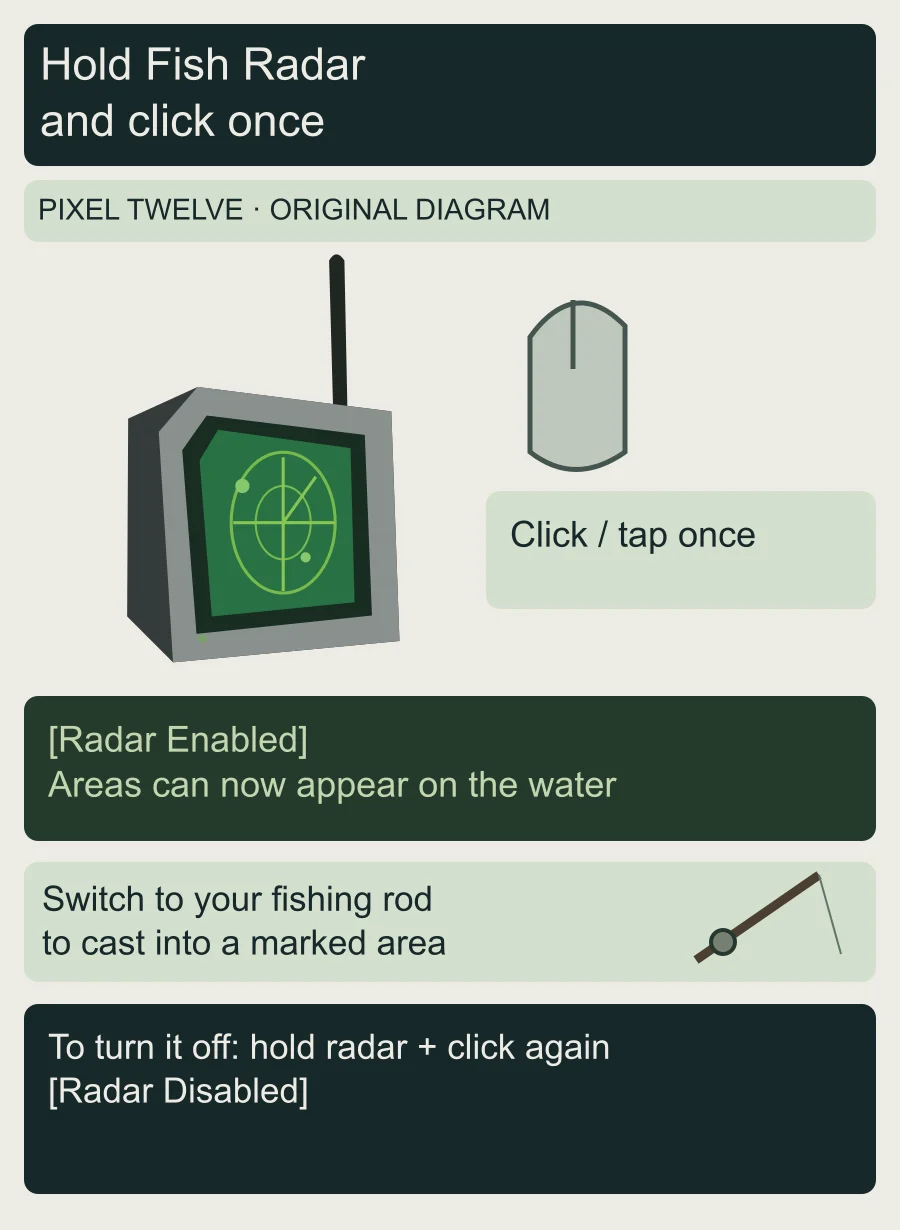
With Fish Radar in your character’s hand, click once on PC or tap to use the held item on mobile. Look for the green message [Radar Enabled]. That message tells you the radar is on; buying it or merely selecting its hotbar slot is not the same as activating it.

Look across nearby water for shaded areas with fish names above them. These are abundance areas: places where the named fish or item is more common. Once ordinary areas are visible, select your fishing rod to fish. A rod is the long pole with a line, not the square green-screen radar.

To hide the markings later, select Fish Radar again and use it once more. Look for [Radar Disabled]. If you see that message while trying to turn it on, use the radar again and wait for [Radar Enabled] before switching to your rod.

Original diagram shows the recognizable Fish Radar, a single mouse click, the Radar Enabled message, switching to a rod, and the Radar Disabled message.
Diagram: select the radar before clicking or tapping. Look for the enabled message, then select your rod. To hide the areas, hold the radar and activate it again.

4. Put the bobber inside the named water area

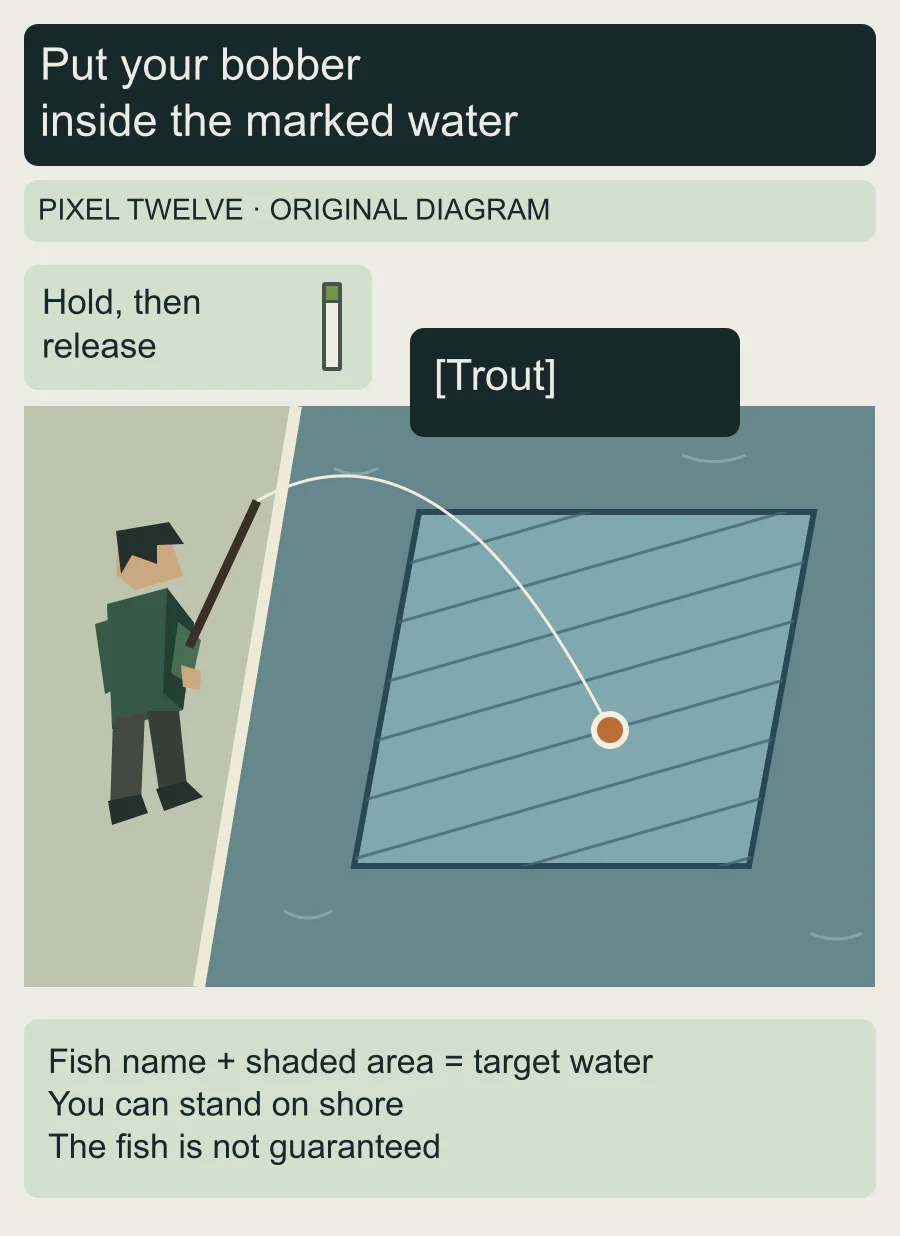
Stand on the shore or a dock facing the marked water, then select your rod’s hotbar slot. With the rod held, hold the left mouse button on PC, or touch and hold the screen on mobile. A thin vertical casting meter appears beside your character. Release to throw the line; holding and releasing at a different point on the meter changes how far the bobber travels.

Check the small float at the end of your line. That is the bobber, and it needs to land inside the shaded area. Your character can stay on land. The diagram uses a Trout area as an example: the name identifies the target fish, and the shaded water shows where to place the bobber.

The name is not a guarantee. Other fish can still bite, and a fish’s time or weather requirements still matter. If the bobber lands outside the area, adjust your position or cast distance and try again. Fish Radar helps you choose the water; it does not catch the fish for you.

Original shoreline diagram shows the vertical rod-cast meter and a fisher on land casting a line so the bobber lands inside the striped Trout abundance area.
Diagram: with your rod selected, hold the casting input, then release it. The small float at the end of the line belongs inside the named water area; your character can remain on land. Trout is an example, not a guaranteed catch.

After choosing the water, use the Fisch bait guide to match bait to the fish or goal you are working on.

If no area appears, or the wrong fish bites

First check for [Radar Enabled] while holding the actual green-screen radar. If that confirmation appeared, do not keep buying another one. Look at the water around you rather than expecting a full-screen map or a list of every fish.

Fish Radar does not reveal hidden fish abundances, and temporary areas may not be present where you are looking. A visible area also does not remove the fish’s other catch conditions. An empty patch of water or a different catch is not, by itself, proof that the radar is broken.

For more routes, beginner guides and update coverage, visit our Fisch hub.

Get Pixel Twelve's biggest stories first.

Add as a preferred source on Google