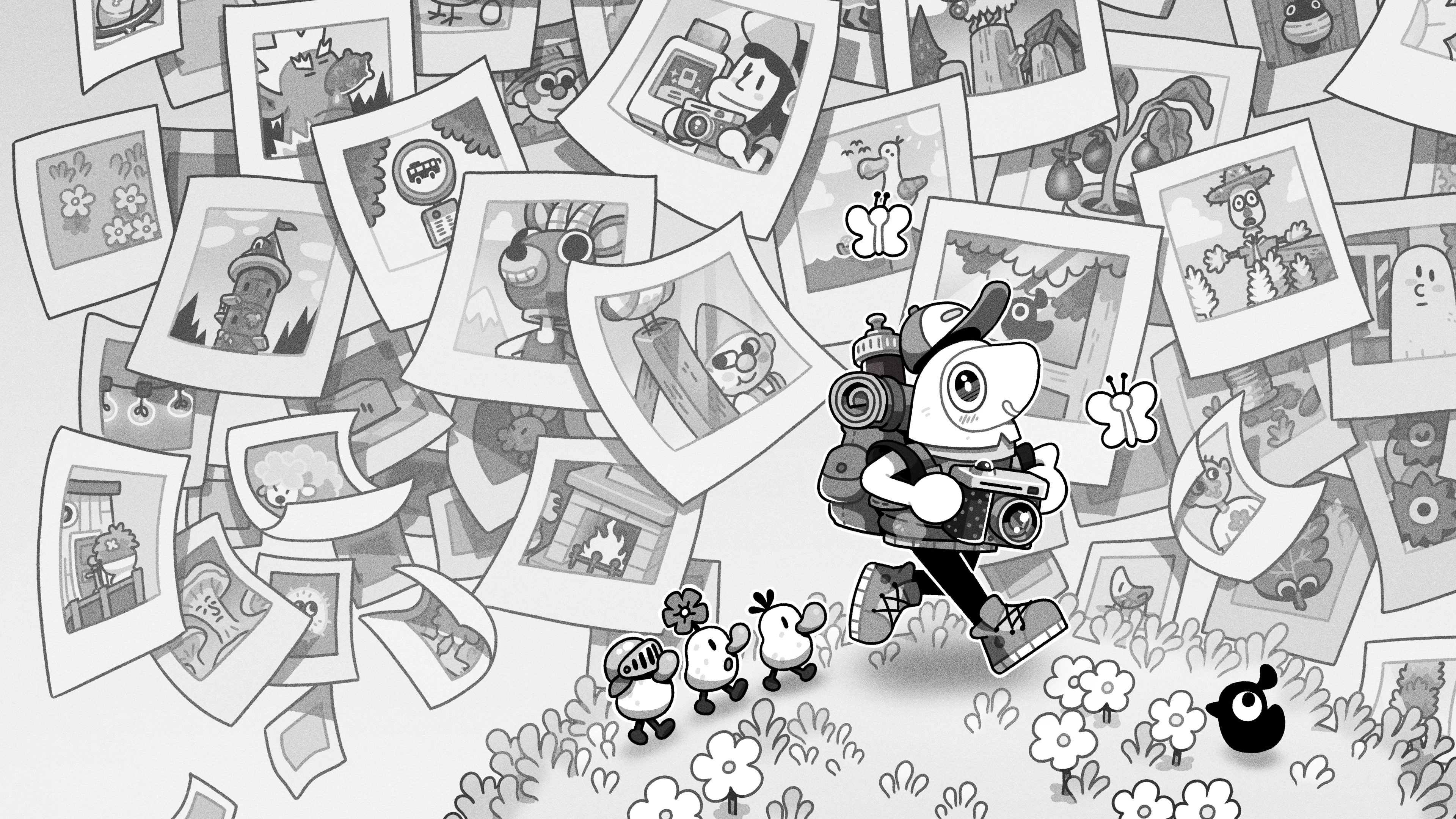
TOEM 2 puts you in charge of a small traveler with a camera and a journal. After hearing about a festival in Whirlhill, you leave home to see it. The bus does not take you straight there. At each stop, you help the residents, collect stamps for your journal and earn access to the next part of the journey. Taking pictures is how you solve many of their problems.
This is a single-player adventure about looking around, talking to people and figuring out what they need. There are no time limits pushing you through the towns. You do not need to have played the first TOEM. The sequel explains your camera and the journey without expecting you to remember the earlier game. We like how quickly it lets a newcomer start exploring, although it does not leave an experienced puzzle player with many difficult questions.
Who’s who in TOEM 2
You, the photographer: The playable traveler. You leave home to reach the Whirlhill festival, taking pictures and helping people to continue the bus journey.
Nana: Your grandmother. She is at home at the start, when the television news introduces the festival that prompts your trip.
The farmer: One of the residents with a photo request. He wants pictures of four runaway garden gnomes, so your job is to locate them and document their hiding places.
Finding photographs and earning bus tickets
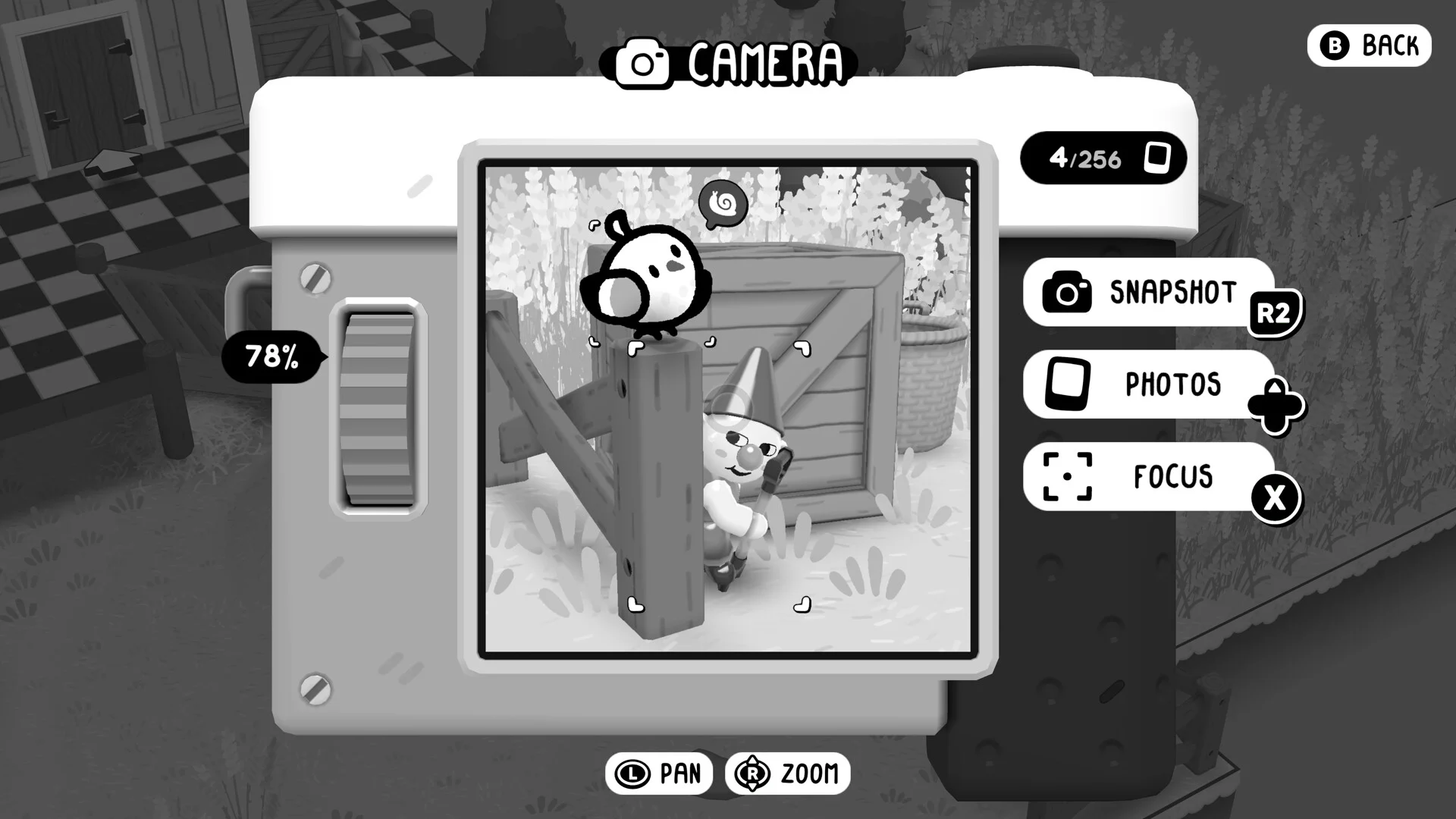
You usually see your traveler from above while walking. Bring out the camera and the view changes: now you look through its frame at the people, animals and scenery in front of you. You can turn, zoom and line up a shot before taking it. A photograph can be evidence for a request, so you need to pay attention to what someone actually asked you to find.
Credits
Official game images and gameplay excerpts: Something We Made.One farmer wants photographs of four runaway garden gnomes. You have to search for their hiding places, rather than bring the gnomes back in your backpack. It is a good introduction to the kind of observation TOEM 2 asks for. The question is where the missing objects are and whether you can get a clear look at them. It is less about knowing how a real camera works.
Once you finish a request, you place its stamp in the journal. The book keeps track of the jobs you have found, with separate pages for each area. Earn enough stamps and you can continue traveling. You can leave some requests for later, instead of finding every last animal before getting on the bus. We appreciate that choice when a small missing object is the only thing keeping a task unfinished.
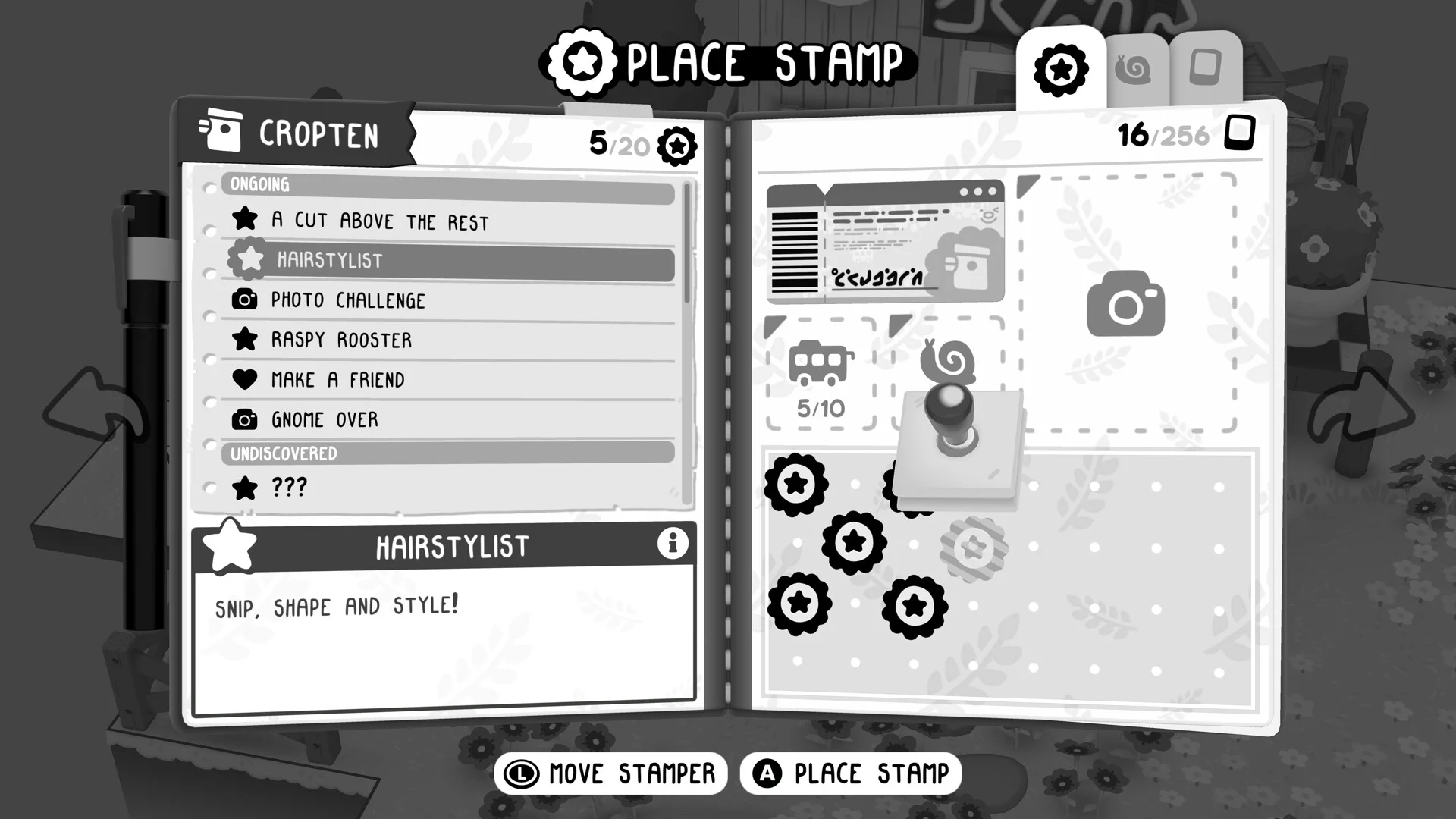
The journal helps you remember why you came back to a town. Its Cropten page includes tasks such as Gnome Over and Hairstylist, alongside the stamps you have already earned. That is useful because several requests can be active at once. You can explore a building for one job, notice a creature for your photo collection and then return to a different resident with a picture you took earlier.
The little animals give you another reason to inspect the scene. When the camera recognizes a new creature, the game names it and adds it to your collection. The small, round Tato is one example. Looking for the animals is optional collecting, rather than a fight or a survival task. It is satisfying to notice one you previously walked past, but it also shows the limit of the challenge: much of the work is finding a subject, then pressing the shutter.
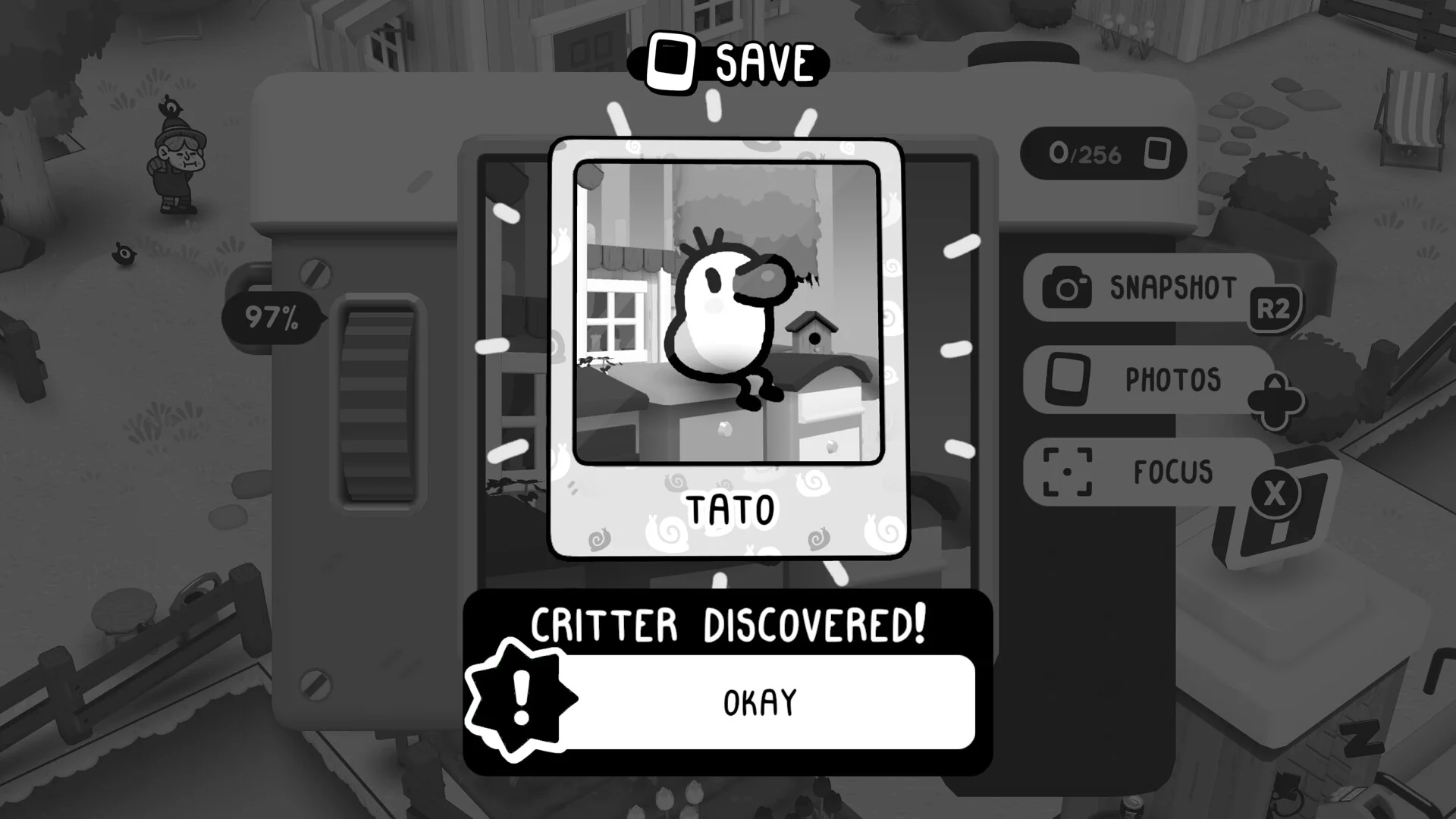
TOEM 2 also lets you take pictures just because you like the view. You can look through your saved photos and place pictures in frames around the towns. A little flying camera stand lets you include your traveler in a shot. Those options give photography a use beyond ticking off requests. We enjoy being able to make our own pictures, even when the game has nothing left to award for them.
Jumping, camera tools and a short trip
Walking is no longer your only way to reach a useful spot. You can run, jump across gaps and climb to higher places. Some requests send you onto roofs or ask you to reach a flag. You sometimes solve a problem by getting to the right place, without taking a photograph at all. The added movement makes the buildings and raised paths worth examining instead of treating them only as scenery.
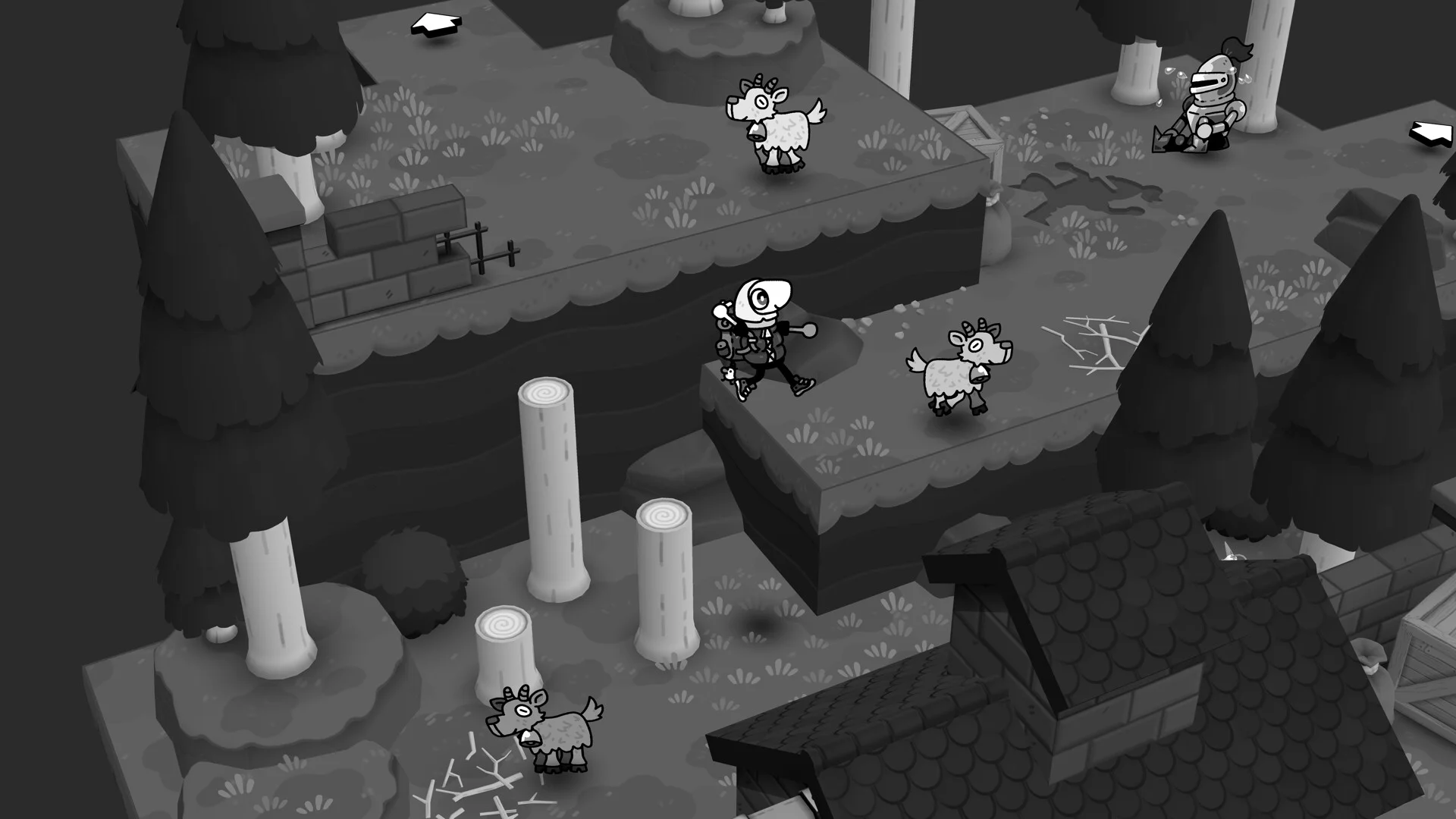
The difference is easy to see on the town rooftops. You can move up a building and jump onto a neighboring surface, then look for the next route from that higher position. We like having that extra choice when exploring. It is not a game built around long sequences of difficult jumps, though. The movement mostly helps you visit more of a small area before returning to the person who asked for help.
Your camera also gains tools that let you change the things you are looking at. The scissors, for example, let you cut plants. Aim through the camera, then use the tool instead of the shutter. You need to find an object that the tool can change, rather than look for a good photograph. The short clip below shows the Snip control being used on a tree.
Giving each area a new tool creates a reason to look again at objects that seemed ordinary. A tool for turning screws can repair things, while the scissors deal with things that need cutting. The problem is that many tool puzzles have one clear answer. Once the game has shown you the new action, the next obstacle often asks you to repeat it. We wanted more requests that made us decide between several tools or use them together.
The residents make those straightforward errands more fun. A skeleton trapped in a hanging cage is worried about whether he left his stove on. His immediate problem is getting out, but his concern is an ordinary household mistake. That mismatch is funny without a long explanation. The game gives people small, understandable worries, so a request can be entertaining even when its solution is not particularly hard.
There is a larger helping task within each area, as well as the smaller favors and animal photos. Those longer requests bring you back to familiar residents and give the trip more continuity than a list of unrelated photographs. However, the journey ends before the tools get enough complicated uses. A short game can suit this relaxed pace. Here, we still wanted another area where the actions we had learned would be used together in more demanding ways.
PC patches and the Pixel Twelve verdict
The PC launch had problems that matter in a game where photographs are also part of progress. On macOS, some photos were not being saved to disk or restored when loading a save. The October 1 hotfix lists those problems as fixed. A fix does not bring back photos that were never saved: the developer has said it cannot restore those missing files. Players affected before the update should not expect their album to reappear automatically.
On Steam, patch 1.0.7 also lists fixes for freezing when choosing a photograph, losing control while dragging the camera and taking a shot, and crashes when switching away from exclusive fullscreen. That last setting makes the game take over the whole screen. The earlier hotfix for the Deltburg city area addressed an escape-room door that would not unlock for some players. These are published fixes, not a promise that every PC problem is gone.
One important issue remains on the developer’s known-bugs list checked on October 3: Steam Cloud saves are not reliably carrying over between operating systems, such as Windows, macOS and Linux. That can affect someone trying to continue a Mac or Windows game on a Steam Deck. Do not rely on moving a save between those systems yet. The same list says the option to change which keyboard keys perform each action is still disabled. PC players who need different controls should check that limitation before buying.
The Nintendo versions have a different restriction. The Switch game is listed as supported on Switch 2, but Nintendo says saves for the separate Switch and Switch 2 versions are not compatible. Switch 2 compatibility does not mean your save moves between the two editions. The Steam patch numbers above should not be read as proof that the same updates are available on PS5 or Nintendo hardware.
Early player feedback is very positive. Our October 3 check found 365 positive Steam reviews out of 395, while the PlayStation store showed 4.88/5 from 168 ratings. Our Pixel Twelve score is 8/10. That is a more cautious judgment than the early PS5 rating. We put more weight on the simple puzzle answers and the trip ending before the new tools have enough to do. We still agree that the photography, movement and funny requests make it a worthwhile game.
TOEM 2 makes sense if you want to explore at your own pace, photograph little creatures and help people with unusual requests. It is a less convincing choice if you want difficult puzzles or expect a long adventure. Photographing the animals and jumping between roofs are worth doing, but the new tools need more puzzles. On PC, install the current updates and keep the save-transfer warning in mind before planning to switch devices.
More places and residents in TOEM 2
3 screenshotsLoading results
Find platforms, the age rating and official media on the TOEM 2 game page. You can also read our release and demo details, or browse more Pixel Twelve reviews.