


Pixel Twelve
Blox Fruits Maturity Rating: Where to Find “Mild” and What It Means

How To

Blox Fruits Maturity Rating: Where to Find “Mild” and What It Means

Find Blox Fruits by Gamer Robot Inc, open About and read its Mild label alongside the Violence (Repeated/Mild) warning. Real Roblox website screenshots show the route.

By Nova RainesGame: Blox FruitsVerified Oct 4, 2026
Add to list
Guide Type
How To
Last Verified
Oct 4, 2026

Guide details

Overview

Find Blox Fruits by Gamer Robot Inc, open About and read its Mild label alongside the Violence (Repeated/Mild) warning. Real Roblox website screenshots show the route.

What the Blox Fruits page currently says

Blox Fruits’ Roblox page currently shows Maturity: Mild and the warning Violence (Repeated/Mild). Read both: Mild is the broad content label, while the words beside it explain the type of content flagged for this game. A maturity label is not a player level, difficulty setting or game review score.

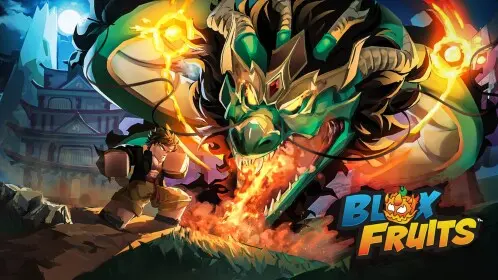
This walkthrough uses the Roblox website in a browser, not menus inside Blox Fruits. The steps and screenshots were checked on October 4, 2026, in English. The game artwork and website layout can change. The cover is an original illustration; the step-by-step images below are real website captures.
1. Search for the game, not an avatar item

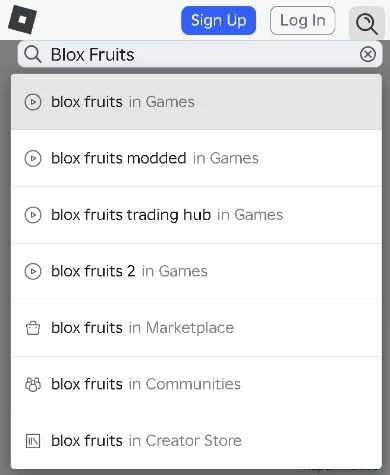
Open the Roblox website in your browser. Look for Search in the top bar. On a narrow phone screen, tap the magnifying glass at the top right to reveal the field. Type Blox Fruits. In the list beneath the field, choose blox fruits in Games, the suggestion with a small play-triangle icon. Marketplace searches avatar items instead.

The Roblox search field contains Blox Fruits, with the exact blox fruits in Games suggestion above modified-game and Marketplace suggestions.
Choose blox fruits in Games. The similarly named modded and trading-hub suggestions are not the page used here.

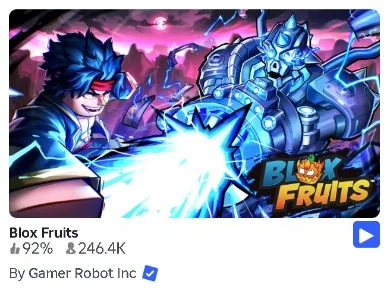
In the results, find the Blox Fruits card labelled By Gamer Robot Inc, with a blue verified badge beside the creator. Open the game’s name or picture to read its page. Do not press the small blue play button at the card’s right edge. The picture may change for an event, so check the creator rather than matching the colours alone.

Blox Fruits appears in Roblox search with By Gamer Robot Inc and a blue verified badge beneath its game picture.
Check the creator line beneath Blox Fruits. Open the name or picture, not the blue play button.

2. Find Maturity beneath the creator name

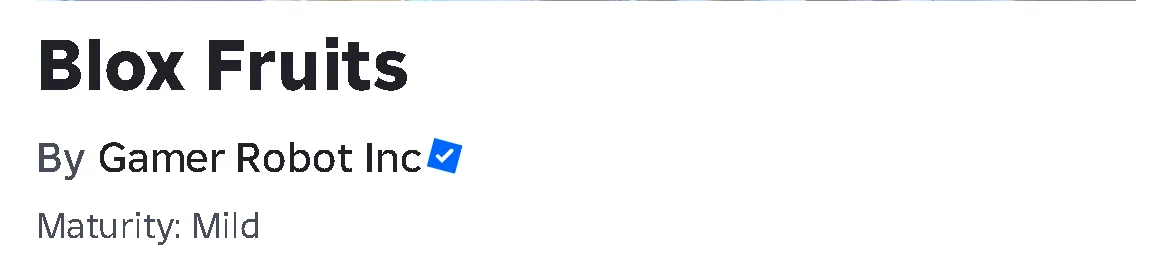
On the game page, check that the heading says Blox Fruits and the creator is Gamer Robot Inc. Directly below that creator line, look for the small Maturity: Mild link. It sits above the large play button. The label is not printed inside the game artwork.

Blox Fruits’ page title and Gamer Robot Inc creator line sit above the small Maturity: Mild link.
Look beneath By Gamer Robot Inc for Maturity: Mild. The title artwork above this area is not the rating.

3. Open About, then find the full warning

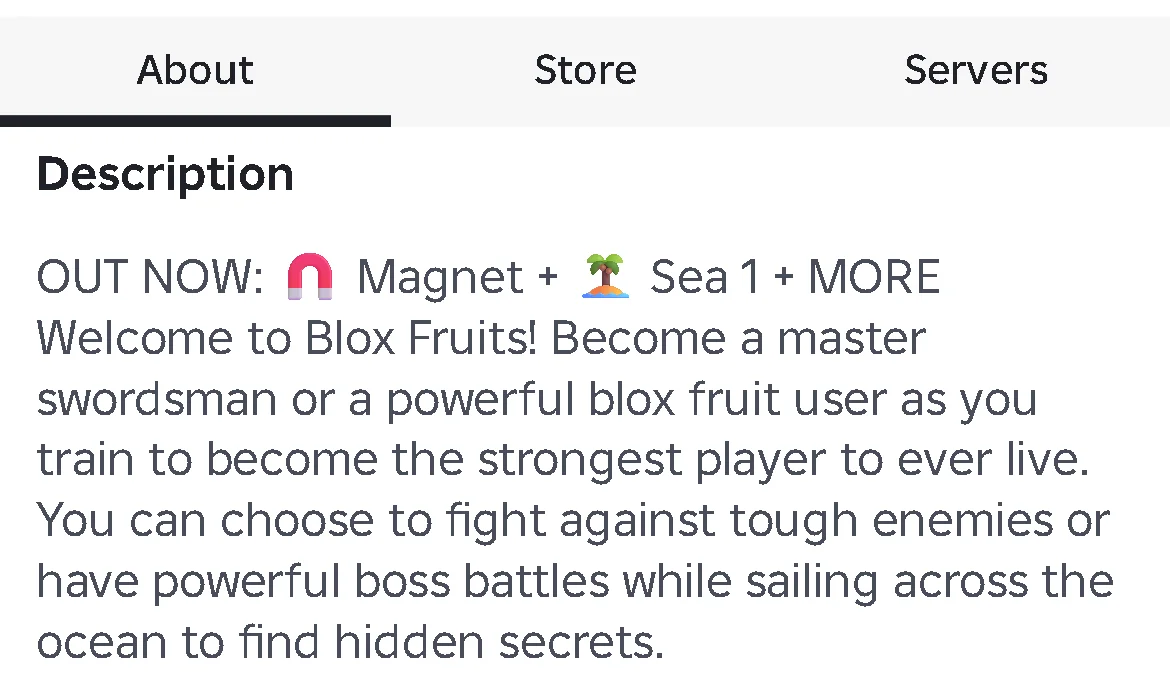
Scroll below the large play button and the favourite and thumbs-up icons to the three tabs: About, Store and Servers. Select About on the left. A dark underline beneath About shows it is selected; Description appears below the tabs. Store and Servers do not show the same description panel.

About is underlined on Blox Fruits’ Roblox page, above the Description heading, with Store and Servers beside it.
Select About on the left. Confirm the underline and Description heading before looking farther down.

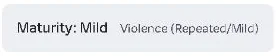
Stay on About and scroll to the end of Description. Immediately beneath it, look for a pale panel reading Maturity: Mild with Violence (Repeated/Mild) beside it. Active and the other game statistics begin below this panel. Read the warning beside Maturity, not the player count.

The Blox Fruits About panel reads Maturity: Mild and Violence (Repeated/Mild).
Read Violence (Repeated/Mild) beside Maturity: Mild. This panel is the content warning, not a player statistic.

On the checked website, the small Maturity link under the creator name also jumps down to this panel. Open About first, then use that link if you want the shortcut. It scrolls the page; it does not open a separate rating window. If the jump does not help, stay on About and scroll past Description yourself.

4. Read “Repeated” and “Mild” separately

Violence identifies the content category. Repeated describes how often that content appears: it can happen frequently or several times close together. Mild describes the lower-intensity type of violence in Roblox’s system, such as unrealistic combat. Mild does not mean that Blox Fruits has no fighting.

Only the violence warning shown above was visible for this game in our check. Do not add blood, fear or other warnings just because Roblox’s general Mild category can include them in other experiences. For Blox Fruits, use the descriptors displayed on its own live page.

This is Roblox’s content-maturity system, not an ESRB rating. Do not turn Mild into an E, E10+ or T code, or treat it as a universal age recommendation. A different classification system or a different region can use different labels.

If the label says Mild but you cannot join

The label describes the experience’s content. Whether your particular account can access it is a separate question: account age, regional rules and parental limits can affect access. A Mild label alone does not prove your account can join, and this page does not identify the cause of a join error.

Keep the exact message Roblox shows if access is blocked. If a parent manages your account, ask them to check the limit with you. Do not change your birthday, make another account or pay for a game pass to try to get around a restriction. Reading a public page is not a test of an account’s permission to play.

Ready to learn what to do inside Blox Fruits?

Start with the First Sea beginner guide for early quests and stat choices. The fruit acquisition guide compares the different ways to get a fruit; the codes guide covers reward promotions separately. Use the Blox Fruits guide hub to pick a walkthrough for the action you need, rather than treating the maturity label as a gameplay instruction.

Get Pixel Twelve's biggest stories first.

Add as a preferred source on Google