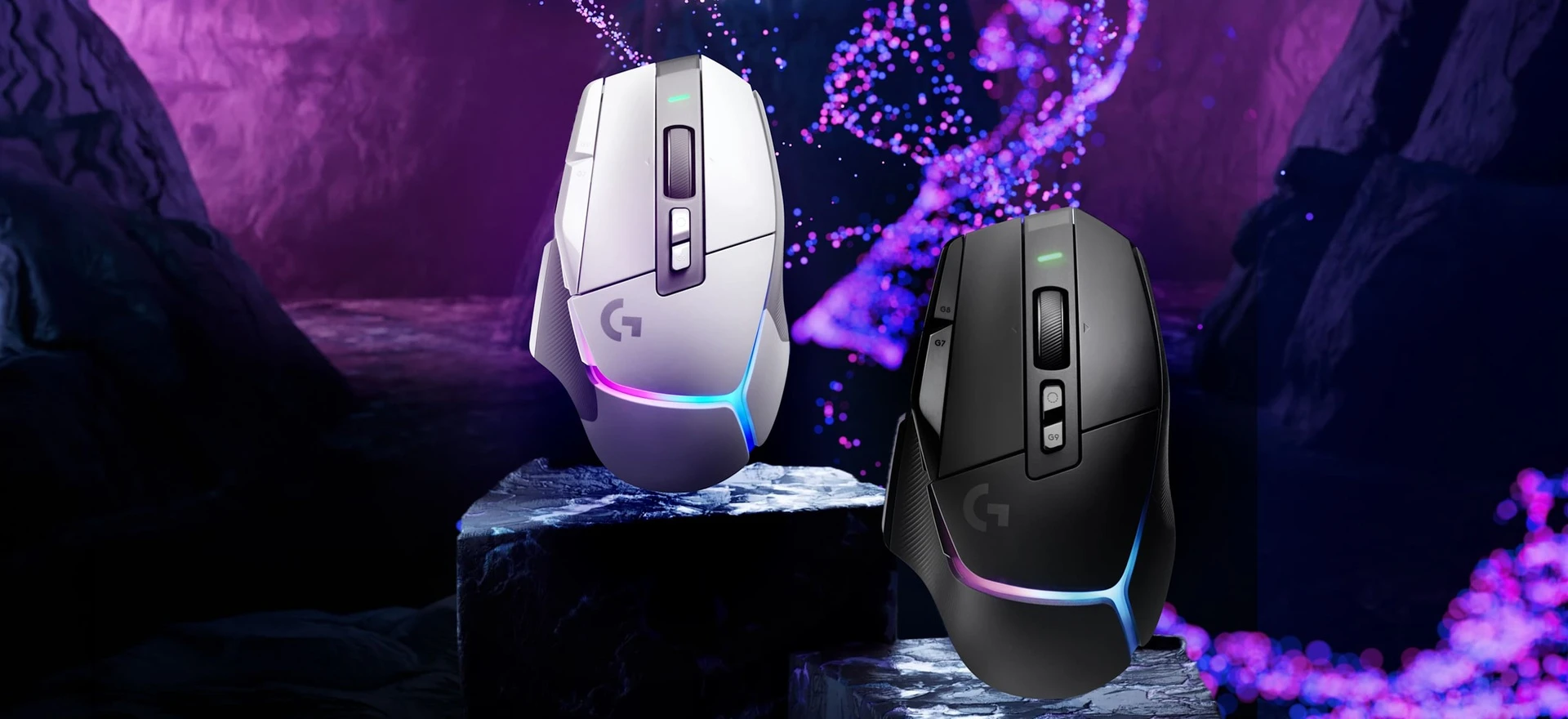
The Logitech G502 X Plus gives you extra buttons for game commands and everyday shortcuts, plus a wheel that switches between stepped scrolling and a free spin. That combination is useful if you play games and work on the same PC. It is a right-handed, rechargeable mouse, not a small or especially light one.
A recent firmware update, the software stored inside the mouse, has caused cursor problems for some owners. Logitech is offering help through support, including a temporary way to return to older firmware. If you need a dependable replacement right now, check the latest fix with Logitech before buying. The purchase card is for the standard black G502 X Plus, model 910-006160.
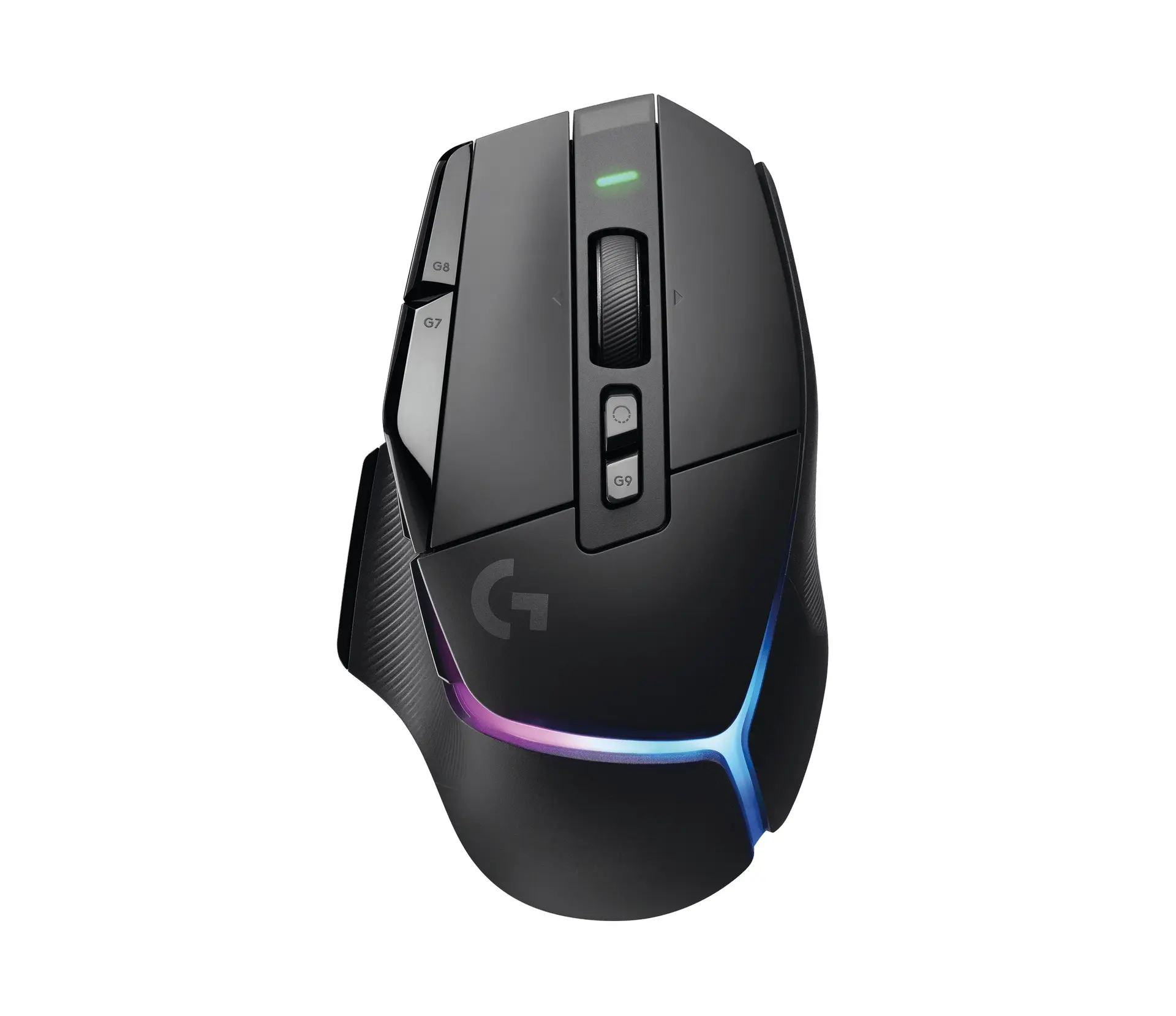
Logitech G502 X Plus Wireless Gaming Mouse
Logitech · G502 X Plus
For right-handed PC players who want extra buttons and a free-spinning wheel. Check current firmware support before buying. Standard black model 910-006160.
Product specifications
- Version
- Standard Black
- Retail model number
- 910-006160
- Shape
- Right-handed, with thumb rest
- Weight
- 106g
- Dimensions
- 131.4 × 79.2 × 41.1mm
- Controls
- 13 programmable controls, including wheel inputs
- Scroll wheel
- Stepped or free spin; left/right tilt
- Connection
- LIGHTSPEED USB-A receiver or USB cable; no Bluetooth
- Battery
- Built-in rechargeable battery; USB-C charging
- In the box
- Mouse, DPI Shift cover, USB-A receiver, extension adapter and charging cable
Pros
- Extra controls for game commands and everyday shortcuts
- Wheel switches between stepped scrolling and free spin
- Thumb button can be reversed or replaced with a flat cover
- USB-C charging; usable with the cable
Cons
- Current firmware issue affects some owners
- No Bluetooth connection
- 106g weight will not suit everyone
- Right-handed shape; no adjustable weights
Put the extra buttons to work
You do not have to learn every button on day one. Start with a command you use often, such as push-to-talk or an ability that normally needs a keyboard key. Assign it to a button you can reach comfortably, then play for a while before changing more controls. A shortcut is only useful if you can find it without looking down.
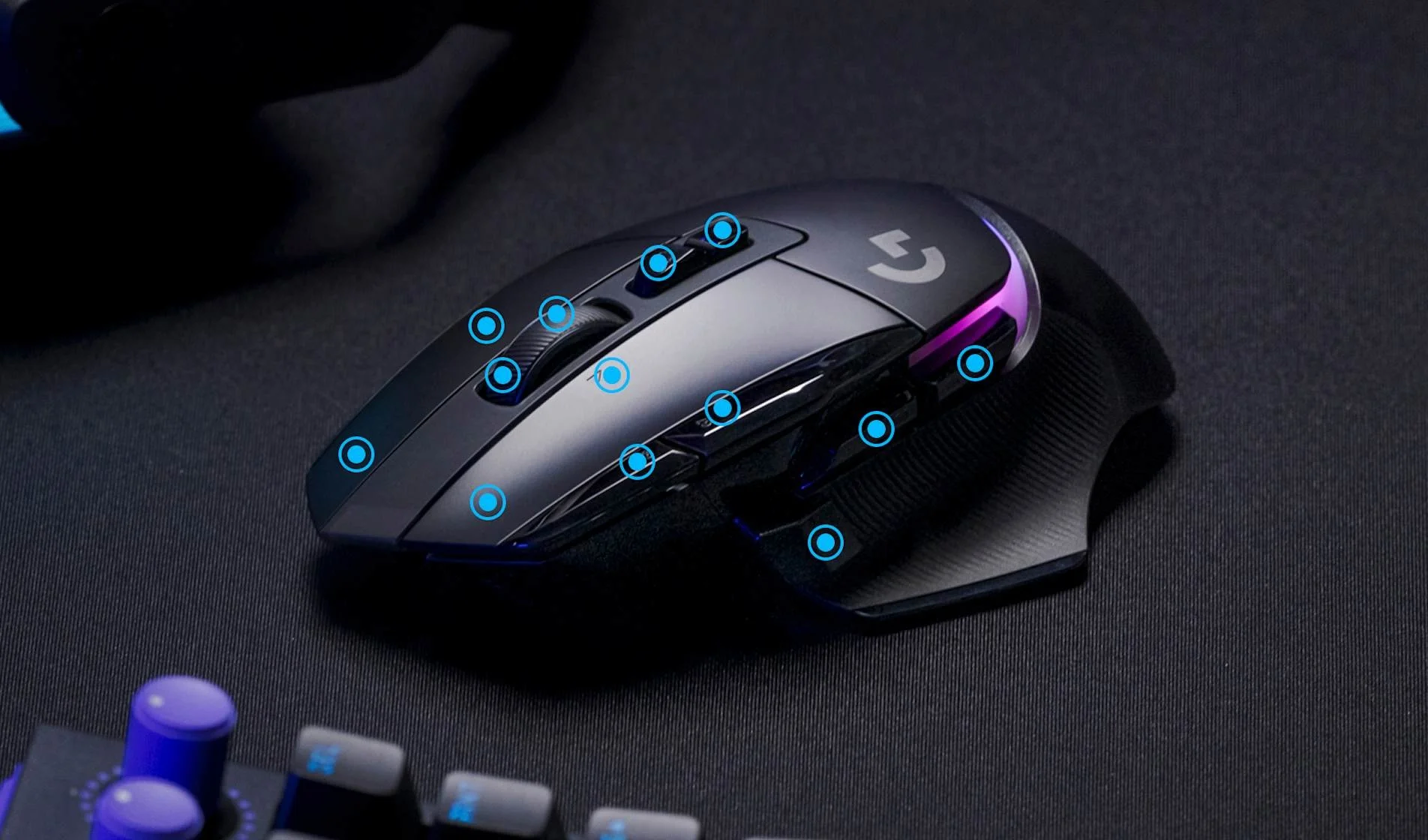
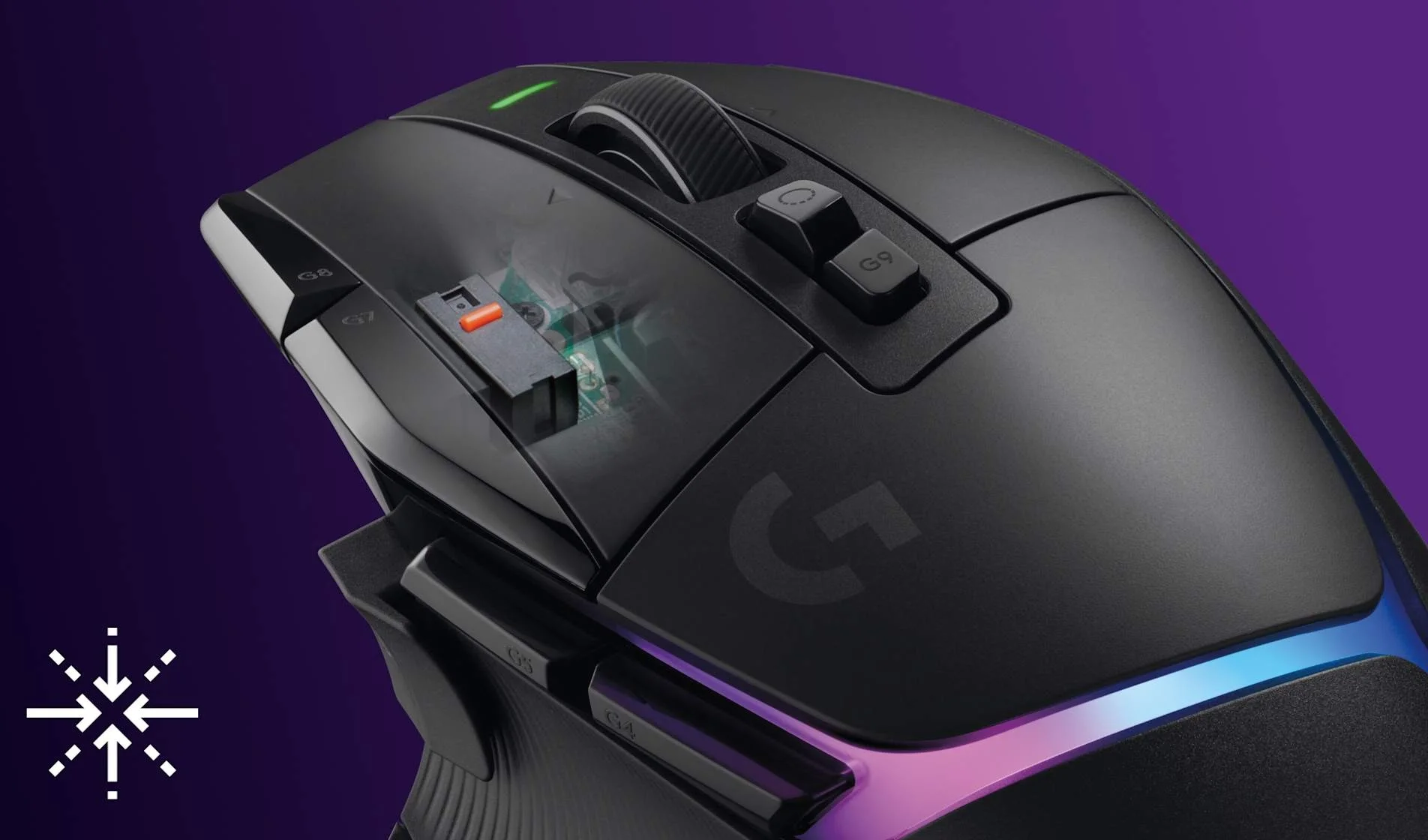
Logitech lists 13 programmable controls. That includes inputs from the scroll wheel, rather than 13 separate buttons spread across the shell. G HUB, Logitech's settings app, lets you change what those controls do. You can set up different assignments for a game and for desktop use.
Credits
Image: Logitech.The DPI Shift button sits near your thumb. DPI controls how far the pointer moves for a given movement of your hand. You can set this button to use a lower sensitivity while you hold it, which may help with small aiming adjustments. You still need to choose a setting that works with your game's sensitivity; a bigger number is not automatically better.
If that thumb button is hard to reach or gets pressed by mistake, its position can be reversed. The included flat cover also lets you remove the protruding button. That is worth trying before deciding the whole mouse shape is wrong for your hand.
The main left and right buttons use Logitech's LIGHTFORCE switches. They detect presses using light while keeping a physical click. This does not mean every extra button uses the same switch, or that the mouse cannot develop a fault.
Credits
Image: Logitech.Choose the wheel mode for the task
The small button directly behind the wheel changes how it turns. In the stepped mode, you feel a click as the wheel moves. That makes it easier to scroll a little at a time or select one item in a game.
Press the button again and the wheel spins freely. It is useful for moving through a long web page or document, but the wheel can keep turning after you stop pushing it. If you use scrolling to change weapons, use the stepped mode so a loose spin does not select several items.
The wheel also tilts left and right. Those movements are two more controls you can assign in G HUB, separate from rolling the wheel or pressing it down. Try them with desktop shortcuts before adding them to a game where a wrong input would matter.
Check the shape and weight
The G502 X Plus weighs 106g and is about 131mm long. Its thumb rest and left-side buttons are arranged for your right hand. If you play left-handed, want a pocket-sized mouse or prefer very light mice for repeated large movements, this is not the obvious choice.
A comfortable grip matters more than the button count. Check whether your thumb can reach the side controls while your index finger stays on the main button. If you have to twist your hand to reach them, the extra controls may be more annoying than helpful. When you cannot try it before buying, check the seller's return terms.
The X Plus is also different from the older G502 models with removable weights. There are no extra weights to add or remove here. Do not buy it expecting to reuse that adjustment system from an older mouse.
Keep the receiver and charging cable handy
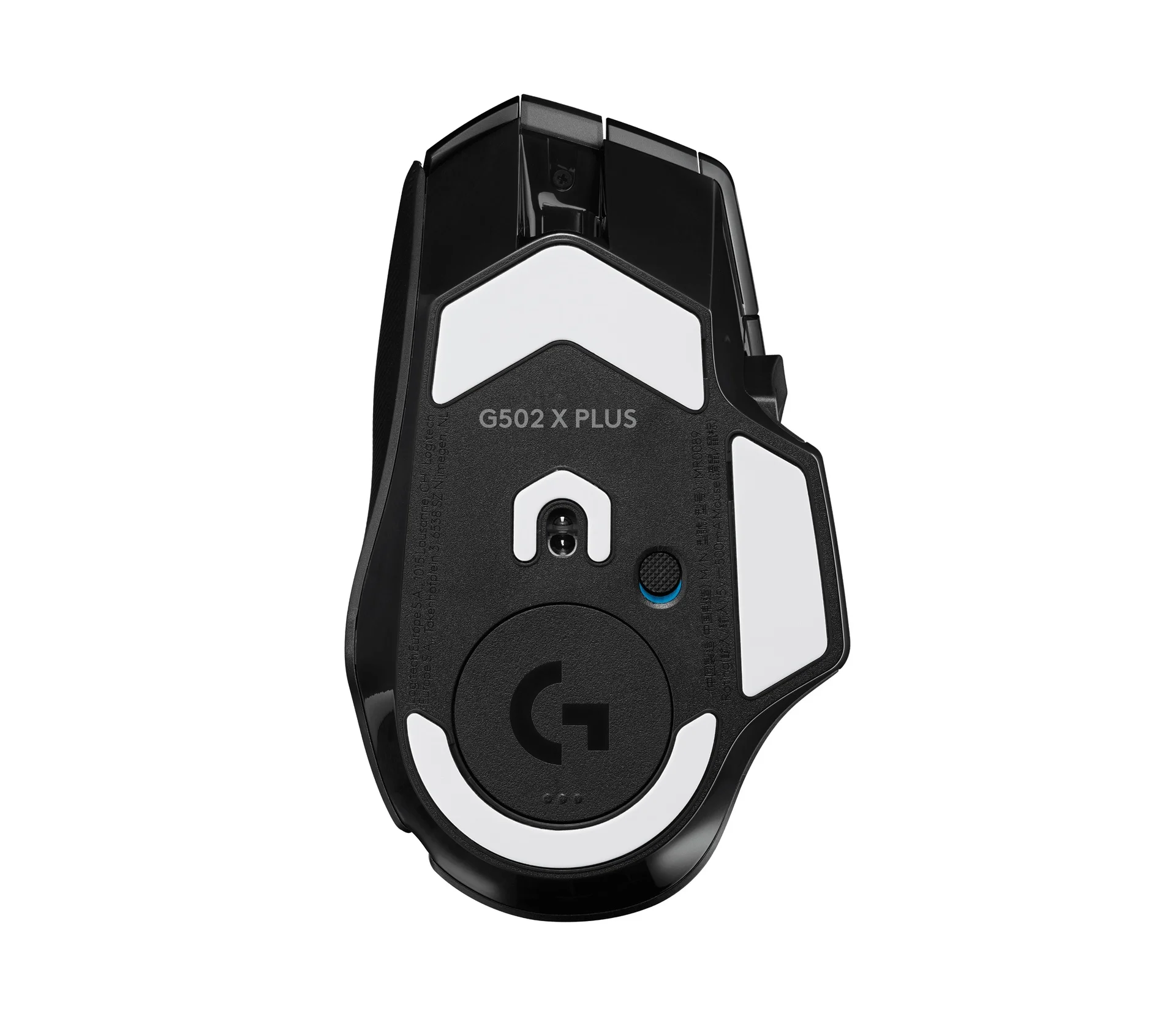
For wireless use, plug the included LIGHTSPEED receiver into a USB-A port, the larger rectangular kind. This is not a Bluetooth connection. A laptop with only USB-C ports needs a suitable adapter. The included extension adapter helps you place the receiver closer to the mouse instead of leaving it behind a desktop computer.
Credits
Image: Logitech.There is a USB-C charging port at the front of the mouse, and you can keep using it through the cable while it charges. You do not replace an AA battery as you would with a G305. The rechargeable battery is inside the mouse.
The colored lights use battery power. Turning them off or lowering their brightness is a sensible first step if you are charging more often than you want. Battery life still depends on your settings and use. Reports from buyers vary, so do not plan your week around someone else's charging schedule.
Logitech's POWERPLAY charging mat is a separate purchase, not something included with the mouse. You do not need it for normal use; the supplied charging cable is enough. It is an optional accessory, not a reason to assume this mouse charges on any wireless phone charger.
Know about the current update problem
As of October 2, 2026, Logitech's community team has acknowledged a problem with cursor movement after firmware 27.1.22 on the G502 X Plus. The same announcement discusses a different firmware version for the G502 X LIGHTSPEED. Keep the exact model and firmware version together when asking for help.
Logitech says support can provide a temporary tool to return affected mice to older firmware, with conditions about the installed mouse firmware and G HUB version. That is a support workaround, not proof that a permanent fix has reached every owner. We could not confirm a permanent fix for this exact issue in the current public release notes.
If your mouse starts missing movements after an update, record the versions shown in G HUB and contact Logitech support. Ask for the instructions that apply to your mouse rather than downloading a firmware tool from a reposted link. Avoid unofficial firmware downloads. The wrong file or instructions can leave the mouse unusable.
This problem is not the experience of every owner. Recent verified Amazon buyers of the black model praise its shape, buttons and simple receiver setup. Other feedback describes trouble with G HUB settings. Those reports do not tell us how many units will have trouble, but they are reasons to check more than the star rating.
Who should buy it
We would consider the G502 X Plus for a right-handed PC player who wants several reachable shortcuts and also uses the free-spinning wheel for work. The removable thumb button and wheel tilt give you practical ways to adjust the controls. Buy it for features you will use, rather than its lights or maximum sensitivity alone.
Skip it if you want Bluetooth, a much lighter mouse or an AA battery you can change in seconds. The G502 X LIGHTSPEED has a similar set of controls without the X Plus's colored lighting, while the plain G502 X is wired. Check the full name in the listing; those are different models.
For now, the firmware issue makes us cautious about recommending it as your only mouse when you need everything working immediately. Confirm the current support guidance first, and check the buttons, scrolling and cursor movement while you still have the seller's return option. The hardware features are useful, but reliable daily use matters more.