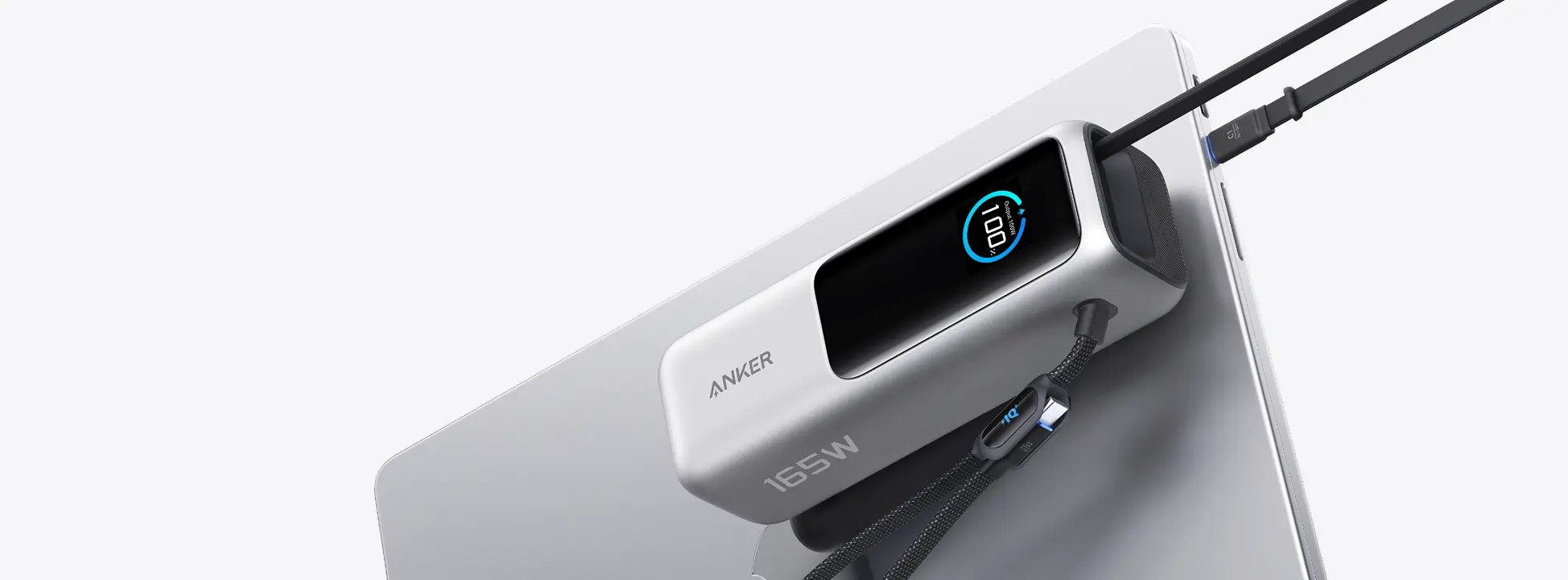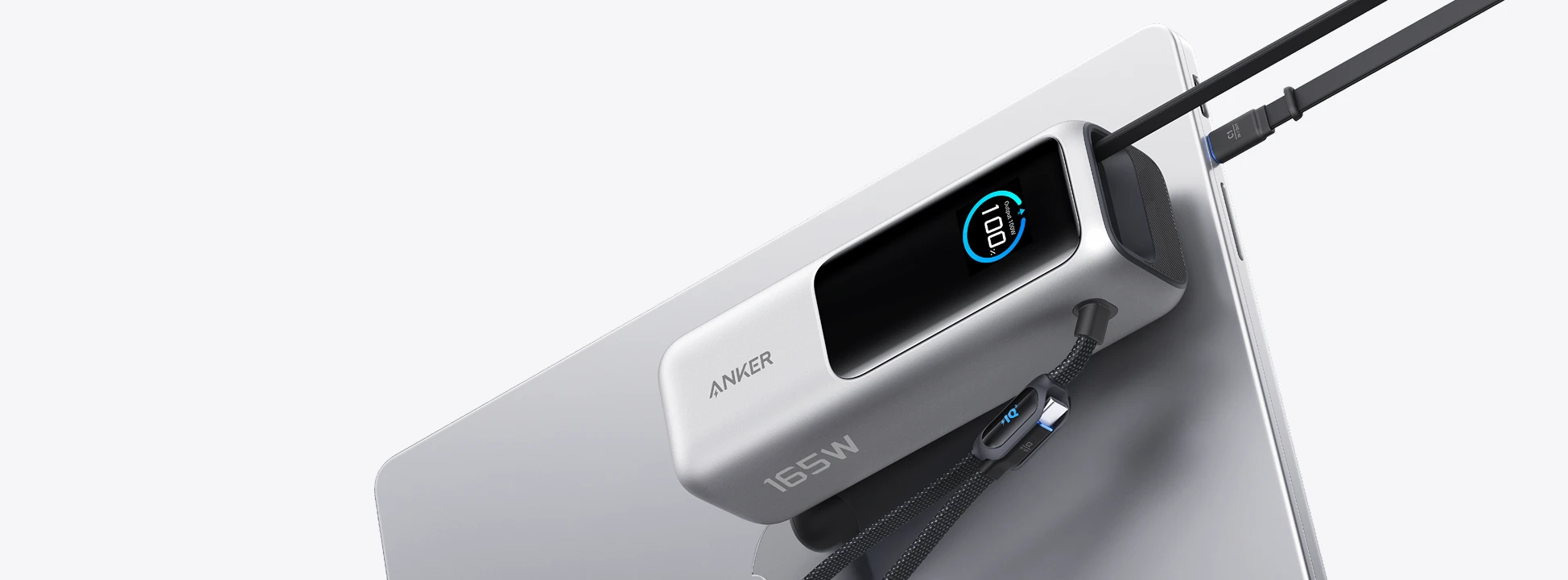
A laptop power bank can keep you working when there is no outlet nearby. These six picks cover different needs, from the Anker Prime 220W for charging several devices to the Anker 25K for built-in cables and the INIU P63-E1 for a smaller, lighter bag.
Check that your laptop supports charging through USB-C before buying. A USB-C socket alone does not guarantee it. Also check how much power the laptop accepts through that socket. A bigger number on the power bank cannot make your computer charge faster than its own limit.
Our picks at a glance
We ordered these picks by their Amazon buyer ratings on September 18, 2026. When ratings match, the product with more ratings comes first. These are Amazon buyer ratings, not Pixel Twelve scores. Listings can combine different colors and versions, so the totals do not always describe one exact model. They can also change.
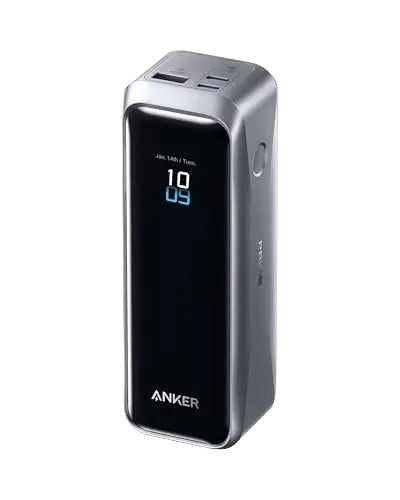
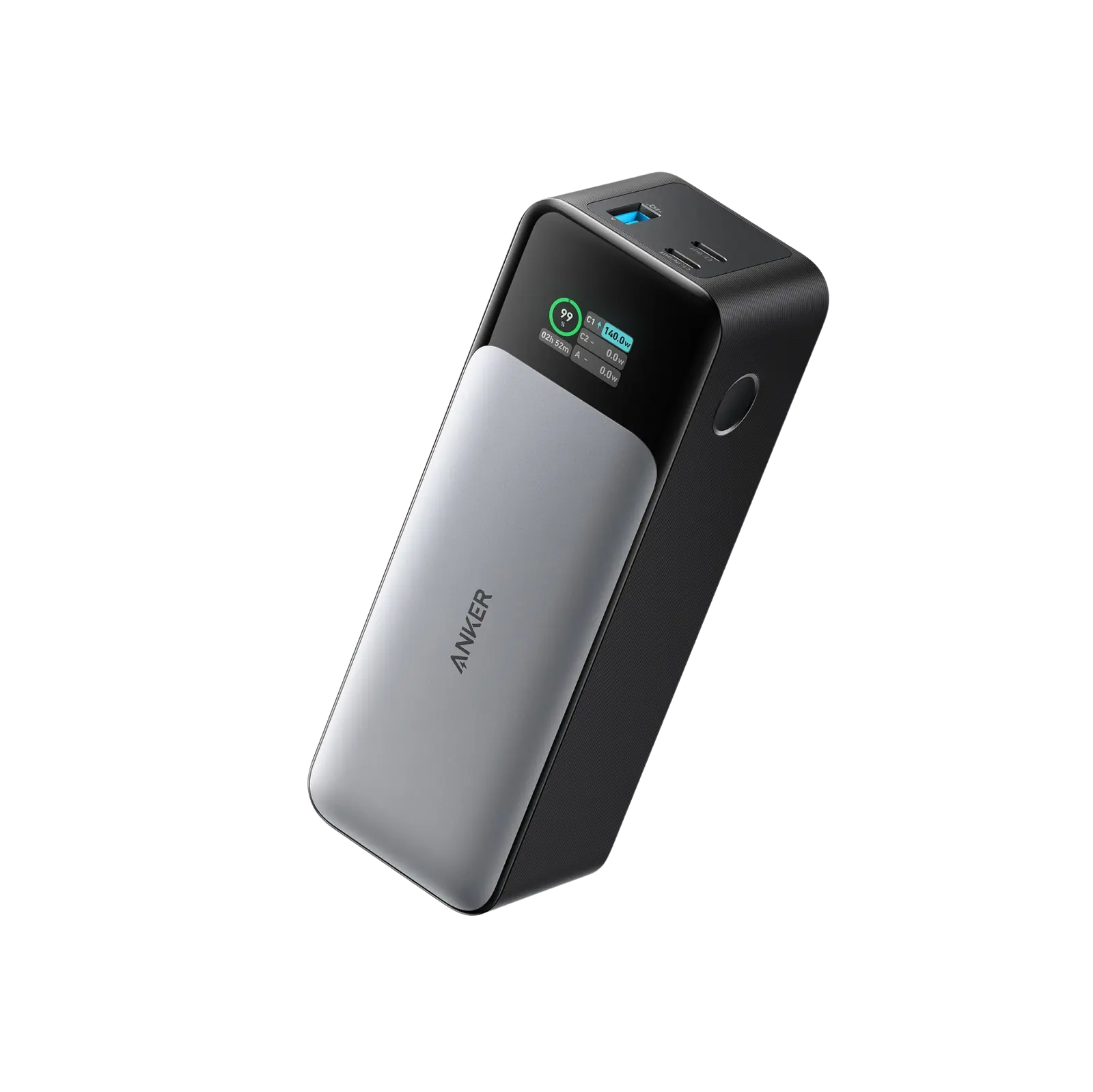
1. Anker Prime 220W: for a laptop and extra devices
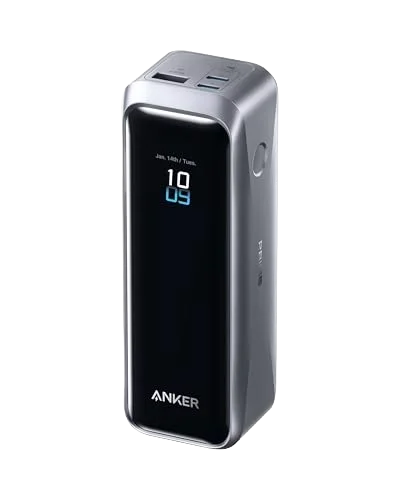
Amazon buyers: 4.7/5 from 714 global ratings. Model: A110B, the 20,100mAh version. This is not the older 20,000mAh Prime 200W.
The Prime suits someone who carries a laptop, phone and another small device. Its two USB-C ports and one USB-A port can share up to 220W. One compatible laptop can receive up to 140W, not 220W. You still need a suitable cable and a laptop that accepts that much power.
The display and Anker app let you check charging information without guessing from a few battery lights. Owners regularly praise those details and the charging speed. The app also supports firmware updates, although we could not verify a public list of the latest fixes for this exact model.
Pros: Up to 140W for one laptop; three connections; a useful display and app; up to 100W input to refill the bank.
Cons: Bulky for phone-only use; less capacity than the 25,000mAh options here; the charging base is sold separately. Some owners report disappointing battery life or slow recharging. Heat can reduce charging speed, so do not expect the highest advertised power throughout a long session.
Choose it for charging power and useful controls. If you just want a simple spare battery, the app and display may not be worth paying extra for. Turn off Bluetooth when you do not need it and set a short screen timeout to reduce idle drain.
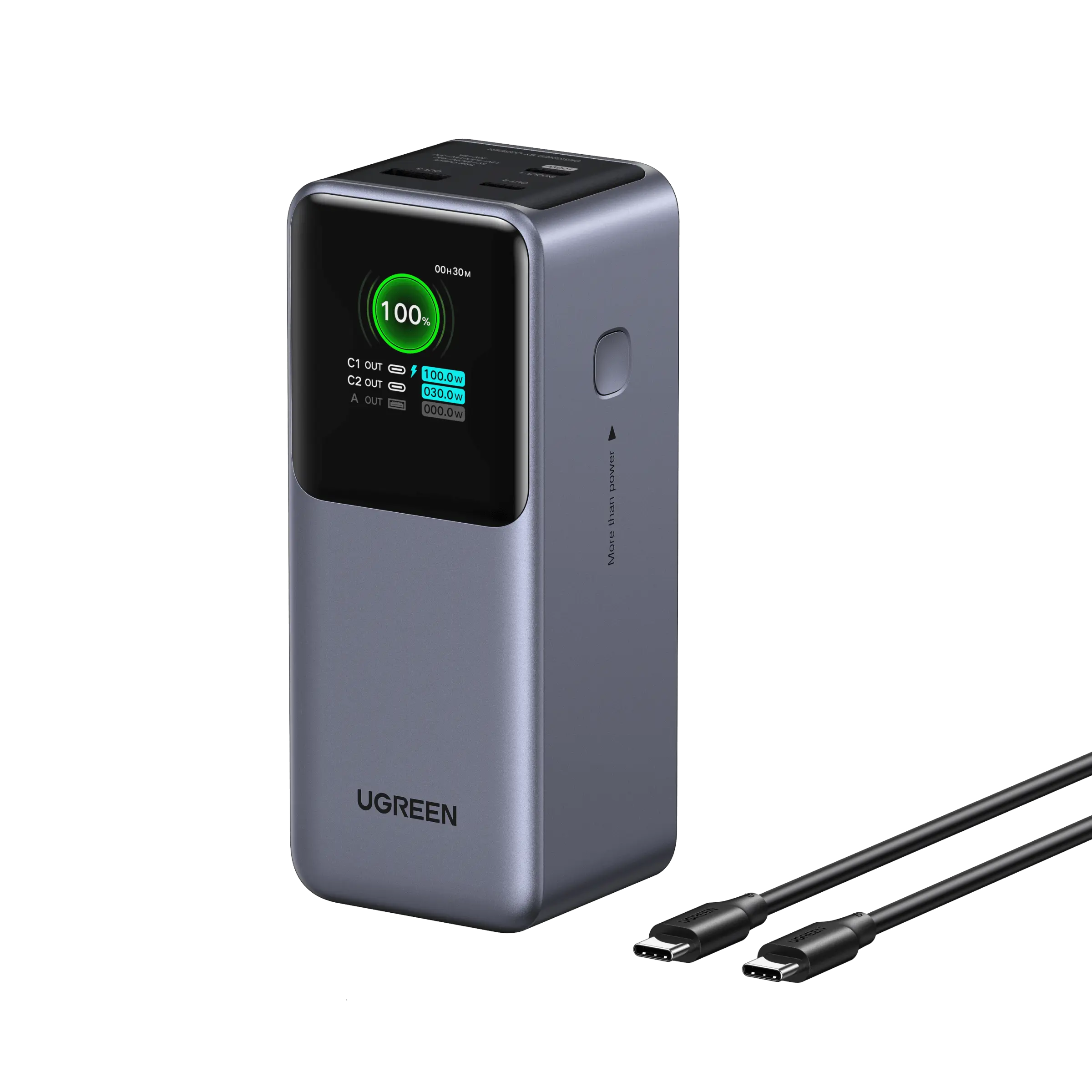
2. Ugreen Nexode 130W: for a laptop and phone
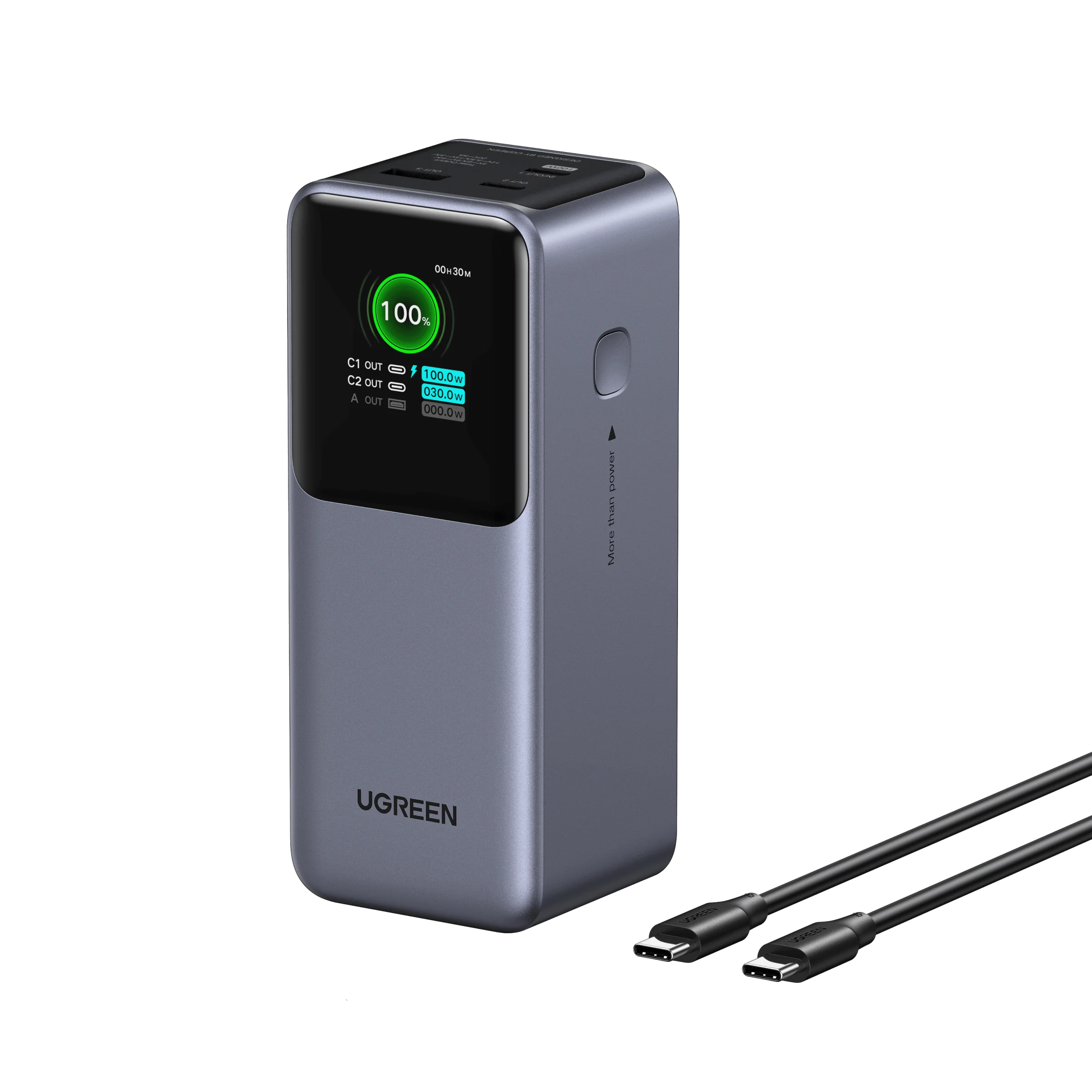
Amazon buyers: 4.5/5 from 4,706 global ratings. Model: 35524, the 20,000mAh Nexode with separate cables.
This Ugreen is a sensible fit for a USB-C laptop that needs 65W or 100W. The main USB-C port supplies up to 100W and the second supplies up to 30W, with a 130W combined limit. That gives a laptop and phone their own connections without buying a higher-power bank your computer cannot fully use.
Its screen shows battery and charging information, which owners often praise alongside its laptop and handheld charging. At 480g, it is lighter than the Anker 737 and Anker 25K, but it is still a noticeable addition to a bag. The 20,000mAh capacity does not promise a full charge for every laptop.
Pros: A useful charging display; up to 100W for a laptop plus 30W for a second device; replaceable cables; three ports.
Cons: The second USB-C port cannot supply 100W; recharging tops out at 65W; no attached cable. Some owners report units that stop accepting charge or lose charge faster than expected.
We would pick this for everyday laptop-and-phone use rather than a laptop that needs 140W. Check both USB-C ports after it arrives, and make sure the box contains the separate-cable 130W model, not a similarly named version.
3. Anker 737: for laptops that can use 140W
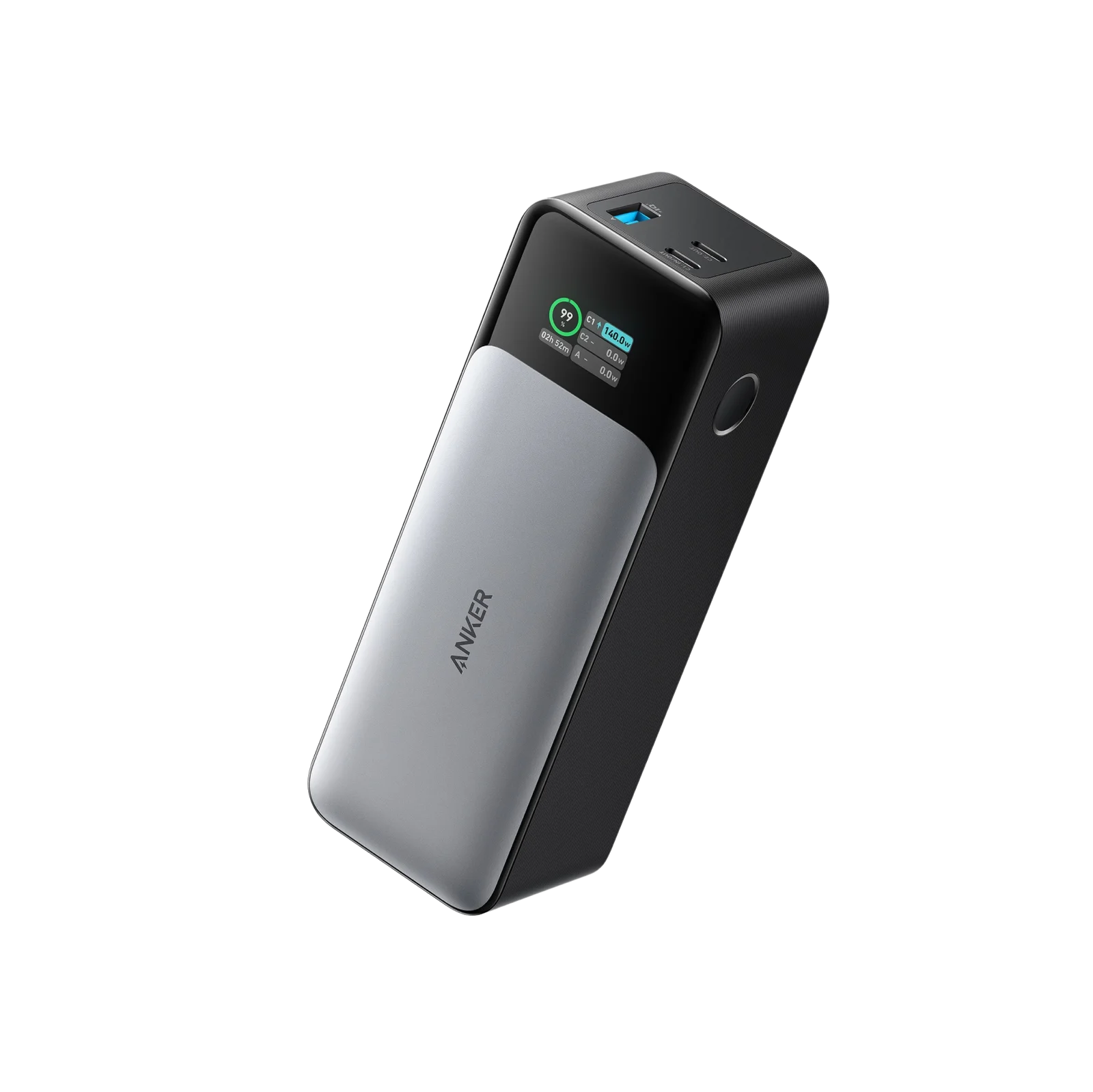
Amazon buyers: 4.4/5 from 17,580 global ratings. Model: A1289, also called PowerCore 24K.
The 737 is our pick here if your laptop can take more than 100W through a compatible USB-C connection. It can supply up to 140W to one device. That gives it an advantage over the Anker 25K, which stops at 100W per connection despite the bigger number in its name.
It has two USB-C ports, one USB-A port and a screen showing charge and power information. Its cables unplug completely, so you can replace a damaged lead without replacing the power bank. The trade-off is carrying those cables separately.
Pros: Up to 140W for one compatible laptop; replaceable cables; a useful power display; up to 140W input for recharging the bank with suitable equipment.
Cons: At 630g, it adds plenty of weight to your bag. The 140W total is shared when you plug in more devices. Some owners report sudden shutdowns while the screen still shows charge, or units that stop charging after months of use.
Those complaints matter even with a positive buyer average. We would choose the 737 for its power and separate cables, not because a high rating guarantees trouble-free ownership. Skip it if your laptop only accepts 65W or you want a small phone charger: its extra output will not solve either need.
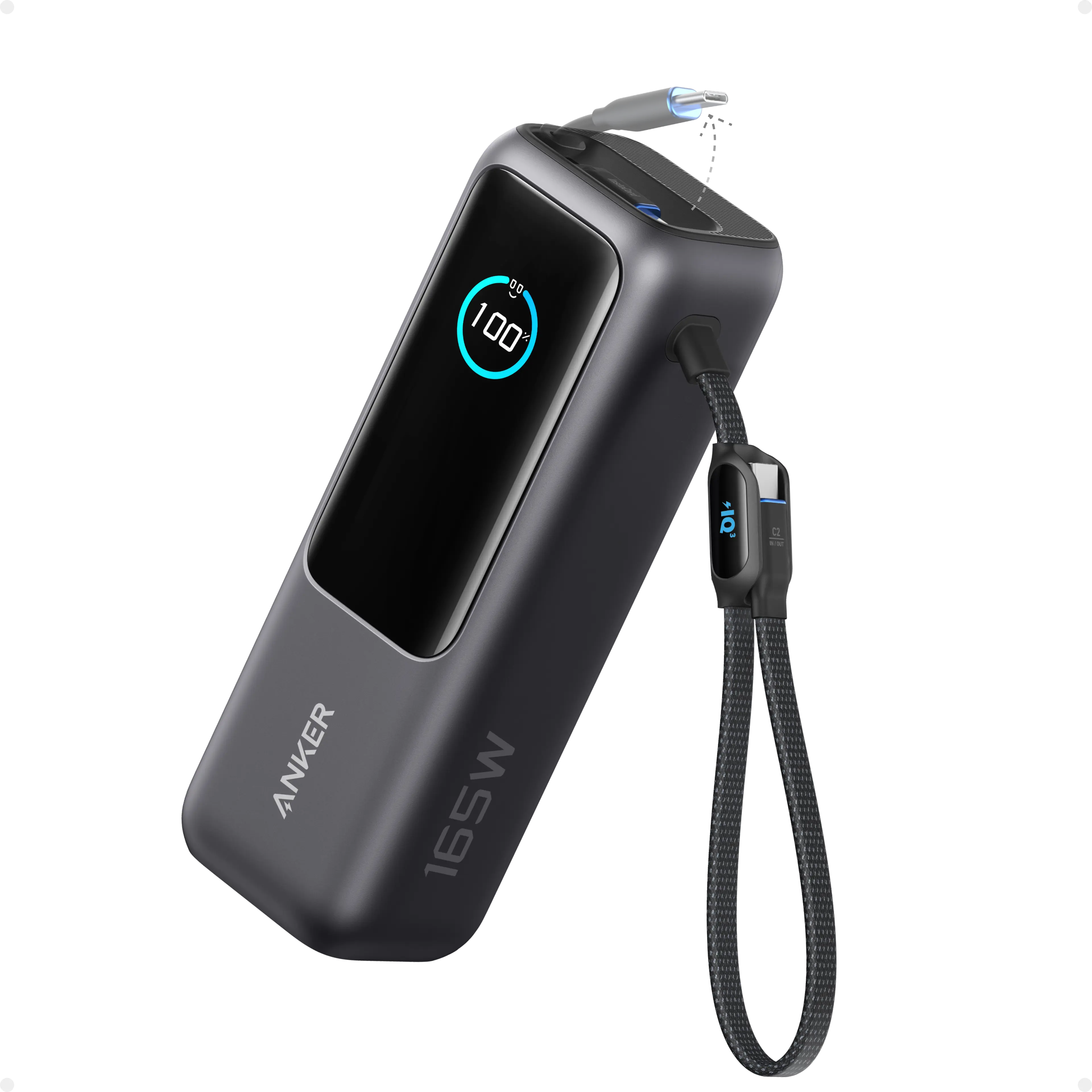
4. Anker Laptop Power Bank 25K: for built-in cables
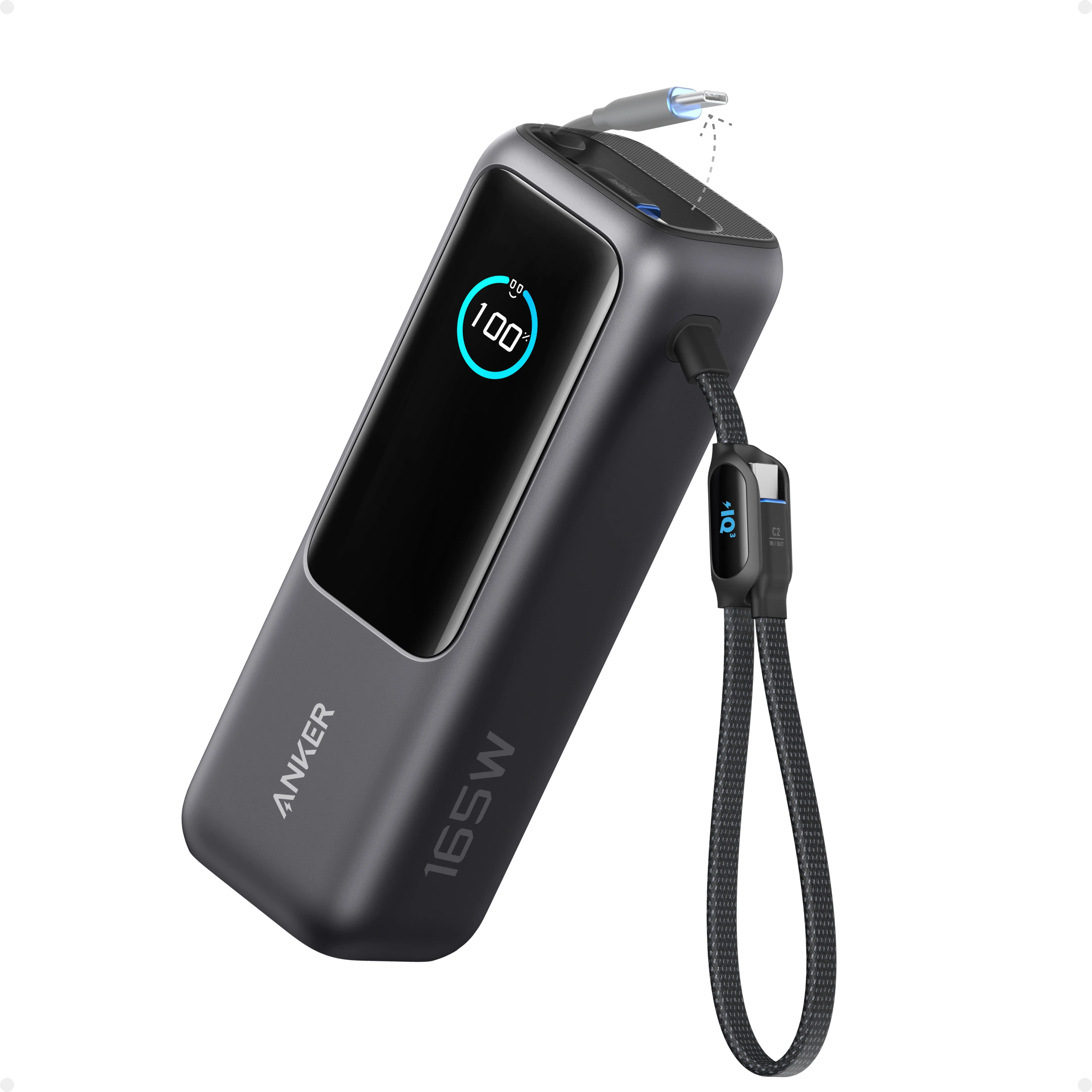
Amazon buyers: 4.4/5 from 12,043 global ratings. Model: A1695. Our full review gives it a Pixel Twelve score of 8/10.
The A1695 makes more sense if you often forget a charging cable. It has a retractable USB-C cable and a second built-in USB-C cable that forms a loop. You also get a separate USB-C port and a USB-A port for other devices.
The name needs explaining: 165W is shared power, not the amount one laptop receives. Each USB-C connection tops out at 100W. Connecting three or four devices reduces the combined limit to 130W. Charging a laptop and phone together is useful, but plugging in more devices does not give every device the maximum speed.
Pros: Two cables are always attached; four connections for different devices; a display showing charge and power; 25,000mAh capacity for laptop-bag use.
Cons: It weighs 595g. Built-in cables are harder to replace than loose ones, and owners have reported cable failures. Heat can reduce charging power, so do not expect the highest advertised output throughout a long session.
Buy this one for convenience, not for the highest single-laptop charging power. Our Anker 25K review explains the charging limits and cable concerns in more detail.
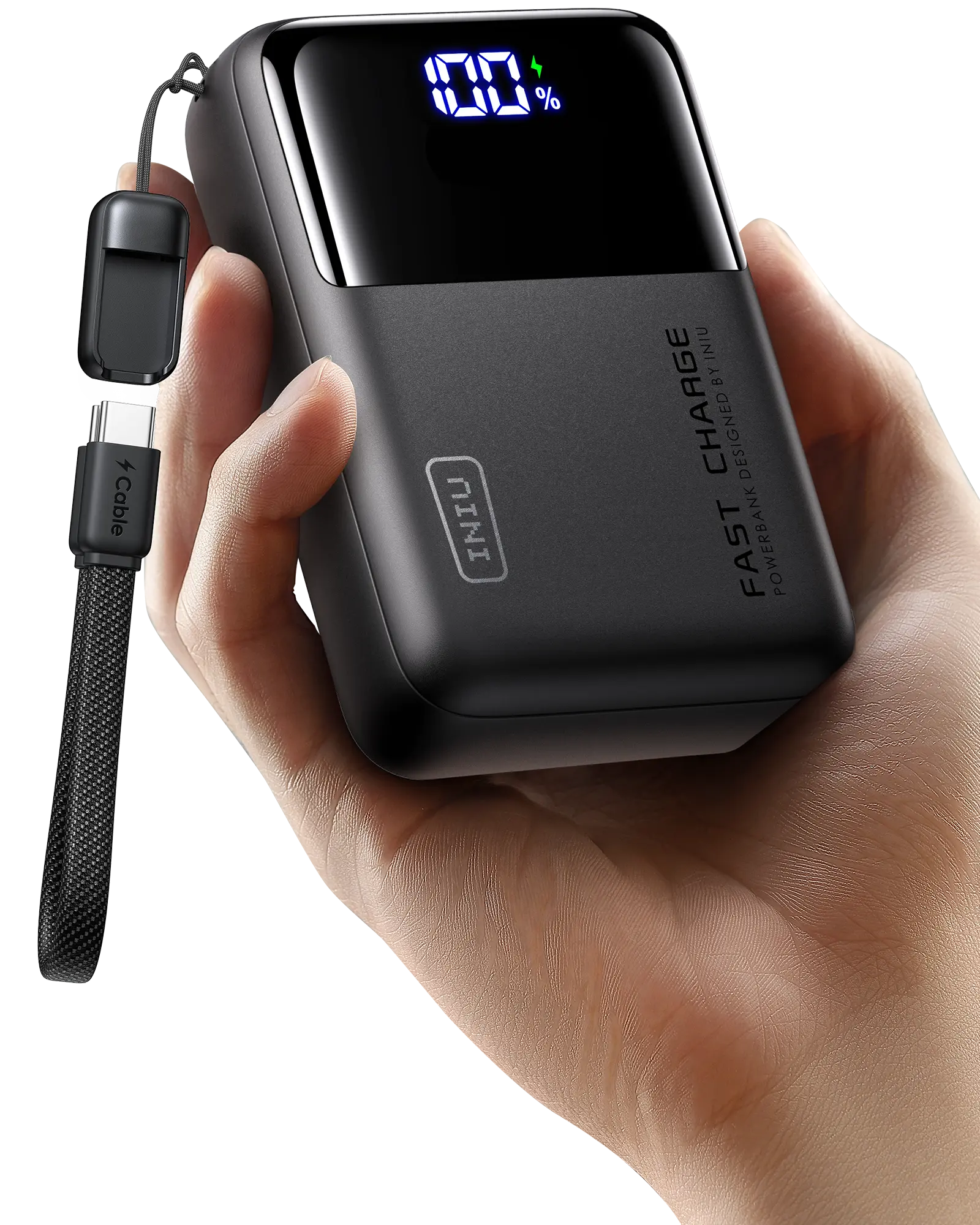
5. INIU P63-E1 100W: for less weight in your bag
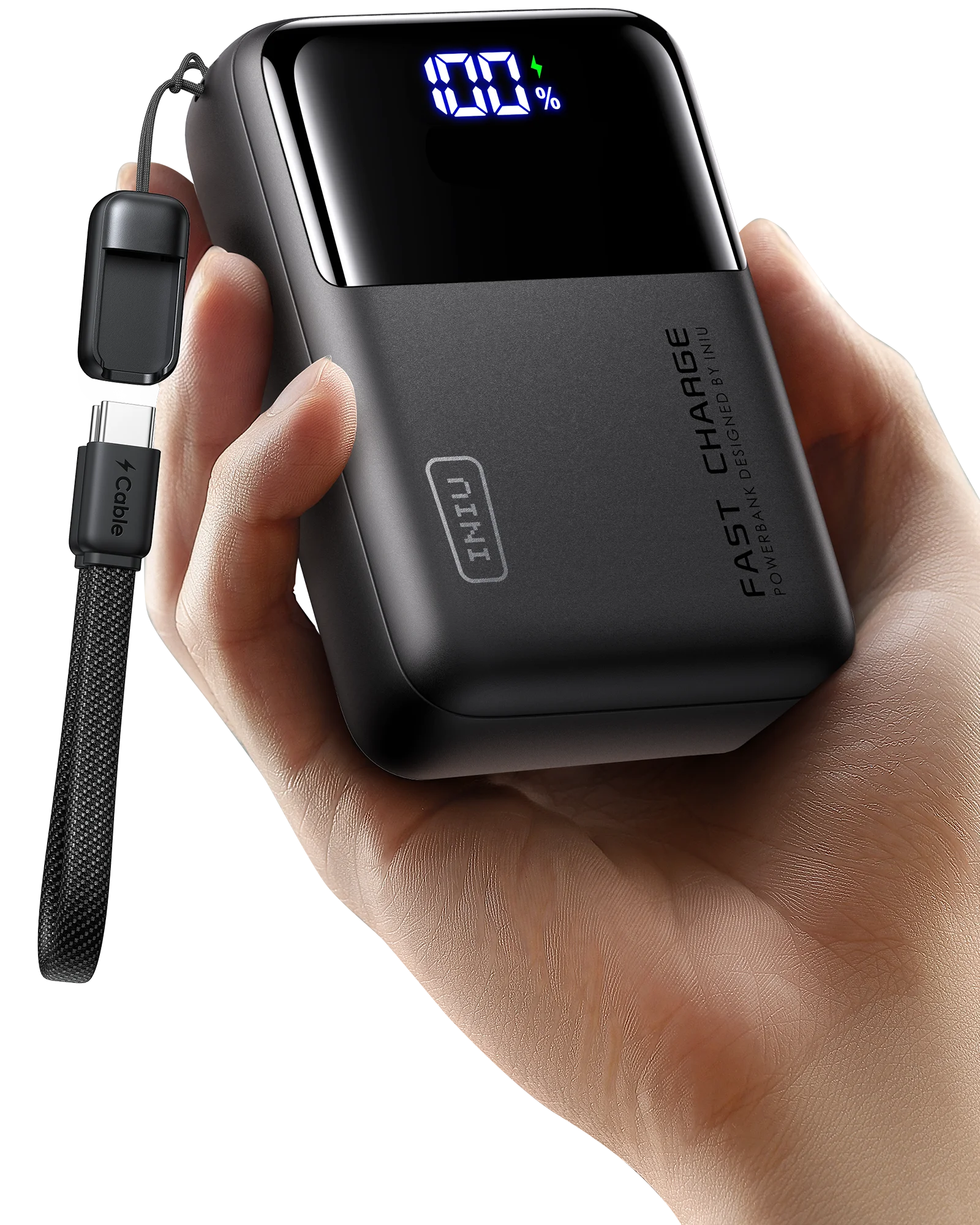
Amazon buyers: 4.4/5 from 4,943 global ratings. This is the compact P63-E1, also called Cougar. The listing includes older versions, so not every review applies to this model.
The INIU packs 25,000mAh into a unit weighing about 400g. That makes it lighter than the Anker 737, Anker 25K and both Ugreen models here. Its main USB-C port supplies up to 100W, enough for many work laptops, while the second USB-C port supports up to 45W when used alone.
Connecting both USB-C ports lowers the main port to 65W, with up to 45W for the second device. Keep that in mind if your laptop needs the full 100W. The short included USB-C cable doubles as a carrying loop, but it detaches; it is not permanently built in like the Anker 25K's cables.
Pros: About 400g; 25,000mAh capacity; a replaceable cable; up to 100W for one laptop.
Cons: The included cable is short; the main port drops to 65W with both USB-C ports in use; the display is simpler than the Prime's. Recent Mini Size buyers report shutdowns and charging failures, while others praise its size and laptop charging.
This is our choice if reducing weight matters more than a detailed screen. Check the cable holder before carrying it by the loop: a Mini Size owner reported the cable coming loose. We would not treat older reviews of the larger INIU as proof of this model's long-term reliability.
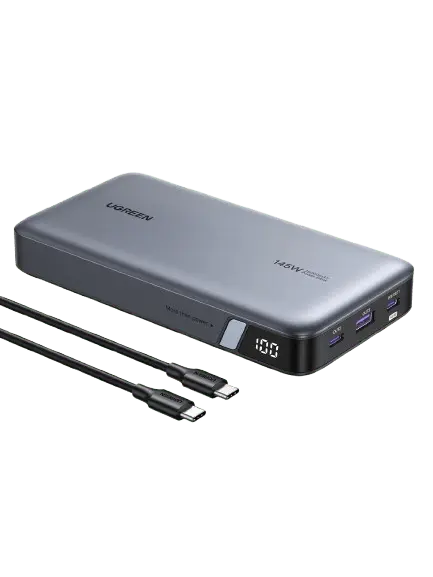
6. Ugreen 145W 25K: for separate cables and more capacity
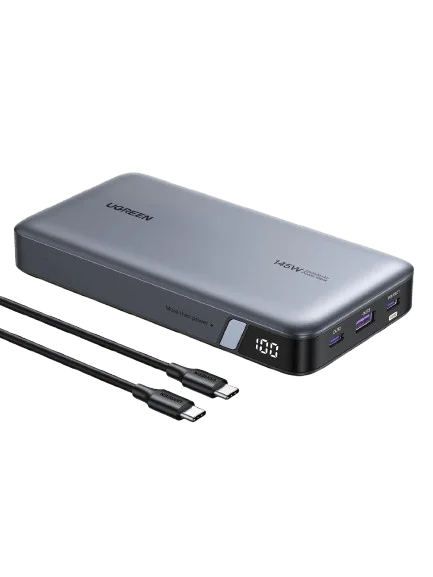
Amazon buyers: 4.3/5 from 7,747 global ratings. This pick is the 25,000mAh, three-port model sold as 90597A, not the separate 200W model.
At 513g, this Ugreen is lighter than the Anker 737 and Anker 25K, though it still belongs in a bag rather than a pocket. It has two USB-C ports and one USB-A port, with a simple display for the remaining battery percentage. You need to carry separate cables.
The main USB-C port supports up to 140W when used on its own. Using both USB-C ports gives up to 100W plus 45W. That is a useful split for a laptop and a second device, but 145W does not go to one laptop. The bank itself recharges at up to 65W, below the Anker models' input limits.
Pros: More capacity than the 20,000mAh Ugreen; replaceable cables; a clear battery-percentage display; enough connections for a laptop and smaller devices.
Cons: Heavier than the Ugreen 130W and INIU; slower maximum recharge input than the Ankers; no built-in cables; owner complaints about losing charge while idle, charging-port faults and units that stop recharging.
Buyer feedback also praises laptop charging and the clear display. Our recommendation comes with a practical check: try every port and check whether it holds charge soon after it arrives, while a return is still straightforward. Skip it if fast recharging between short stops is your main priority.
What to check before buying
Match the power to your laptop. Watts, written as W, tell you how much power a connection can provide. Check your laptop's USB-C charging limit, not just the number on its original wall charger. Some gaming laptops accept much less power through USB-C than through their normal charger. They may still lose battery while running a demanding game.
Use the right cable. A basic phone cable can limit charging speed. For 100W, use a USB-C cable rated for at least 100W. For 140W, use a compatible cable rated for the newer higher-power standard, often sold as a 240W cable. The laptop must support that charging mode too.
Do not read capacity as a guaranteed number of laptop charges. These banks range from 20,000mAh to 25,000mAh. Your laptop's battery size, what you are doing and energy lost during charging all affect how long they last. A laptop running a game needs more power than one sitting idle.
A handheld does not need every watt a laptop bank can offer. Check the charging requirement for your exact Steam Deck or other handheld. Extra output above that limit will not make it charge faster. Capacity and the weight in your bag may matter more.
Check the model before paying. Similar names can refer to different products. Match the model listed in each section, especially for the Anker Prime and INIU. The Prime A110B supports updates through the Anker app. We found no public user-installable firmware fix for the reported faults in the other five models as of September 18, 2026. Do not keep a faulty unit expecting a future update to repair it.
For a laptop and several devices, consider the Anker Prime 220W. The Ugreen 130W suits a laptop and phone, while the Anker 737 supplies up to 140W to one laptop without app controls. Choose the Anker 25K for attached cables, the INIU P63-E1 for less weight, or the Ugreen 145W for 25,000mAh capacity with separate cables. None is our first choice for someone who only needs to charge a phone.