The DualSense Edge makes sense if you want to change where your fingers press, how far the triggers move, or how the sticks respond. It has two rear buttons you can assign to existing controls, so you can jump or dodge without moving your thumb off the right stick.
If your regular PS5 controller already does everything you need, those adjustments may not be worth buying another controller for. Before choosing the Edge, think about which action you would put on each back button. Having a use for them matters more than the number of settings in the menu.
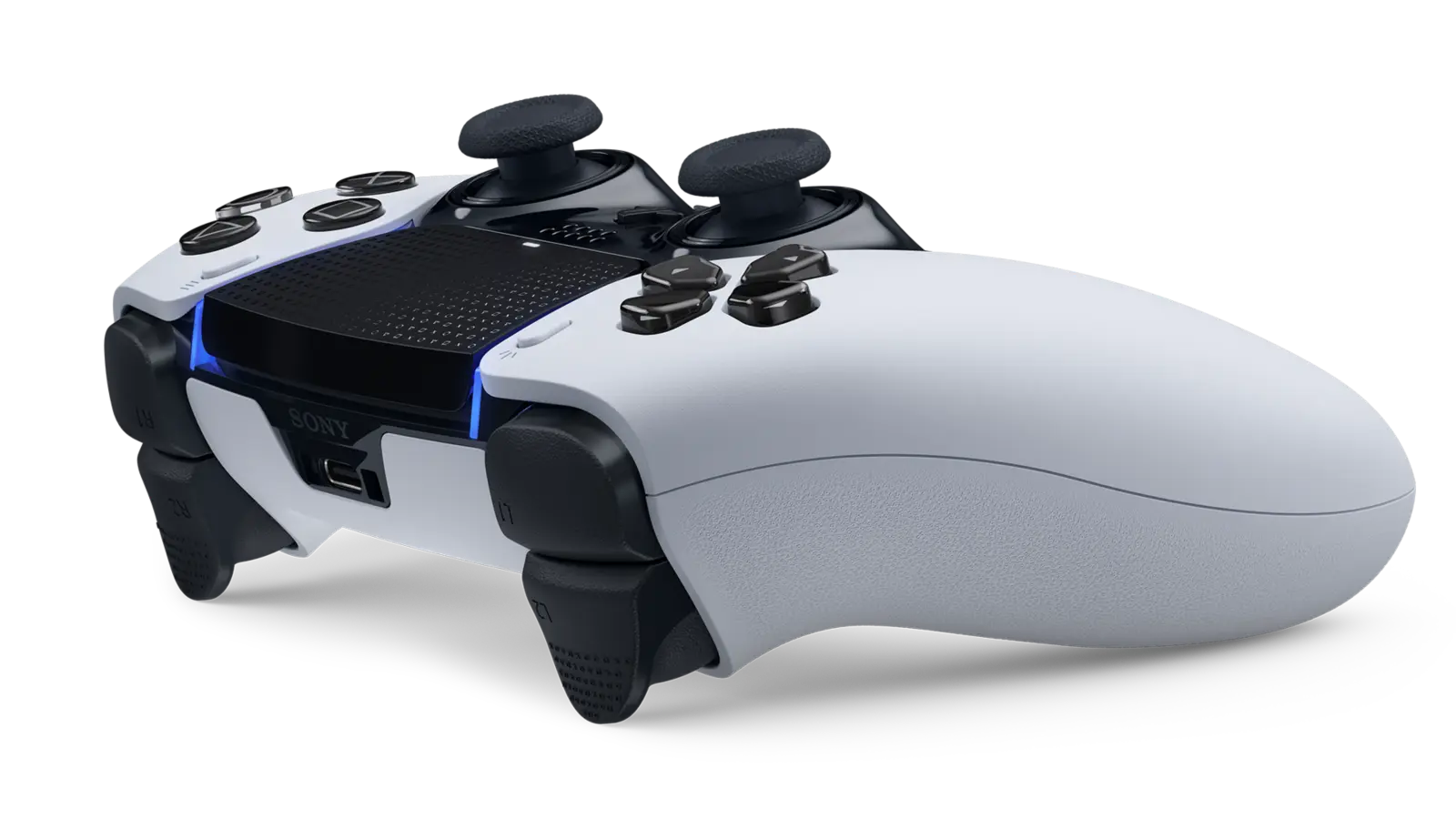
PlayStation DualSense Edge Wireless Controller
PlayStation · DualSense Edge
For players who want rear buttons and saved control settings for different games.
Product specifications
- Rear inputs
- 2, with two included button shapes
- Trigger stops
- Long, medium and short
- Onboard profiles
- Default + 3 custom profiles
- Replacement stick modules
- Sold separately
Pros
- Rear buttons let your thumbs stay on the sticks
- Save different button layouts on the controller
- A faulty stick module can be replaced
Cons
- Only two rear inputs, not four
- Replacement stick modules cost extra
- Shorter trigger stops disable adaptive trigger effects
Two back buttons, with a choice of shapes
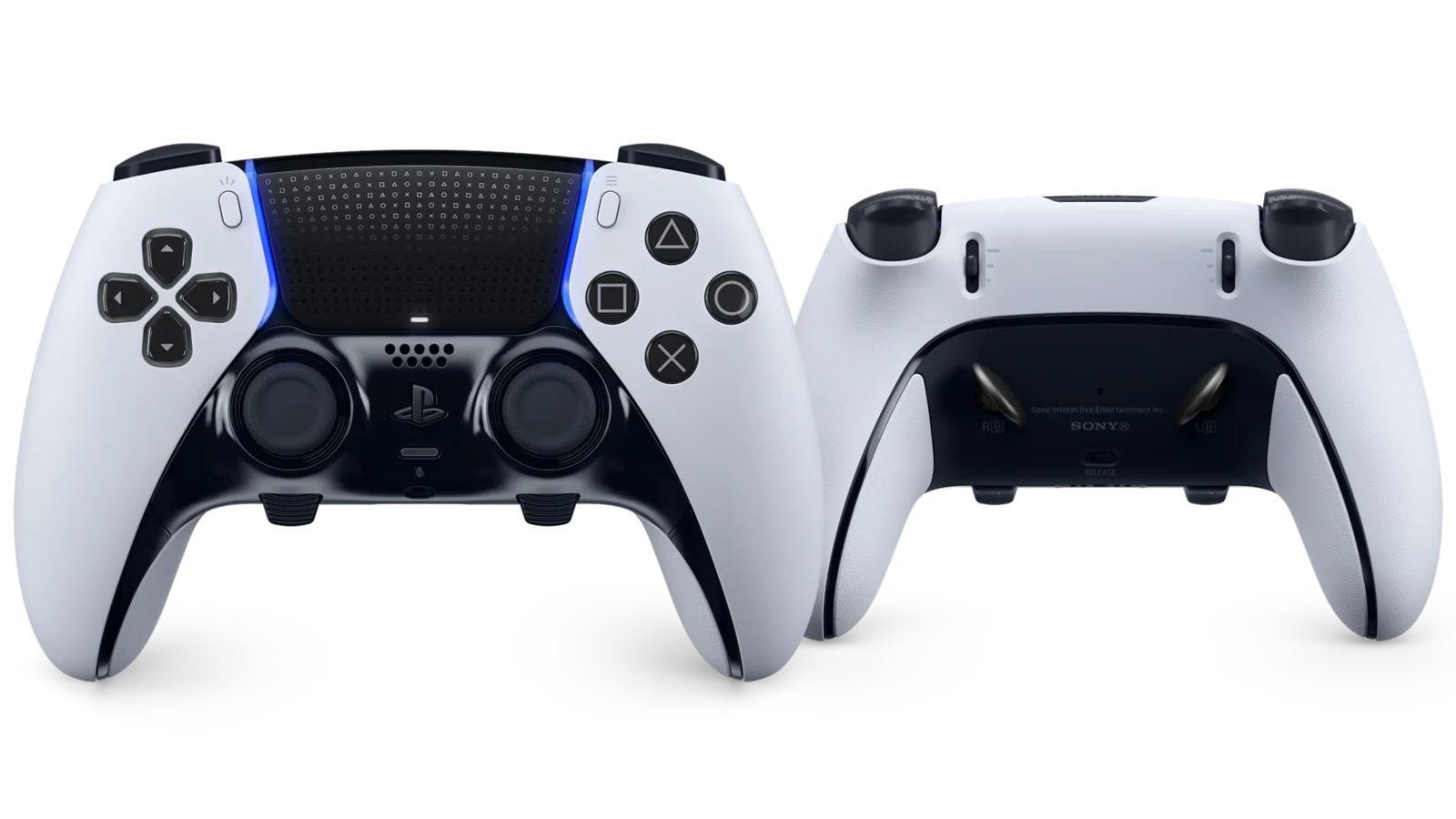
The box includes short half-dome buttons and longer lever-shaped buttons. You fit one pair at a time. There are two rear inputs, not four, and they repeat controls you assign to them rather than adding new commands to a game.
For example, you could put the game's jump button on one side and its crouch button on the other. That lets your thumbs stay on the sticks while your other fingers handle those actions. You still need to choose assignments that suit the game you are playing.
The half-dome pieces fit either side. The longer levers have left and right markings, so check those before attaching them. Try both shapes before settling on one; the right choice depends on how you hold the controller.
Shorter trigger travel has a trade-off
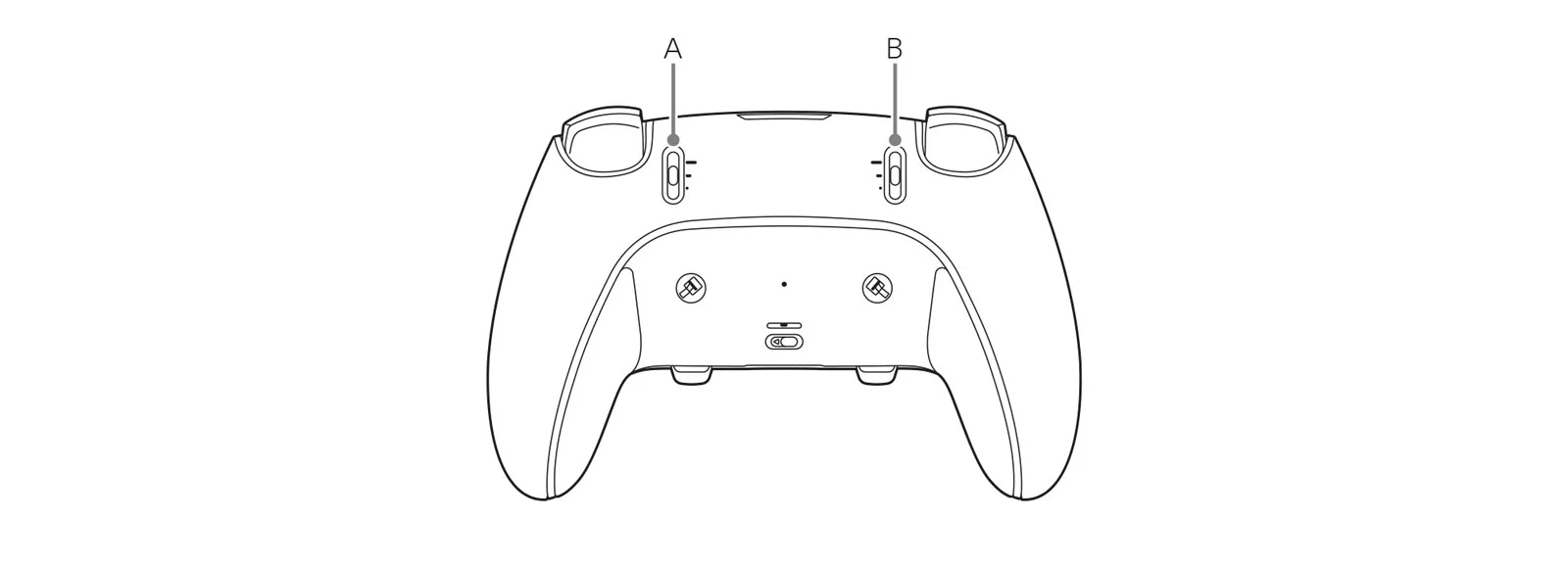
Sliders on the back let you choose how far L2 and R2 move. The short setting reduces the distance your fingers press. The long setting keeps the full movement available.
Adaptive trigger effects do not work with the medium or short stops. Those effects are the changing resistance you can feel in supported games. If you enjoy the resistance of a bow or a vehicle's brakes, leave the stops on long. Short travel is a choice, not an upgrade for every game.
Stick caps and stick modules are different parts
The three included cap styles change the top of the stick that touches your thumb. You get the standard caps plus high and low rounded alternatives. Swapping a cap changes its shape and height; it does not replace the mechanism underneath.
The complete stick modules can also be replaced. Replacement modules are sold separately, and the same module can fit either side. That gives you a way to replace a faulty stick, but it is not a promise that the controller cannot develop a fault. Check the cost and availability of the correct part before making repairability your main reason to buy.
Save settings for different games
A profile stores your button assignments and stick settings together. The controller can hold the default profile plus three custom ones. You can keep one setup for a shooter and another for an action game, rather than changing every button each time.
Stick sensitivity changes how the game responds as you move the stick. A dead zone is the small amount you can move it before the game responds. Start with the default settings, then change one thing at a time so you can tell whether it helps.
On Windows, the PlayStation Accessories app lets you edit Edge profiles and update the controller's software. PC features depend on the game and connection: haptic feedback and adaptive triggers may need USB. Do not assume that a Bluetooth connection gives every game all the features available on PS5.
What comes with it
The carrying case has spaces for the controller and its removable pieces. A braided USB cable and a connector housing are included; the housing helps keep the cable attached to the controller. You can also charge it through USB while it is stored in the case.
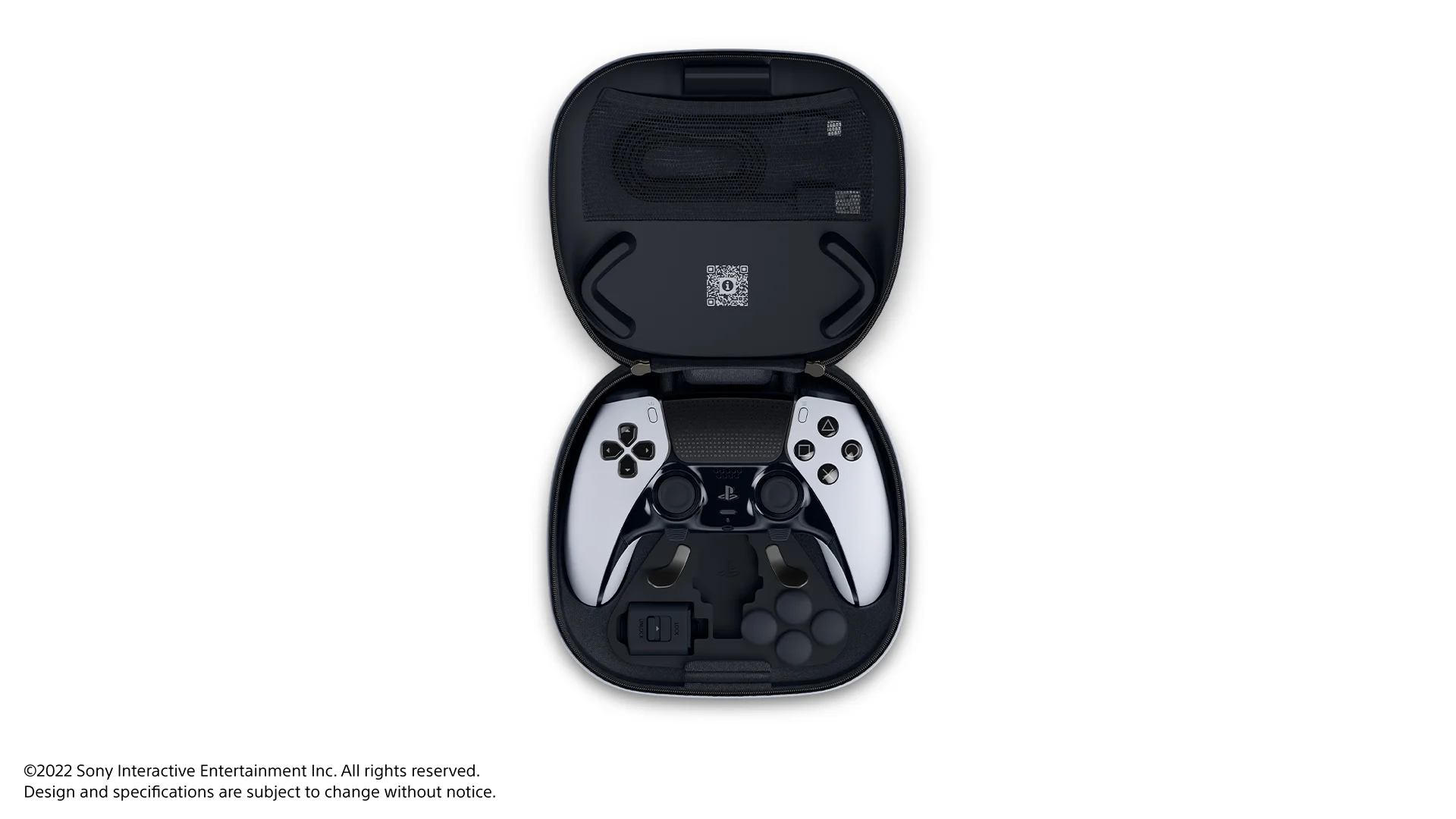
The Edge works with the DualSense charging station, but that dock is a separate purchase. If you already have one, you do not need another just for this controller.
Who should buy it?
We would consider the Edge for someone who already knows they want rear buttons and uses different control layouts across games. The replaceable stick modules are another practical reason to look at it, provided you are comfortable buying the parts separately.
Keep your regular controller if you are happy with its buttons and rarely change settings. And if you need four rear buttons at once, this is not the right model. The extra pair of button shapes in the case does not change that limit.