Pixel Twelve
Marvel Snap Beginner Guide: Cards, Locations, Energy and When to Snap

How To

Marvel Snap Beginner Guide: Cards, Locations, Energy and When to Snap

A visual first-match guide to the Marvel Snap board, card cost and power, Energy, six turns, location effects, Snapping, retreating and common beginner mistakes.

Game: Marvel SnapVerified Sep 23, 2026
Guide Type
How To
Last Verified
Sep 23, 2026

Guide details

Overview

A visual first-match guide to the Marvel Snap board, card cost and power, Energy, six turns, location effects, Snapping, retreating and common beginner mistakes.

First, know what you are trying to win

Marvel Snap is a short card game against another player. The board has three spaces called locations. Your cards go below each location; your opponent’s cards appear above it. A normal match has six turns. You usually win by having more Power than your opponent at two of the three locations when the match ends.

Do not add every number on the board and treat it as one score. Compare your Power with your opponent’s at the left location, then the middle, then the right. If each of you wins one location and the third is tied, total Power across the board breaks that tie.
Find the important parts of the screen

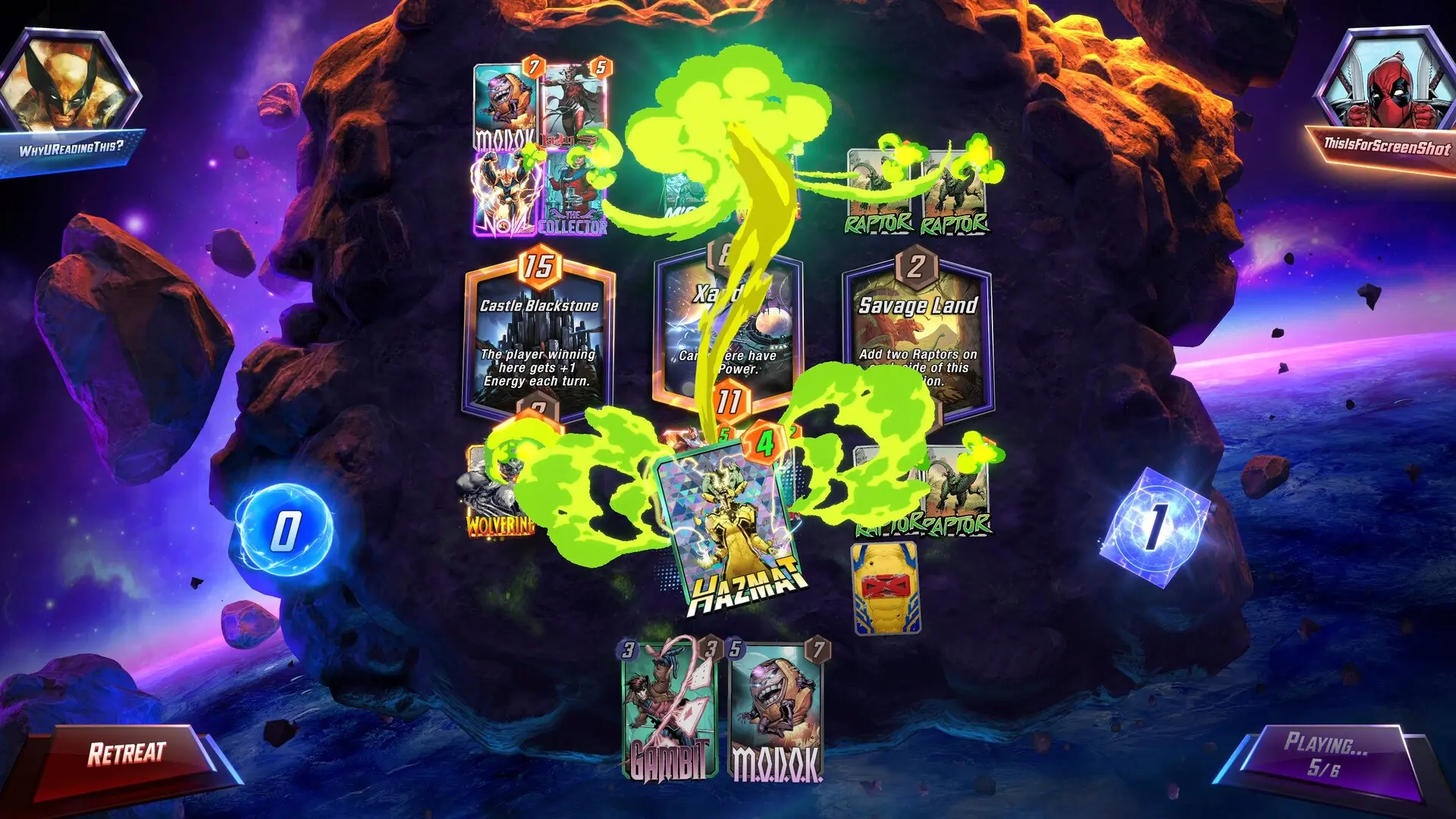
Marvel Snap board with three named locations across the middle, hand at the bottom, Energy near the lower left, and Retreat at lower left.
Find the three location names across the middle. Your cards and their Power are below those names; the opponent’s are above. In this PC view, the hand and blue Energy counter sit along the bottom and Retreat is at the lower left.
  • Look across the middle for three large location panels. The first is revealed on turn 1, the second on turn 2 and the third on turn 3. Read the small rule under each name; it can change what a card does or where you can play.
  • Look along the bottom for your hand of cards. On each card, the number at the top left is its Energy cost, the number at the top right is its Power, and the writing at the bottom explains its ability. Tap or click a card if the text is too small.
  • Find the blue Energy counter along the lower part of the board. The End Turn control is at the lower right; after you press it, the label may change to show that you are waiting. Retreat is at the lower left.

The layout may shift on a phone, but these names and jobs stay the same. If you cannot spot an item, check the lower edge first rather than guessing at a card in the middle of the board.

Play one card without wasting Energy

At the start of a turn, compare the blue Energy number with the cost at the top left of a card in your hand. On turn 1 you normally have 1 Energy; on turn 2 you have 2, and so on until 6 on turn 6. You may play several cards in one turn if their combined cost fits the Energy you have. Unused Energy does not carry over to the next turn.

  • Choose a card you can afford. Drag it from your hand at the bottom into an open space below one of the three locations. If a location says you cannot play there, read its rule and try a different one.
  • Before ending the turn, check the location name and the card’s ability again. You can drag a staged card back to your hand before the turn is locked. The Energy orb also offers Undo All Actions.
  • When the play looks right, press End Turn at the lower right. Once you end the turn, you cannot undo that turn’s actions. Both players’ cards are then resolved.

Use the map of locations, not just the biggest card

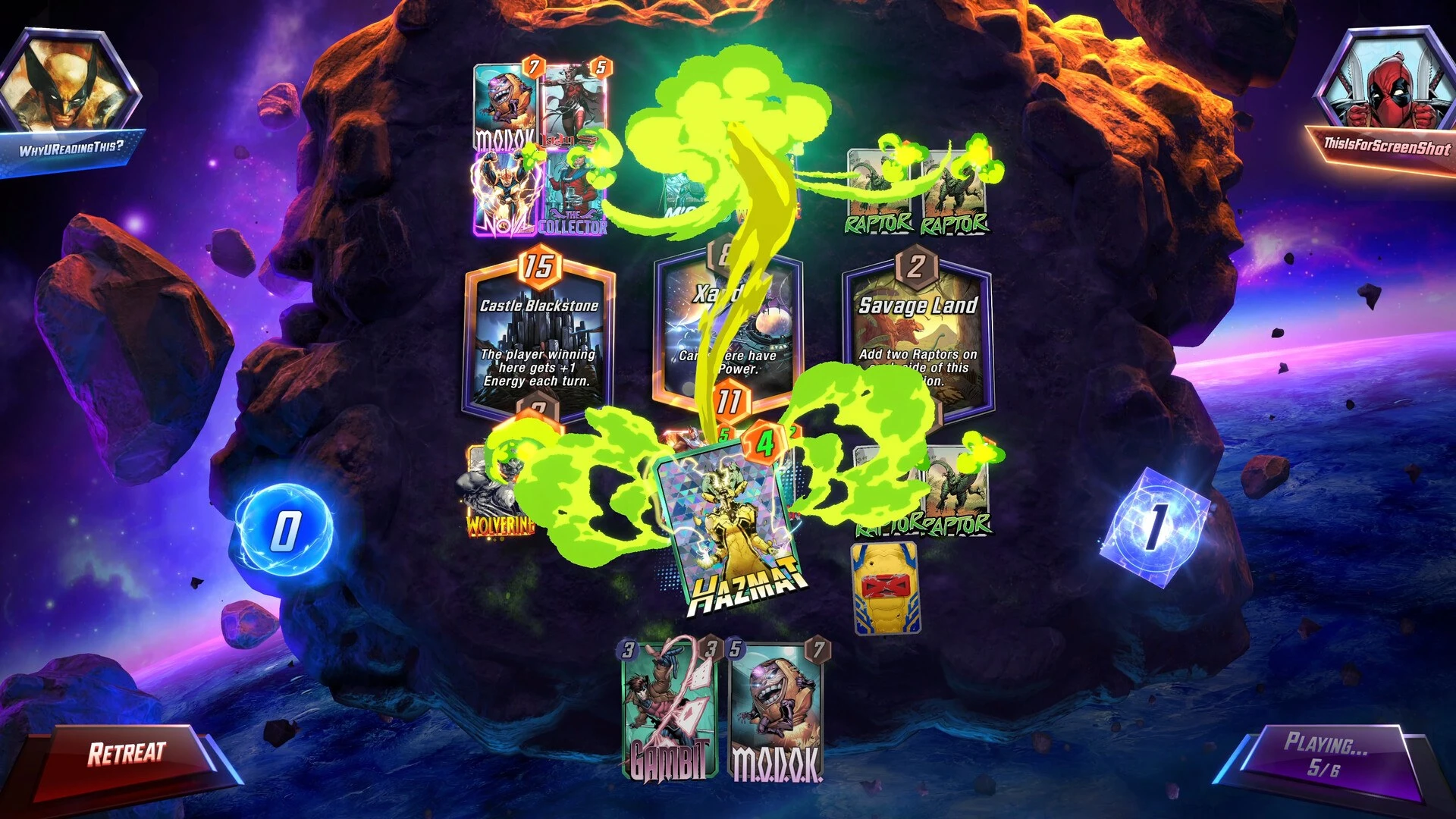
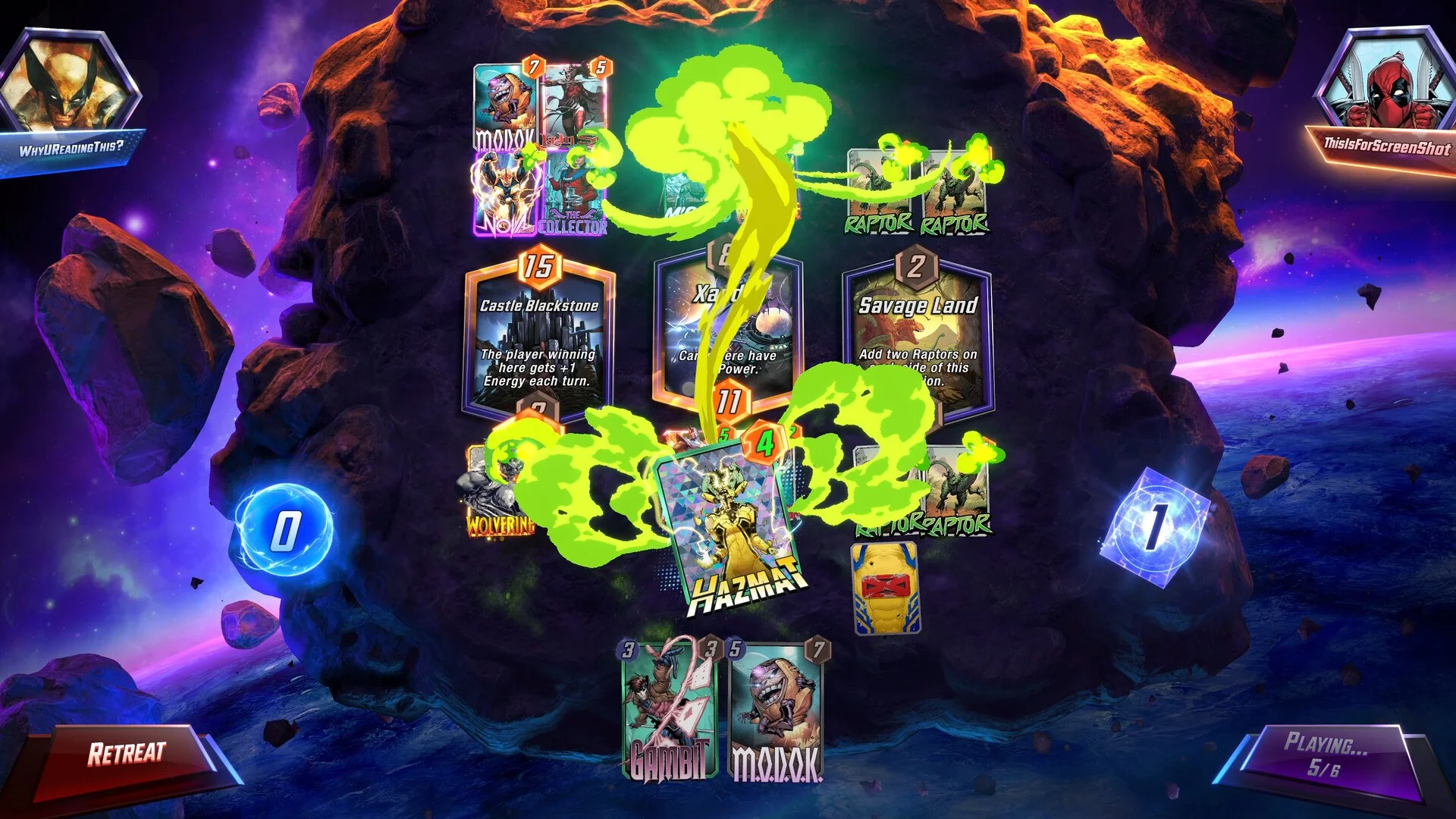
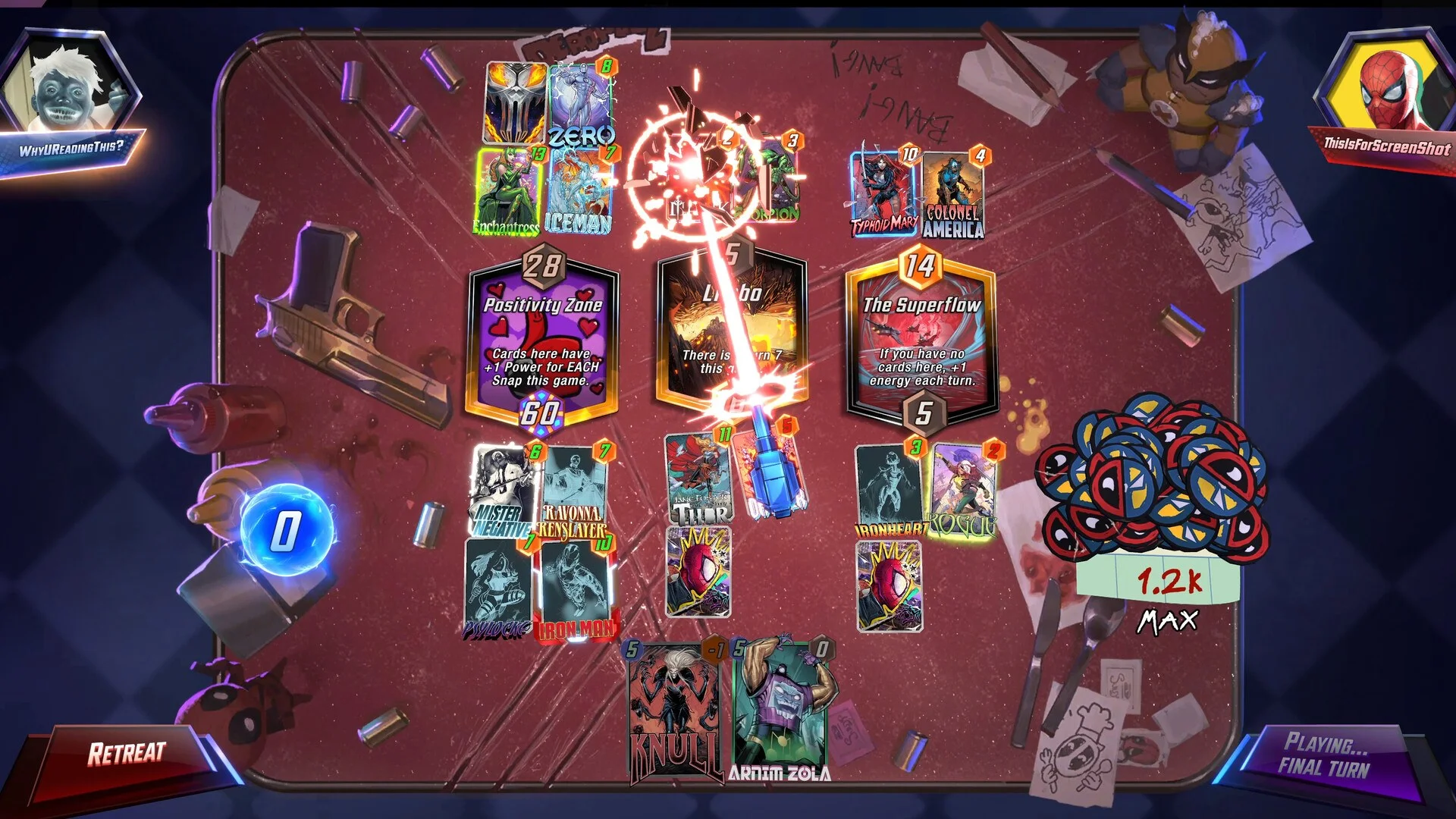
Late Marvel Snap turn showing all three locations, card Power totals and a hand of unplayed cards.
On a late turn, compare the Power totals at each of the three locations. Ask which two you can realistically win before spending your remaining Energy.

A location is a small rule-changing space, not just a place to park cards. Some add Power, some create cards, and others limit what may be played there. The first three location rules appear over the first three turns, so a plan made on turn 1 may need to change on turn 3. In ordinary circumstances your side holds at most four cards per location.

Try this simple check before every End Turn: which location am I already winning, which one is close, and which one would take too many cards to catch up? You need two locations, not all three. A modest card in a close location can help more than a strong card piled onto a location you are already winning by a lot.

If your card says “On Reveal” or “Ongoing,” read its own text before deciding where it belongs. Its ability and the location’s rule can change the Power shown on the board. Do not decide the winner from the printed Power number alone.

Understand the purple cube, Snap and Retreat

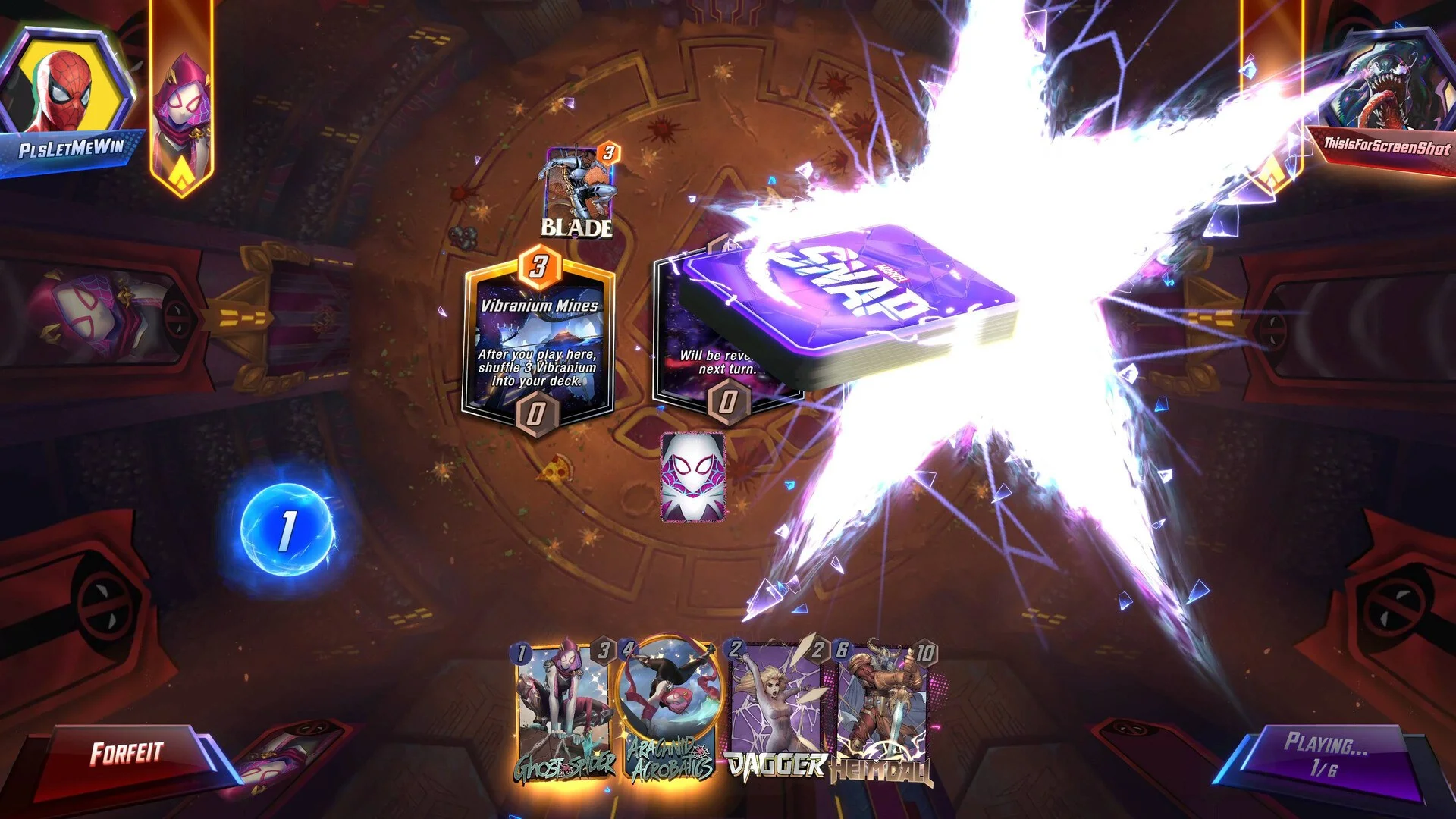
Purple SNAP cube enlarged on a Marvel Snap board during the Snap effect.
The purple SNAP cube represents the match stakes, not Energy. In normal play, its clickable position is at the top centre of the match; the image shows the cube enlarged by its animation.

The cube is the ranked reward at stake. In a normal match, the stakes rise at the end; Snapping raises them sooner. To Snap, click or tap the cube at the top centre when you have a good reason to think your plan will work. Your opponent can keep playing or retreat. You can Snap once per match, and your opponent can Snap once too. The stakes can reach 8 cubes.

If the Snap cube is not available in your first games, nothing is broken. Official support says Snapping unlocks after you reach Iron rank 10 and finish the Stakes tutorial. Learn the board first.

Retreat is a way to leave a losing match before the stakes grow further. Look for the Retreat button at the lower left. The number on the cube shows what you would give up if you retreat now. Use it when you cannot see a realistic way to win two locations, especially after your opponent Snaps. Retreating is often smarter than hoping a bad final turn will somehow work.

A six-turn plan for your first few matches

  • Turns 1–2: play affordable cards and watch the first two location rules appear. Do not fill one location immediately just because it is open.
  • Turns 3–4: all three locations are visible. Re-read their rules. Pick two that your hand can support and leave space there for later cards.
  • Turns 5–6: count the Power gap at each location and the Energy you have left. A card with an ability may change more than its printed Power suggests. Make the final play only after comparing two locations, then press End Turn.
  • Before every Snap: ask what specific card, location effect or opponent mistake gives you an edge. If you cannot name one, keep the cube where it is.

If something is not working

  • Card will not go onto the board: check its top-left cost against the Energy counter, then check whether that location is full or its rule blocks the play.
  • A location changed your result: read the line under its name and the ability text on the cards there. Both can change the Power total.
  • You pressed End Turn too soon: that turn cannot be undone. On later turns, pull staged cards back to your hand or use Undo All Actions before pressing End Turn.
  • Snap is missing: finish the early ranked Stakes tutorial and reach Iron rank 10. Retreat and basic card play are still worth learning first.

Get Pixel Twelve's biggest stories first.

Add as a preferred source on Google