Pixel Twelve
A Link Between Worlds: how to merge with walls and get back out

How To

A Link Between Worlds: how to merge with walls and get back out

A first-time wall-merge guide for A Link Between Worlds on Nintendo 3DS, with the actual A prompts, clear controls, official screenshots and two labeled Pixel Twelve diagrams.

Guide Type
How To
Last Verified
Sep 29, 2026

Guide details

Overview

A first-time wall-merge guide for A Link Between Worlds on Nintendo 3DS, with the actual A prompts, clear controls, official screenshots and two labeled Pixel Twelve diagrams.

Before you try it: what wall merging does

A Link Between Worlds is a Nintendo 3DS adventure. You see a small Link in a green hat from above on the top screen; the lower screen can show your map and items. After the story gives Link this ability, he can become a flat drawing and travel sideways along a wall. That is how he gets around a corner or past a gap that blocks him while standing normally.

You do not have the ability at the start of a new save. If the game never shows an A Merge prompt beside a wall, keep playing the main story before trying this guide. The screenshots below show exactly what the prompt, drawing and energy bar look like once you can use it.
1. Walk right up to a wall and find “A Merge”

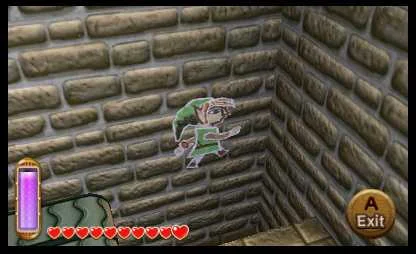
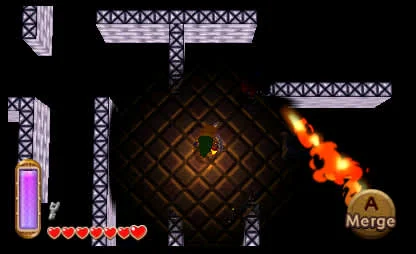
On the top screen move Link until he is directly in front of a solid wall. Stop close to it and look at the lower-right corner of that same screen. When wall merging is available there, a round button prompt says A Merge. In the official screenshot below, Link is near the middle, the wall is directly in front of him and the prompt appears at the lower right. The vertical purple bar on the left is his energy gauge.

Official Zelda screenshot: Link stands by a wall, with a round A Merge prompt at the lower right and a purple energy gauge on the left.
The round A Merge prompt is at the lower right of the top screen. The purple energy gauge is the tall bar on the left.

If you do not see A Merge, do not keep pressing buttons at a distance. Move closer until Link faces the wall and check the lower-right corner again. If you are still early in the story, continue until the ability has been introduced.

2. Find A and the Circle Pad on your 3DS

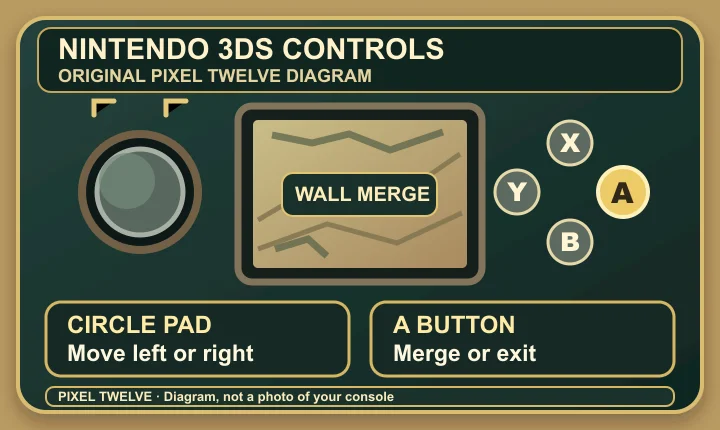
The A button is the right-hand button in the group of four face buttons beside the lower screen. The Circle Pad is the round thumb control on the left side, above the cross-shaped + Control Pad. The original Pixel Twelve diagram below labels both positions. It is a control-location diagram, not a photo or a game screenshot.

Original Pixel Twelve Nintendo 3DS control diagram: the Circle Pad is on the left, and A is highlighted as the right face button in the X Y A B group.
Pixel Twelve original diagram, not a console photo. Press the highlighted A button to merge or exit; move the Circle Pad to travel along a wall.

When A Merge is visible in the game, press A once. Link flattens against the wall and looks like a drawing. The on-screen command changes from A Merge to A Exit.

3. Move the painting along the wall

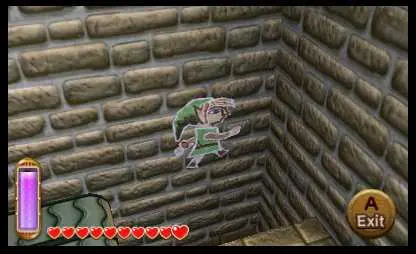
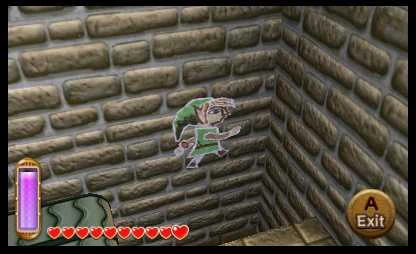
With Link flat on the wall, tilt the Circle Pad left or right to slide his painted figure along the stone. You are not walking on the ground now: look for the flat outline of Link on the wall. The official screenshot below shows that outline against gray bricks. It also shows the A Exit prompt at the lower right and the purple energy gauge at the left.

Official Zelda screenshot: a pale, flat Link painting is attached to a gray stone wall; A Exit appears at lower right and the purple meter at left.
Link is the flat figure on the stone wall. Use the Circle Pad left or right; the purple bar on the left falls as he stays merged.

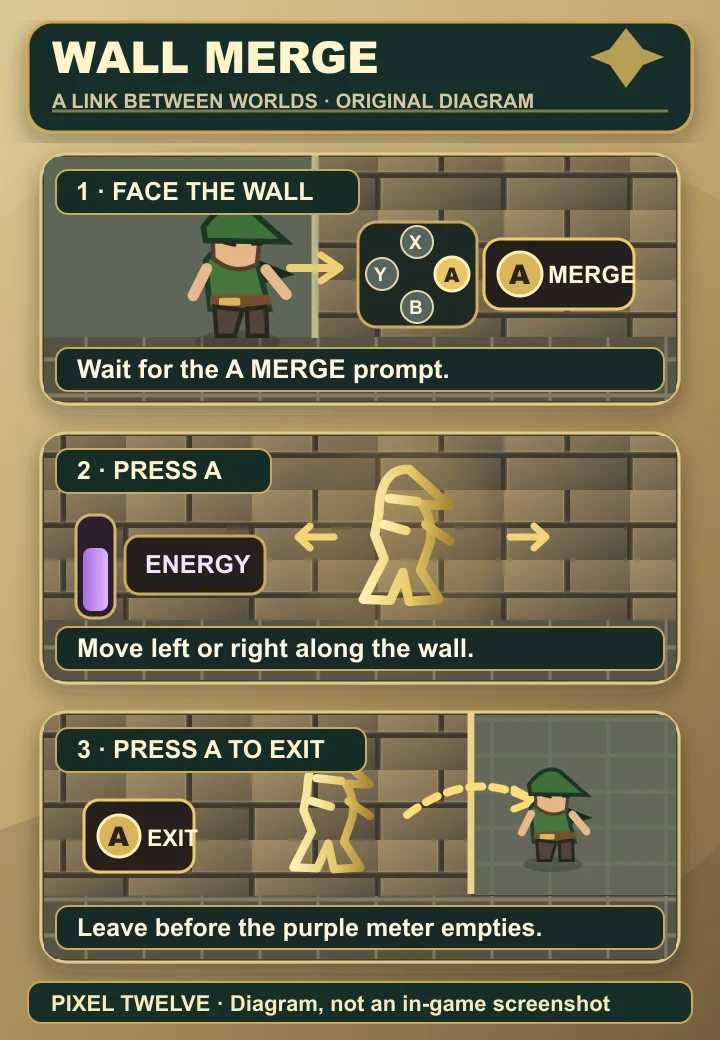
The following original Pixel Twelve diagram puts the three states together: face a wall, press A when Merge appears, then move sideways and press A again to exit. Every word in this visual is inside a labeled panel; it is a diagram, not an in-game screenshot.

Original Zelda-style Pixel Twelve diagram in three panels showing Link face a wall, press the right-side A button to merge, move his painting left or right while a purple meter falls, and press A to exit.
Pixel Twelve original diagram. The gold A button is on the right of the X-Y-A-B cluster; the purple bar shows the time available on the wall.

4. Use an outside corner to cross a gap

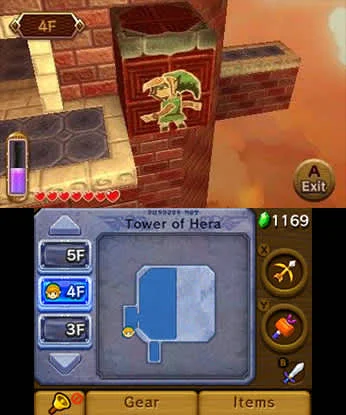
If the floor stops but the wall continues, stay merged and move Link’s drawing toward the wall’s edge with the Circle Pad. Look for a painted Link on the brick face and a visible wall corner. In Nintendo’s Tower of Hera screenshot below, the small painted Link clings to a red-brick outer wall; the lower 3DS screen shows the dungeon map and the current floor. This is an example of the mechanic, not a route you must reach before learning it.

Official Nintendo dual-screen screenshot from Tower of Hera: a green painted Link is on a red-brick outer wall on floor 4F; lower screen map is visible.
Look at the top screen: painted Link is on the brick face by a corner. The lower screen is the floor map, not the control for moving him.

Keep moving sideways only while the painted figure has wall to follow. When you can see a floor or ledge beside the wall, you can choose a safe place to leave it. If you reach a blank end without a route, go back along the wall and try another direction instead of waiting for the energy to run out.

5. Press A again to leave the wall before energy runs out

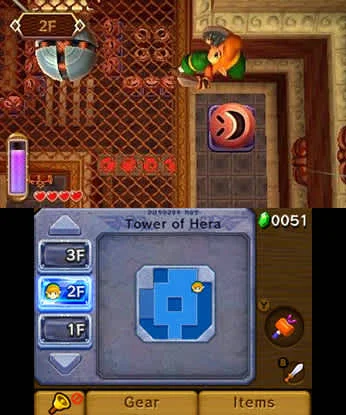
While Link is a painting, the prompt at the lower right says A Exit. Move to a point with visible ground beside the wall, then press the same A button again. Link returns to his normal shape. The purple vertical gauge on the left refills when you are no longer spending energy on the wall. Nintendo’s manual says the game will push Link out automatically if that gauge reaches zero, so do not use the last bit of energy while crossing a gap.

Official Tower of Hera dual-screen screenshot showing Link at a wall beside a room with a circular device, and the dungeon map on the lower screen.
Check the top screen for a landing spot before leaving a wall. The lower screen map helps you see which room and floor you are on.

The short version: watch for A Merge → press A → move left or right with the Circle Pad while watching the purple bar → press A again when you reach solid ground.

If it is not working

No A Merge prompt? Check the lower-right corner of the top screen while Link is right against a wall. If you are at the beginning of the story, the ability may not be unlocked yet.

Link comes out of the wall on his own? Look at the purple gauge on the left. Wall merging drains it, and reaching zero forces an exit. Let it refill before trying a longer crossing.

Moving does not get you across? While flat, follow the wall itself, not the floor. A corner or narrow wall route may be the way through; if the wall ends, return and inspect another face of the room.

Get Pixel Twelve's biggest stories first.

Add as a preferred source on Google